EasyManua.ls Logo

Lightware DVI-OPT-RX220-Pro - User Manual

Lightware DVI-OPT-RX220-Pro
39 pages
Print Icon
To Next Page IconTo Next Page
Loading...
DVI-OPT-TX220-Pro
DVI-OPT-TX220-ST-Pro
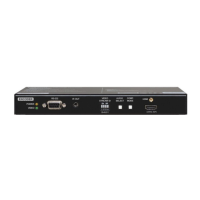
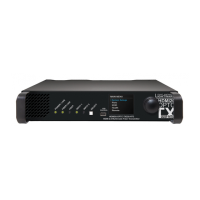
DVI-OPT-RX220-Pro
DVI-OPT-RX220-ST-Pro
User’s Manual
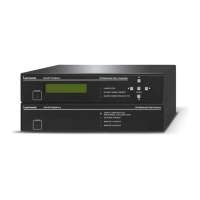
Fiber Multimedia Extender

Table of Contents

Other manuals for Lightware DVI-OPT-RX220-Pro

Questions and Answers

  • O
    onewtonAug 23, 2025
    What to do if changing EDID on Lightware DVI-OPT-RX220-Pro input port doesn't change resolution?
    • J
      Jesus WhiteAug 23, 2025
      If changing the EDID on a Lightware device's input port doesn't result in a resolution change, you need to restart your source device. This forces the source to read the EDID again, applying the new resolution settings.
  • G
    Garrett BrownNov 7, 2025
    Why is there no picture on my Lightware Extender video output?
    • J
      jacqueline56Nov 7, 2025
      The absence of a picture on the video output of your Lightware Extender can stem from several causes: * **Power issues:** Ensure all devices, including the extenders themselves, are properly powered. Try unplugging and reconnecting them. * **Cable connection problems:** Given the high data rates, cables must fit snugly. Check all connectors to ensure they are properly seated. Verify that the correct port is selected on both your source and display. * **Cable quality:** High data rates necessitate high-quality cables. Consider using OM3 or OM4 fiber cables. * **Contaminated fiber optic cable endface:** Use specialized fiber optic cable cleaning equipment to carefully clean the cable endface. * **Display incompatibility:** Your display might not support the sent video format. Try...

Summary

Important Safety Instructions

Class I Apparatus Construction

Equipment must use a mains power system with a protective earth connection.

Installation

Connecting Steps

Step-by-step guide for connecting the transmitter and receiver units.

Product Overview

Operation

Powering On

Instructions for powering on the extender unit.

Software Control - Using Lightware Device Controller

Install and Upgrade Software

Guide for installing and upgrading the Lightware Device Controller software.

Establishing Connection

Steps to connect the computer to the extender via RS-232.

EDID Menu

Advanced EDID management and configuration options.

LW2 Programmers Reference

Firmware Upgrade

Short Instructions

Brief steps for performing firmware upgrades using Lightware Bootloader.

Install the Bootloader

Guide for installing the Lightware Bootloader application.

Detailed Instructions

Comprehensive guide for establishing connection and performing firmware upgrades.

Technologies

EDID Management

Understanding and managing EDID data for display compatibility.

Pixel Accurate Reclocking

Explanation of Lightware's reclocking technology for signal integrity.

Lightware DVI-OPT-RX220-Pro Specifications

General IconGeneral
BrandLightware
ModelDVI-OPT-RX220-Pro
CategoryExtender
LanguageEnglish

Related product manuals