EasyManua.ls Logo

Lightware HDMI20-OPTC series - User Manual

Lightware HDMI20-OPTC series
75 pages
Print Icon
To Next Page IconTo Next Page
Loading...
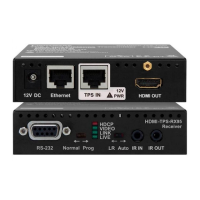
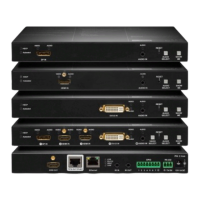
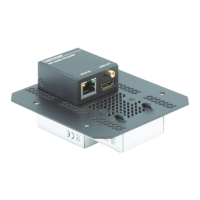
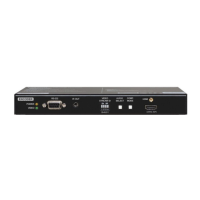
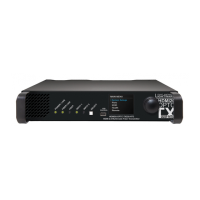
HDMI20-OPTC-TX220-PRO, -RX220-PRO
HDMI20-OPTC-TX220-FOX, -RX220-FOX
HDMI20-OPTC-TX220-NTQ, -RX220-NTQ
HDMI20-OPTC-TX220-PCN, -RX220-PCN
User’s Manual
Multimode Single Fiber Optical Extender

Table of Contents

Other manuals for Lightware HDMI20-OPTC series

Questions and Answers

  • S
    Scott BurtonAug 18, 2025
    What to do if connected serial device cannot be controlled using Lightware Extender?
    • C
      Charles SullivanAug 19, 2025
      If you cannot control a connected serial device, consider these potential causes: * There is a cable connection problem. Ensure your serial cable is properly connected, and verify the wiring of the plugs. * The RS-232 mode is not correctly configured. Check the RS-232 mode settings (pass, control, and command injection).
  • J
    Jennifer BassAug 21, 2025
    What to do if select/function button not toggles the inputs/ conversion modes on Lightware HDMI20-OPTC Extender?
    • W
      wrightericAug 21, 2025
      If the select/function button on your Lightware Extender does not toggle the inputs/conversion modes, the front panel buttons may be locked. Try unlocking the buttons.
  • A
    arthurcampbellAug 26, 2025
    What to do if HDMI output signal contains no audio on Lightware Extender?
    • A
      Alicia HuntAug 26, 2025
      If the HDMI output signal from your Lightware Extender contains no audio, the issue might be: * The video signal type is set to DVI. Check the output port's signal type properties and change it to HDMI or Auto. * A DVI EDID is being emulated. Check the EDID settings and select an HDMI EDID to emulate.
  • A
    Amy JenningsAug 27, 2025
    How to fix Lightware HDMI20-OPTC Extender when no LAN connection can be established?
    • K
      Kristin HouseAug 28, 2025
      If you're unable to establish a LAN connection with the Lightware Extender: * An incorrect IP address may be set. If using a fixed IP, switch to a dynamic IP address by enabling the DHCP option. * There might be an IP address conflict. Check the IP addresses of other devices on the network.
  • S
    Stanley HarrisAug 30, 2025
    Why are no LEDs lit on my Lightware HDMI20-OPTC Extender?
    • C
      Cassandra MckinneyAug 30, 2025
      If no LEDs are lit on your Lightware Extender, the dark mode may be enabled. Try disabling the dark mode.
  • T
    Tammie CannonSep 1, 2025
    How to make Lightware HDMI20-OPTC Extender read changed EDID?
    • M
      morrismorganSep 1, 2025
      If you've changed the EDID on an input port of the Lightware device and nothing happens, you need to restart your source to make it read out the EDID again.
  • M
    Meghan MclaughlinSep 6, 2025
    Why does the HDMI output signal contain no audio on Lightware HDMI20-OPTC?
    • M
      Michael PhillipsSep 6, 2025
      If the HDMI output signal contains no audio, it could be due to the video signal type being set to DVI. To resolve this, check the signal type properties of the output port and set it to HDMI or Auto. Another potential cause is DVI EDID emulation; in this case, check the EDID and select an HDMI EDID to emulate.
  • V
    Vicki PriceSep 8, 2025
    What to do if no LAN connection can be established on Lightware HDMI20-OPTC Extender?
    • E
      Elizabeth KingSep 9, 2025
      If no LAN connection can be established, it might be due to an incorrectly set IP address. If you are using a fixed IP, try using a dynamic IP address by enabling the DHCP option. There may also be an IP address conflict, so check the IP addresses of other devices on the network. You can also try restoring the factory default settings (with fix IP).
  • P
    paulchapmanSep 12, 2025
    How to fix a Lightware HDMI20-OPTC when a connected serial device cannot be controlled?
    • B
      Brian JacobsSep 12, 2025
      If a connected serial device cannot be controlled, first check whether your serial cable is properly connected and verify the wiring of the plugs. Also, check the RS-232 mode settings (pass, control, and command injection).
  • T
    Thomas PhillipsSep 13, 2025
    What to do if I changed to a different EDID on an input port of the Lightware HDMI20-OPTC Extender but nothing happens?
    • W
      William JosephSep 13, 2025
      To apply the new EDID settings, you need to restart your source to make it read out the EDID again.

Lightware HDMI20-OPTC series Specifications

General IconGeneral
CategoryExtender
ModelHDMI20-OPTC series
Signal TypeHDMI 2.0
Maximum Data Rate18 Gbps
Transmission MediumOptical Fiber
Maximum Resolution4K@60Hz (4:4:4)
HDCPHDCP 2.2
Audio FormatsDolby TrueHD, DTS-HD Master Audio
Power Supply5V DC
Operating Temperature0°C to +40°C
Storage Temperature-20°C to +60°C
Connectors (Receiver)HDMI female, LC duplex fiber

Related product manuals