8. Troubleshooting HDMI20-OPTC series – User's Manual 63
8
Troubleshooting
Usually, if the system seems not to transport the signal as expected, the best
strategy for troubleshooting is to check signal integrity through the whole
signal chain starting from source side and moving forward to receiver end.
Link to front panel operation section.
Link to LDC software section.
about status, LEDs refer to the Front View and Rear View -Transmitters sections.
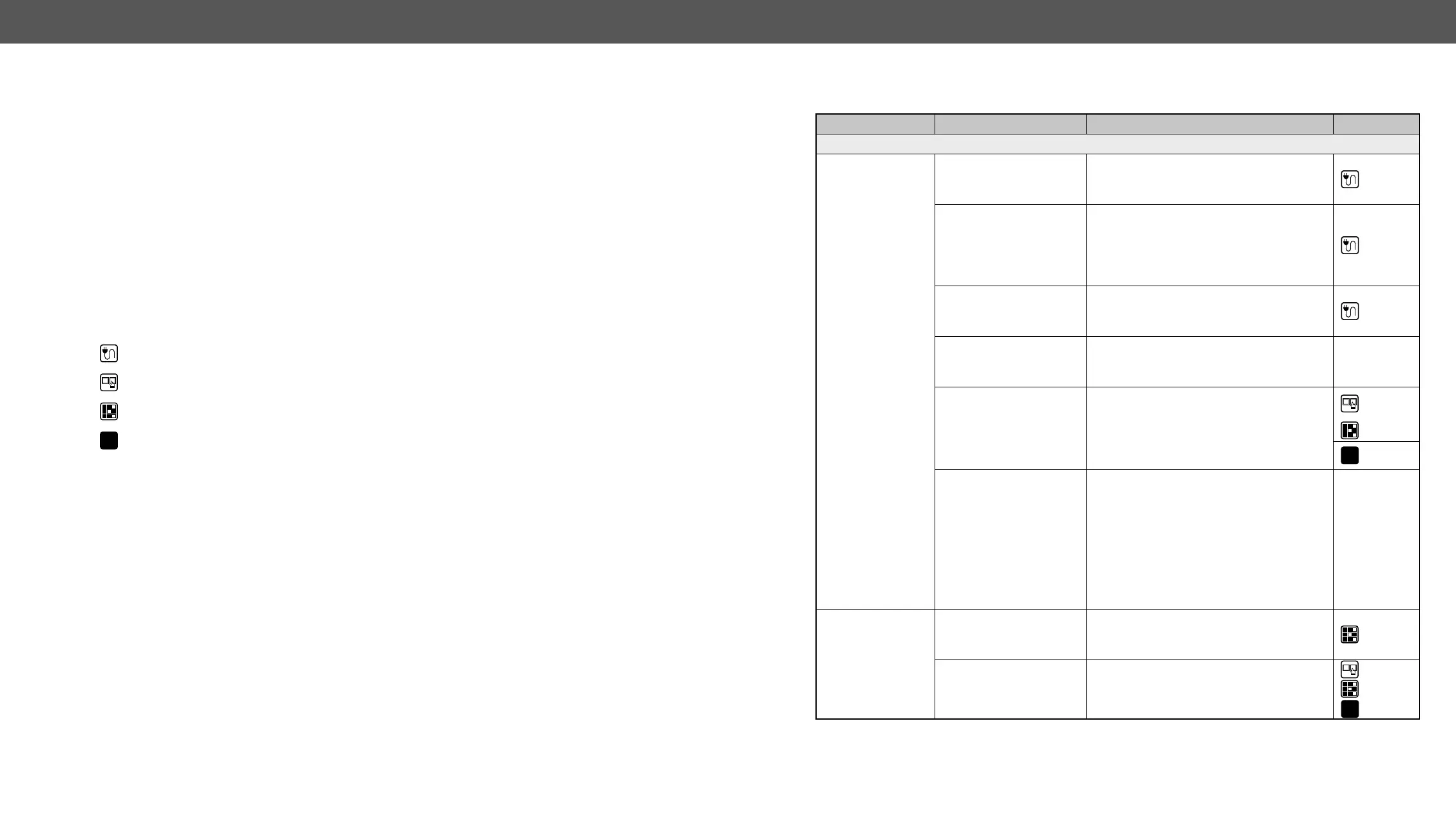
Symptom Root cause Action Refer to
Video signal
No picture on the
video output
Device(s) not powered
properly.
Check the extenders and the other devices
if they are properly powered; try to unplug
and reconnect them.
3.4
Cable connection
problem.
very well, check all the connectors. If your
source or display has more connectors
then make sure that the proper port is
selected.
3.4
Cable quality problem.
Due to the high data rates, high quality
cables must be used. It is recommended
10.2
Endface surface of the
became contaminated.
equipment to clean it carefully.
Display is not capable of
receiving the sent video
format.
Try emulating your display device’s EDID
to the source.
4.3.3
5.6
LW3
6.8.4
Source power and
Check whether your source is powered on
can be turned off on most DVD players. If
the source is a computer, then verify that
the HDMI output is selected and active.
Try restarting your computer; if you get
a picture during the booting process, you
have to review the driver settings.
HDMI output
signal contains no
audio
Video signal type was
set to DVI.
Check the signal type properties of the
output port and set to HDMI or Auto.
5.5.2
5.5.4
DVI EDID is emulated.
Check the EDID and select and HDMI EDID
to emulate.
4.3.3
5.6
LW3
6.8.1









 To Next Page