
 To Next Page

J
James BoothSep 15, 2025
Why no LEDs are light on Lightware Extender?
- NNancy PhillipsSep 15, 2025
If no LEDs are lit, the dark mode may be enabled. Disable the dark mode to restore LED functionality.

Why no LEDs are light on Lightware Extender?
If no LEDs are lit, the dark mode may be enabled. Disable the dark mode to restore LED functionality.
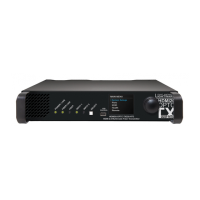
Why is there no picture on the Lightware HDMI20-OPTC Extender video output?
Several factors might be the cause of a missing picture on the video output: * The extenders or other devices may not be powered properly. Check that all devices are correctly powered, and try unplugging and reconnecting them. * There may be a cable connection problem. Ensure all connectors fit well, especially given the high data rates. If your source or display has multiple connectors, verify the correct port is selected. * The cable quality might be insufficient. High data rates require high-quality cables; using OM3 or OM4 fiber cables is recommended. * The endface surface of the fiber optical cable may be contaminated. Use special fiber optical cable cleaning equipment to clean it carefully. * The display may not support the sent video format. Try emulating your display dev...
 General
| Category | Extender |
|---|---|
| Model | HDMI20-OPTC series |
| Signal Type | HDMI 2.0 |
| Maximum Data Rate | 18 Gbps |
| Transmission Medium | Optical Fiber |
| Maximum Resolution | 4K@60Hz (4:4:4) |
| HDCP | HDCP 2.2 |
| Audio Formats | Dolby TrueHD, DTS-HD Master Audio |
| Power Supply | 5V DC |
| Operating Temperature | 0°C to +40°C |
| Storage Temperature | -20°C to +60°C |
| Connectors (Receiver) | HDMI female, LC duplex fiber |