www.linearcorp.com 20 eMerge Essential Installation Manual
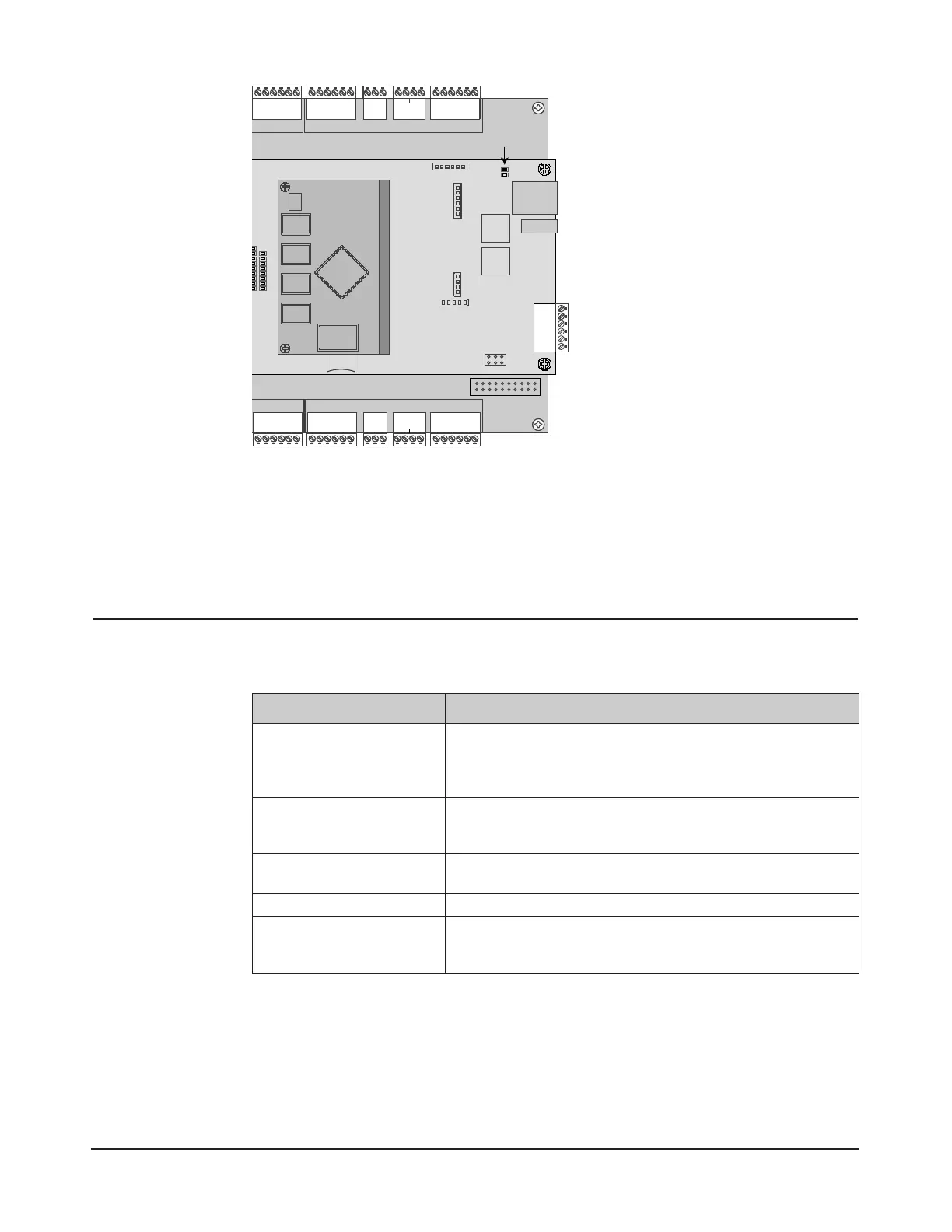
Figure 7.5. eMerge LAN LEDs
Programming the System
e eMerge Essential provides the ability to access and manage the system from a web browser on any
local or remote computer. Refer to the User Programming Guide (P/N 620-100240) for programming
and conguration instructions.
8.0 Troubleshooting
Table 8.1: Troubleshooting the System
Problem Solution
The control panel does not power up.
• Check setting of JP1 on middle board (near input power connector) to ensure that the
jumper is in the appropriate position for your desired power source.
• Measure input power for +12VDC
• If RED LED’s are off, then input fuse may be blown. This fuse is not field-replaceable.
The control panel powers up but does not
respond to card readers or inputs.
• Measure power at reader connectors. If no voltage is present, then reader fuse may be blown.
• Bring reader and/or input and connect directly at the panel. If it works at the panel, the
wire run may be faulty.
No network communication exists with
the control panel.
• If LAN LED’s are off or solid, then no physical network connection exists. Check network cabling.
• Verify the Subnet Mask, Gateway, DNS and IP address as provided by the network admin.
How to reboot the system? • Hardware Reboot system: Momentarily press switch S2 on middle board (near bank of 16 LED’s).
How to clear the memory of the system
and restore factory defaults?
• Press and Hold switch S1 for full 20 seconds on middle board (near bank of 16 LED’s).
• You may also reboot and factory default the system using the GUI software.
NOTE: If factory default, will need to re-enter license key and configure system.
For further troubleshooting assistance, please visit the following online resources:
♦ http://www.linearcorp.com/faq/
Linear Technical Support:
♦ Tel: (800) 421-1587;
♦ Hours: 5:00 AM to 4:30 PM Pacic Time, M-F
Copyright © 2013 Linear LLC 620-100239 C


 To Previous Page