Rev: 03.02.2017
Page 14
Ground Control 3.0 with OneControl
Special Jack Error Codes on OneControl Touch Panel or OneControl App
To clear the error codes listed below:
1. Correct or otherwise repair the issue (see the table below).
NOTE: In order to clear the special jack error code the jacks need to be "homed." In order to "home" jacks,
each jack must be able to retract a minimum of 6".
2. Extend all jacks to reach the 6" of minimum retract needed.
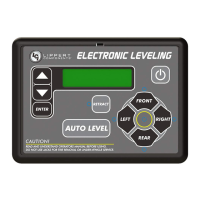
A. Press "FRONT" (Fig. 3B or Fig. 6B) to extend the front jacks (if required).
B. Press "REAR" (Fig. 3D or Fig. 6D) to extend the rear jacks (if required).
C. Press "LEFT" and "RIGHT" (Fig. 3A and Fig. 3C or Fig. 6A and Fig. 6C ) simultaneously to extend the
middle jacks (if equipped and required).
3. Press "ENTER" to AUTO RETRACT. The jacks will retract until they reach the hard current limit.
4. The jacks are now “homed” and the special jack error code will be cleared.
NOTE: If the jacks do not retract, an error should display on the touch panel screen. This is typically caused
by wiring interruption.
Touch Panel
Message
What's Happening? What Should I Do?
***ERROR***
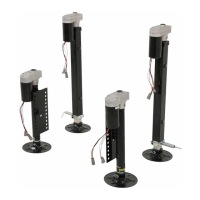
Left-Front Jack Fault
Right-Front Jack Fault
Left-Mid Jack Fault
Right-Mid Jack Fault
Left-Rear Jack Fault
Right-Rear Jack Fault
Error at a specific jack (left front,
right front, left middle, right middle,
left rear, right rear). Hall signal issue
(open, short, malfunction or loss
of communication); open or short
circuit between controller and motor.
Check harness connections
at controller and at jack.
Check harness for damage.
Check fuses at controller.
Repair or replace as necessary.






 To Next Page