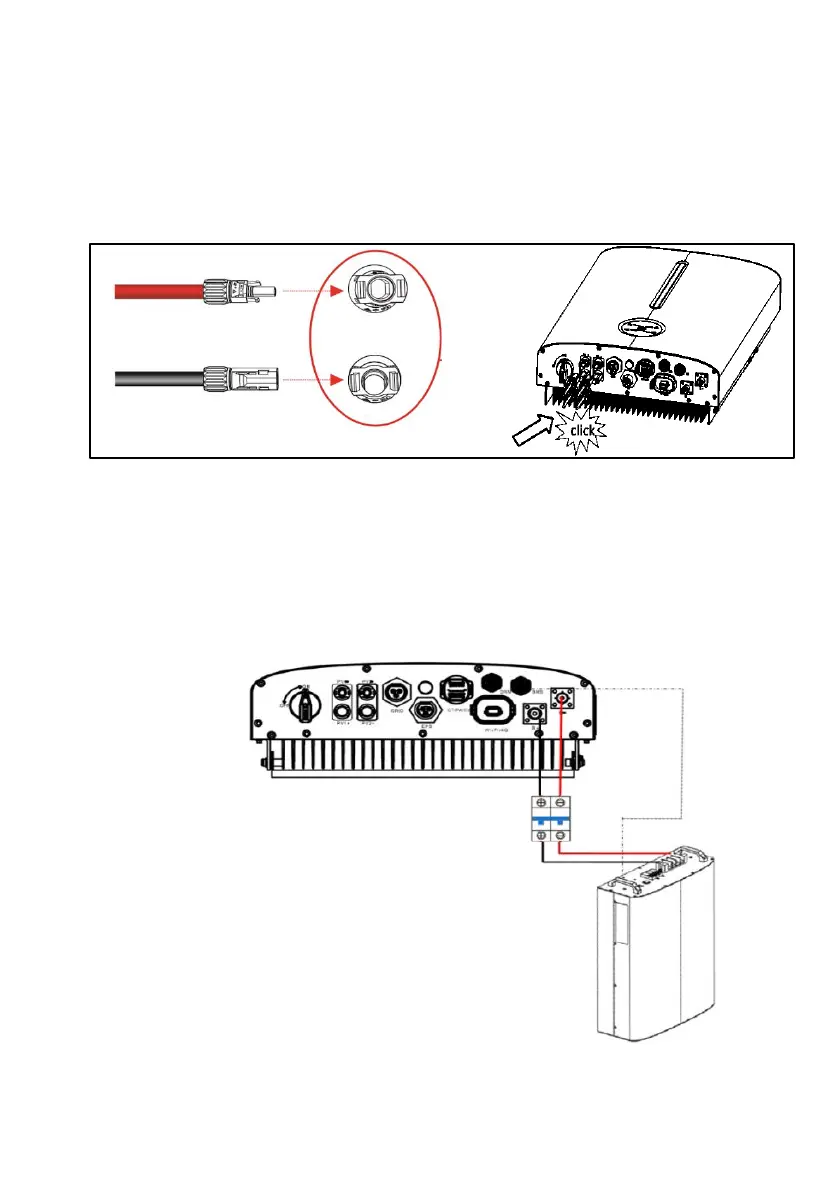
Step 2: Installing the PV Connectors
• Check the positive and negative polarity of the PV strings.
• Connect the PV connectors to the corresponding terminals until a “click” sound is
heard.
• Seal the unused PV terminals with the terminal caps.
PV+
PV-
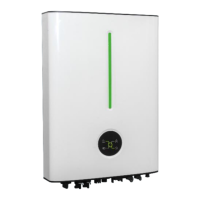
6.6 Battery Connection
Refer to the instructions supplied by the battery manufacturer for the connections on the
battery side.
Battery connection diagram




 To Next Page