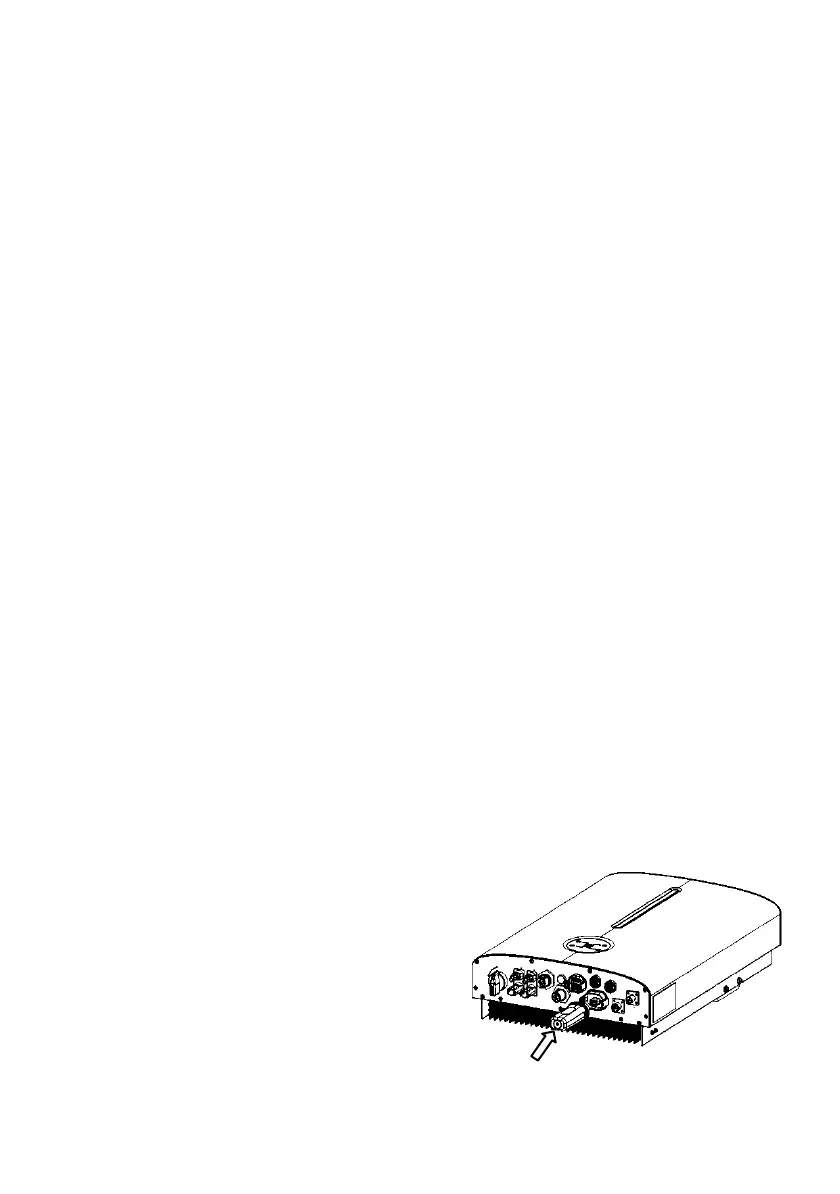
6.6.3 NTC Communication for Lead-acid battery (Optional)
The lead acid battery controls the inverter charging and discharging by NTC temperature
sensing.
Procedure:
Step 1: Please find the NTC cable and a piece of tape in the accessories package of inverter.
Step 2: Make the tape adhere to NTC interface.
Step 3: Please clean battery surface before sticking
Step 4: Insert the RJ45 port of NTC into BMS port of inverter, and make the interface
adhere to the battery interface (any place but must be nonmetallic).
6.7 WIFI / 4G Connection (Optional)
The inverter provides a communication port, which can collect data and transmit data of
the inverter to the monitoring website via Wi-Fi or 4G (Optional).
WIFI Stick (Wi-Fi & Bluetooth 2in1 function) implements communication with Cloud
server through wireless network to monitor the inverter's data status. For more details,
refer to WIFI Application Manual.
4G Stick (currently under development) implements communication with Cloud server
through cellular to monitor PV inverter's data status. For more details, refer to GPRS
Application Manual.
Wiring Connection Procedure
Step 1: Remove the waterproof lid from the Wi-Fi/4G terminal.
Step 2: Insert the Wi-Fi stick into the communication port. Slightly shake it by hand to
determine whether it is installed firmly.
Step 3: Build the connection between the inverter and router. Please refer to the Pocket
Wi-Fi user manual to configure the WLAN.




 To Next Page