To Release the Cushion from the Flexion Position
1) Support the Pelvic Cushion to avoid springing of cushion.
2) Turn the Flexion Lock Handle (Page 10, No. 4) down to unlock.
3) Pressure increase may be needed to elevate the cushion
4) CAUTION: LOCK THE CUSHION INTO IT’S HORIZONTAL POSITION BEFORE ALLOWING
PATIENT ON OR OFF TABLE.
To Lock the Pelvic Cushion into a Flexion Position:
1) Turn the Pelvic’s Flexion Handle (Page 10, No. 4) down to unlock.
2) The Flexion Pressure may need to be reduced, to ease the process.
3) Push the cushion down to desired angle.
4) Turn the Flexion Handle up, to lock into position.
Pelvic Cushion
Manual Flexion Distraction
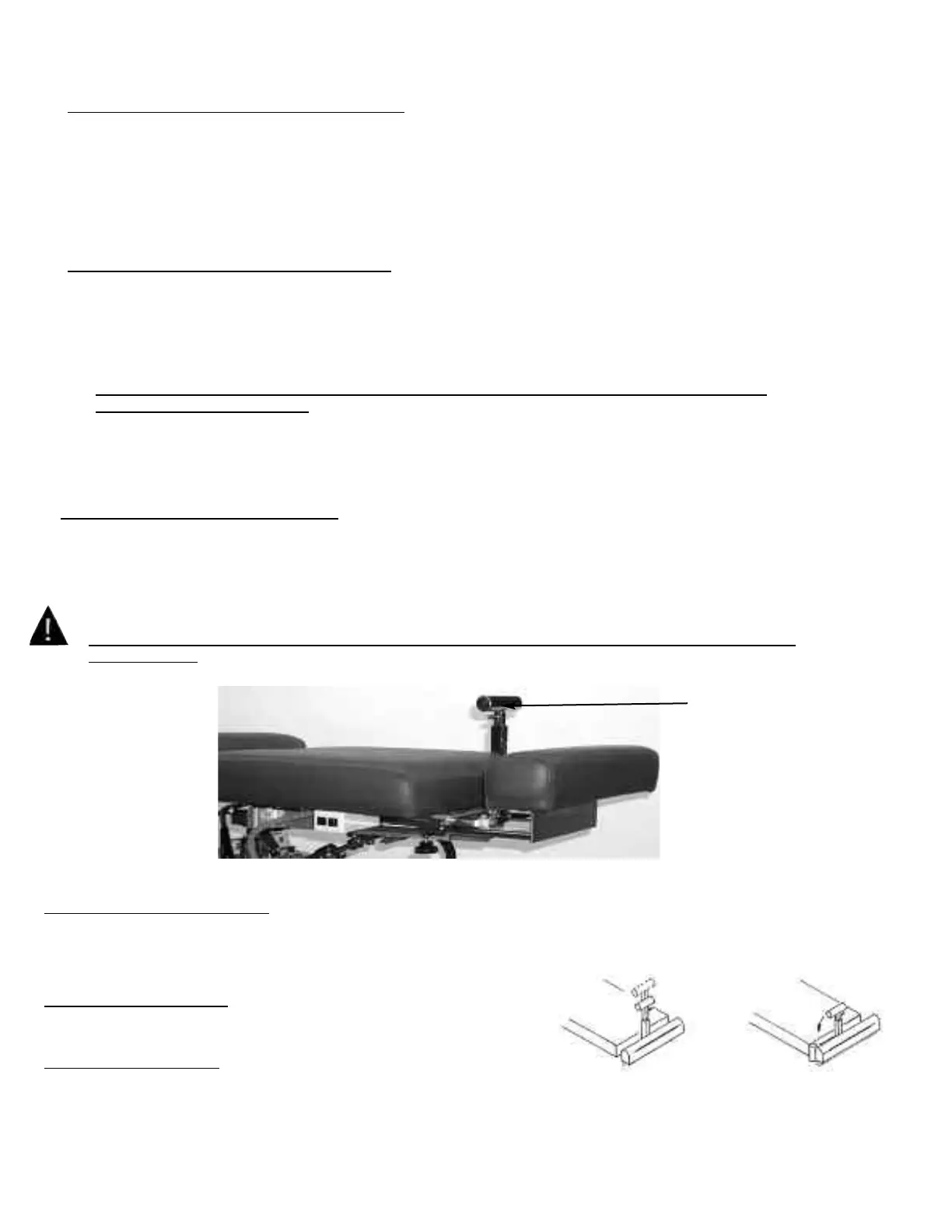
Telescoping T-Bar (No. 1) (Optional)
To Change the height of the T-Bar
1) While T-Bar is revealed and locked into position simply pinch the red lever against the T-handle to
elevate or lower. Release red lever when desired height is obtained.
To RevealTelescoping T-Bar
1) Simply pivot the handle up until it locks into place. (Fig. 1)
To Hide Telescoping T-Bar
1) Pivot the T-bar down until it is in a full horizontal position.(Fig. 2)
#1 T-Bar
Fig. 1
Fig. 2
PELVIC LATERAL SIDE BENDING
Side Bending
To Operate Lateral Side Bending Feature:
1) Turn the Lateral Side Bending Lock/Unlock Handle (No. 5, Page 10) up, to allow the pelvic cushion to lateral side
bend.
2) The cushion can be locked at various angles of side bending, by laterally moving the cushion in position and
locking the handle down.
CAUTION: LOCK THE CUSHION FROM SIDE BENDING BEFORE ALLOWING A PATIENT ON OR
OFF THE TABLE
Page 15



 To Next Page