Electronic Control "LCM" User Manual
firmware 0.06 Rev.02 EN 4/ 15
3 Display
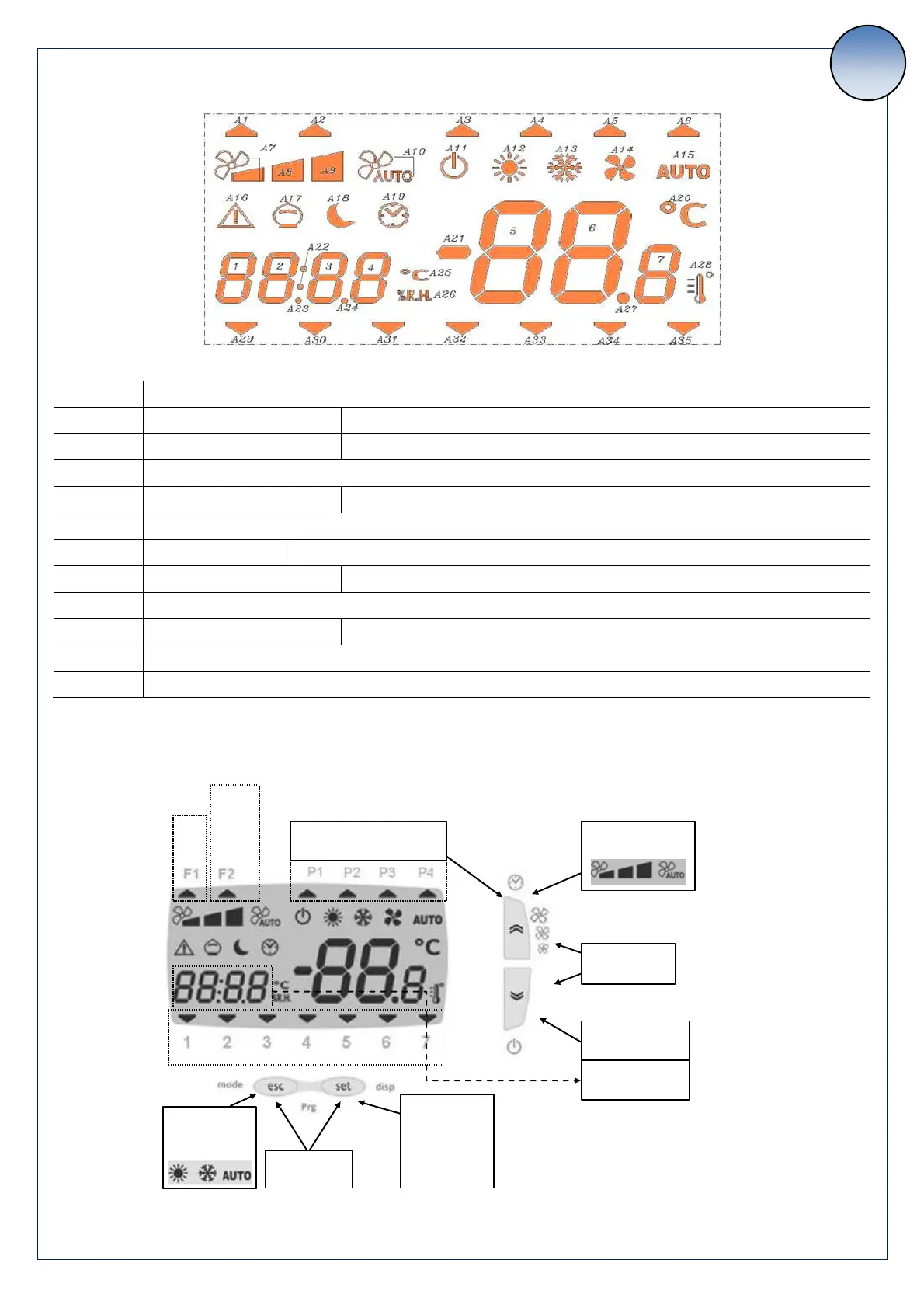
Icons:
PIR (Passive InfraRed sensor)
Blinking = Dehumidification demand from digital input
Blinking = Unit manually turned Off or On while weekly program is active
Blinking = Unit Off by weekly program
Working mode / While setting = visualizing set point (A12=Heating, 13=Cooling)
Blinking = Heating coil disabled by water thermostat (too low water temperature)
Blinking = Resettable alarm (not active)
Freecooling / Freeheating
Blinking = Night mode active
4 Keyboard
Short press:
Fan speed change
Long press:
Toggle On/Off
Long press :
Enable / disable clock program
Short press:
Setpoint and
alarm menu
Long press:
Actual setpoint
Short press:
Enable Boost:
days of the week (1 = Monday)
Long press:
Summer / winter
change



 To Next Page