How to enter and download a PART.
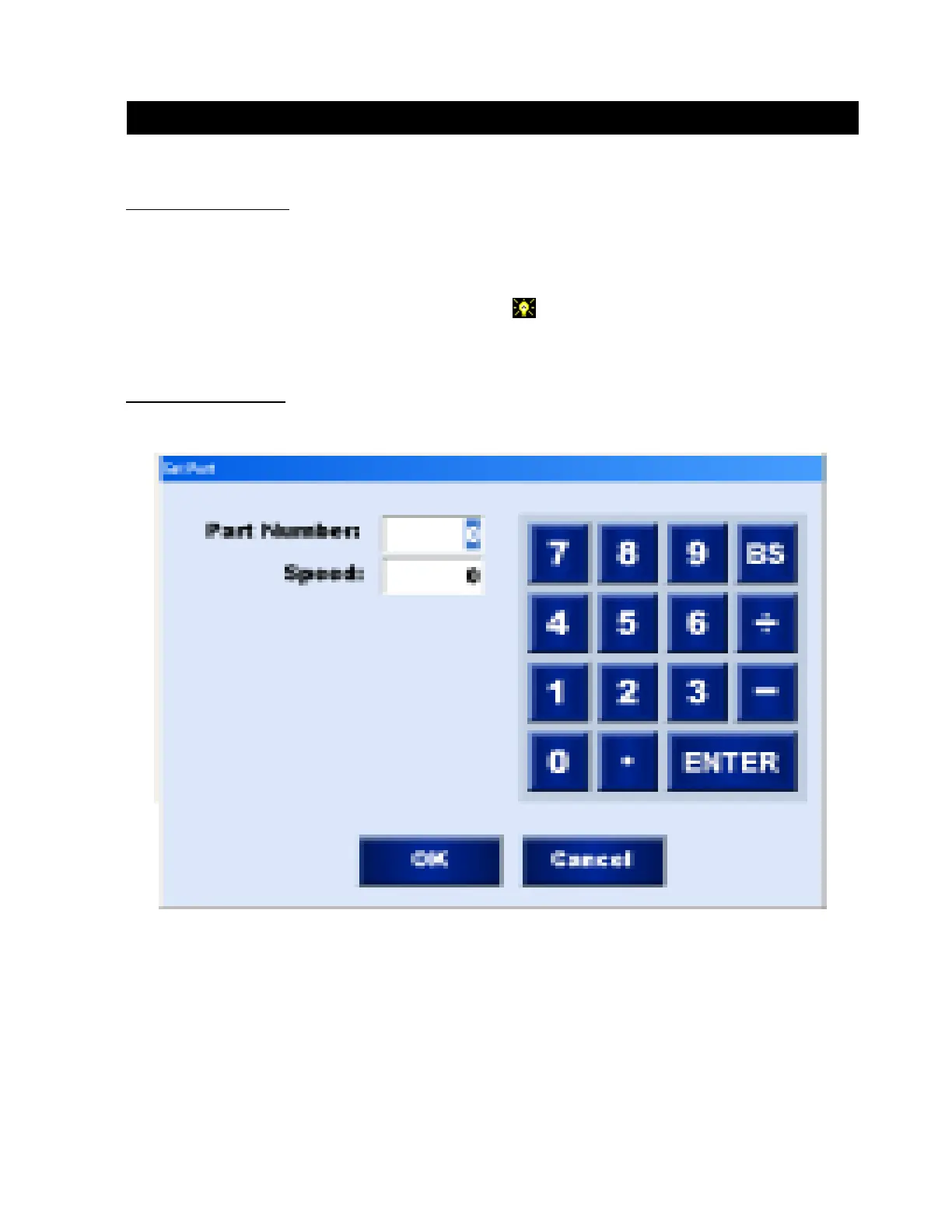
Entering a Part Number:
1. Touch the PART BUTTON. This will display the PART INPUT NUMBER PAD.
2. Enter the Part Number you wish to cut and press enter. This will display the default Cut
Speed.
3. Enter the CUT SPEED information for the part. The CUT SPEED is NOT downloaded when
Cutting Vulcan Parts.
4. After you set the cut speed touch the OK button to enter.
Part Input Number Pad:
Downloading A Part
Operation / Procedures... Page 4
H. WEISS MACHINERY & SUPPLY
H. WEISS MACHINERY & SUPPLY
PHONE: (718) 605-0395 - www.hweiss.com


 To Next Page