When pressed the controller program will minimize to the tool bar. This allows access to the
desktop. From the desktop the Vulcan program can be accessed by clicking on the icon. At this
point you may enter a fitting or make changes to a job or part.
Fittings Tab
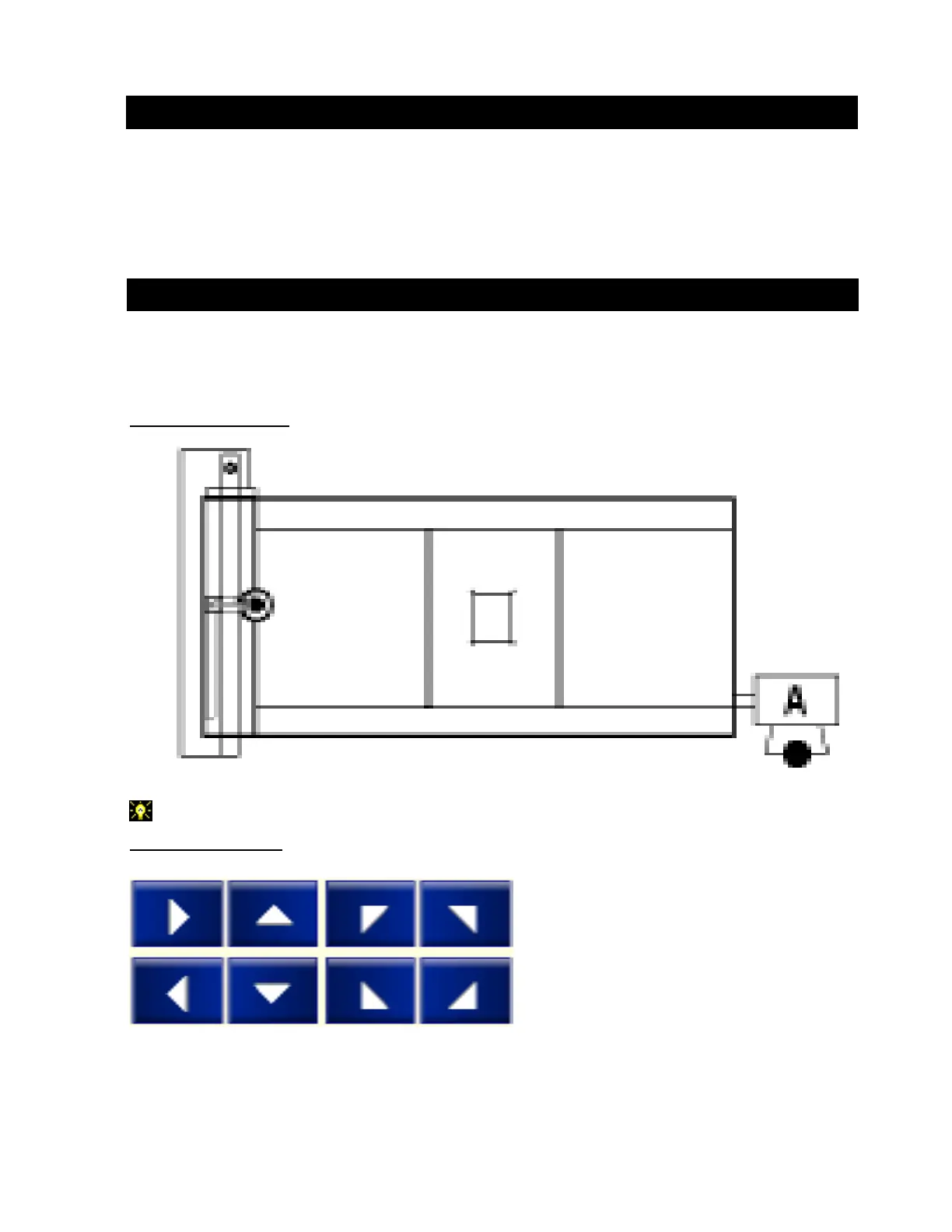
This page displays the MANUAL MOVE BUTTONS and their orientation to the table.
In this window:
Top View of Table:
This orientation is shown with the controller in the A position at the right end of the table.
Manual Move Buttons:
Table View
Operation / Procedures... Page 12
H. WEISS MACHINERY & SUPPLY
H. WEISS MACHINERY & SUPPLY
PHONE: (718) 605-0395 - www.hweiss.com


 To Next Page