Options available when the MANUAL MODE, is selected.
In this window:
Manual Cut Buttons:
Torch Down Button moves the torch head up or down.
Go-To Button Relative mode will ask for X and Y. The numbers entered for the new
point, will be added or subtracted from the current position. For example: if the
location now is X=10 and Y=10 and a move of X=2 and Y=4, is entered the new
location will be X=12, Y=14.
Absolute mode will ask for X and Y. The numbers entered will make the new point,
the absolute X and Y value of the drawing, no matter where the torch is currently
positioned. For example: if the location now is X=10 and Y=10 and a move of X=2
and Y=4 is entered, the new location will be X=2, Y=4.
Rip Cut Button Relative mode will ask for X and Y. The numbers entered for the new
point, will be added or subtracted from the current position. For example: if the
location now is X=10 and Y=10 and a move of X=2 and Y=4 is entered, the new
location will be X=12, Y=14.
Absolute mode will ask for X and Y. The numbers entered will make the new point
the absolute X and Y value of the drawing, no matter where the torch is currently
positioned. For example: if the location now is X=10 and Y=10 and a move of X=2
and Y=4, is entered, the new location will be X=2 , Y=4.
After entering a Go-To or a Rip Cut you must touch the Start button to begin the move or touch Exit.
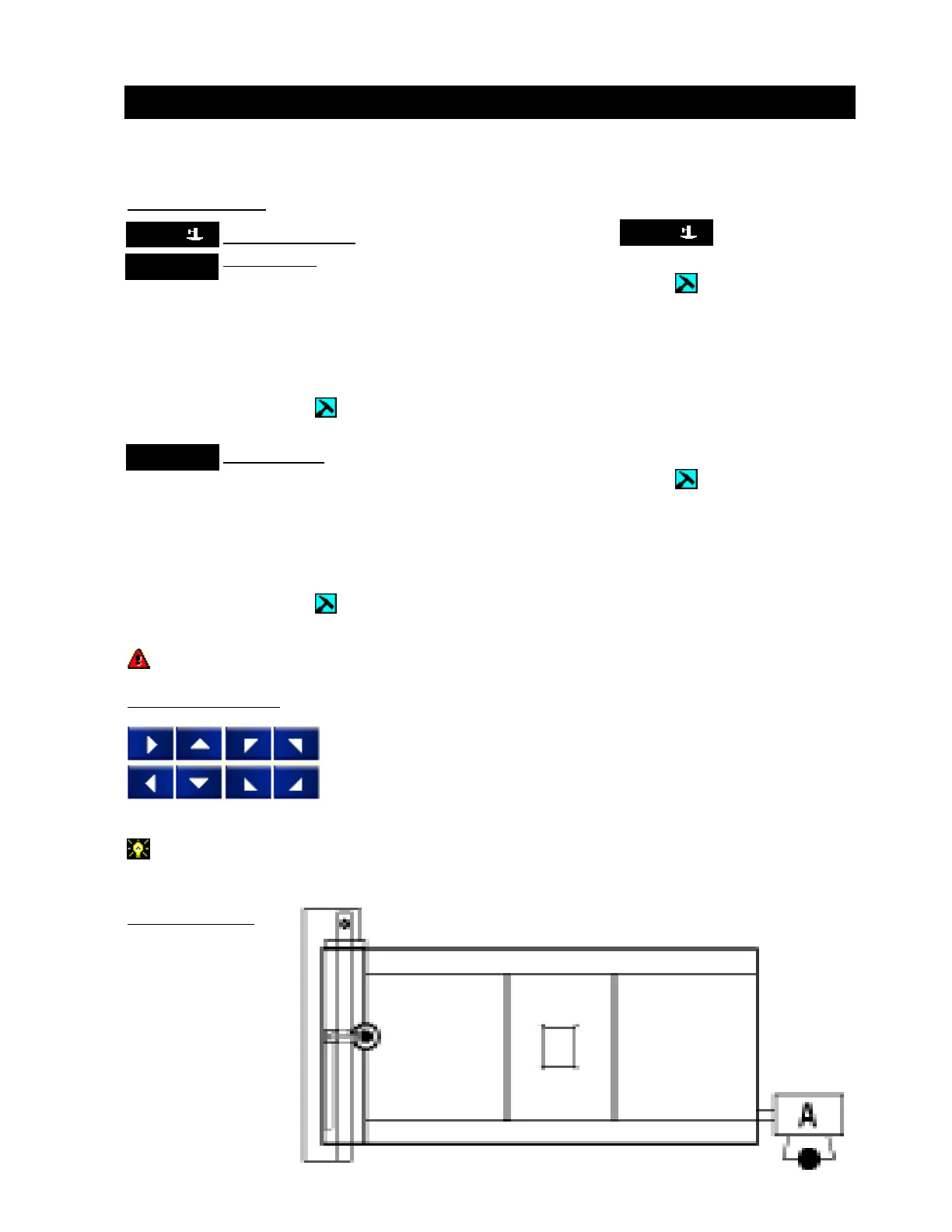
Manual Move Buttons:
Touch a move button to start, touch again to stop or touch pause.
The illustration shows is how the move buttons are orientated to the controller in the A position
at the right end of the table.
Top View of Table:
Manual Tab
TorchTorch
TorchTorch
Torch
TorchTorch
TorchTorch
Torch
Go-ToGo-To
Go-ToGo-To
Go-To
Rip CutRip Cut
Rip CutRip Cut
Rip Cut
Operation / Procedures... Page 9
H. WEISS MACHINERY & SUPPLY
H. WEISS MACHINERY & SUPPLY
PHONE: (718) 605-0395 - www.hweiss.com


 To Next Page