SECTION 2.68
2.6 Low Battery
The built-in solar panel trickle charges the lithium battery to extend its battery life. Solar
charging prolongs the battery life as it should keep the battery at its optimum level. If
the source of light is not enough and battery continues to fall below optimum level,
low battery indicator will appear on the touchscreen. To ensure the door lock
continues to work:
• Immediately remove the battery with insufficient power and replace it with a fully charged
spare battery.
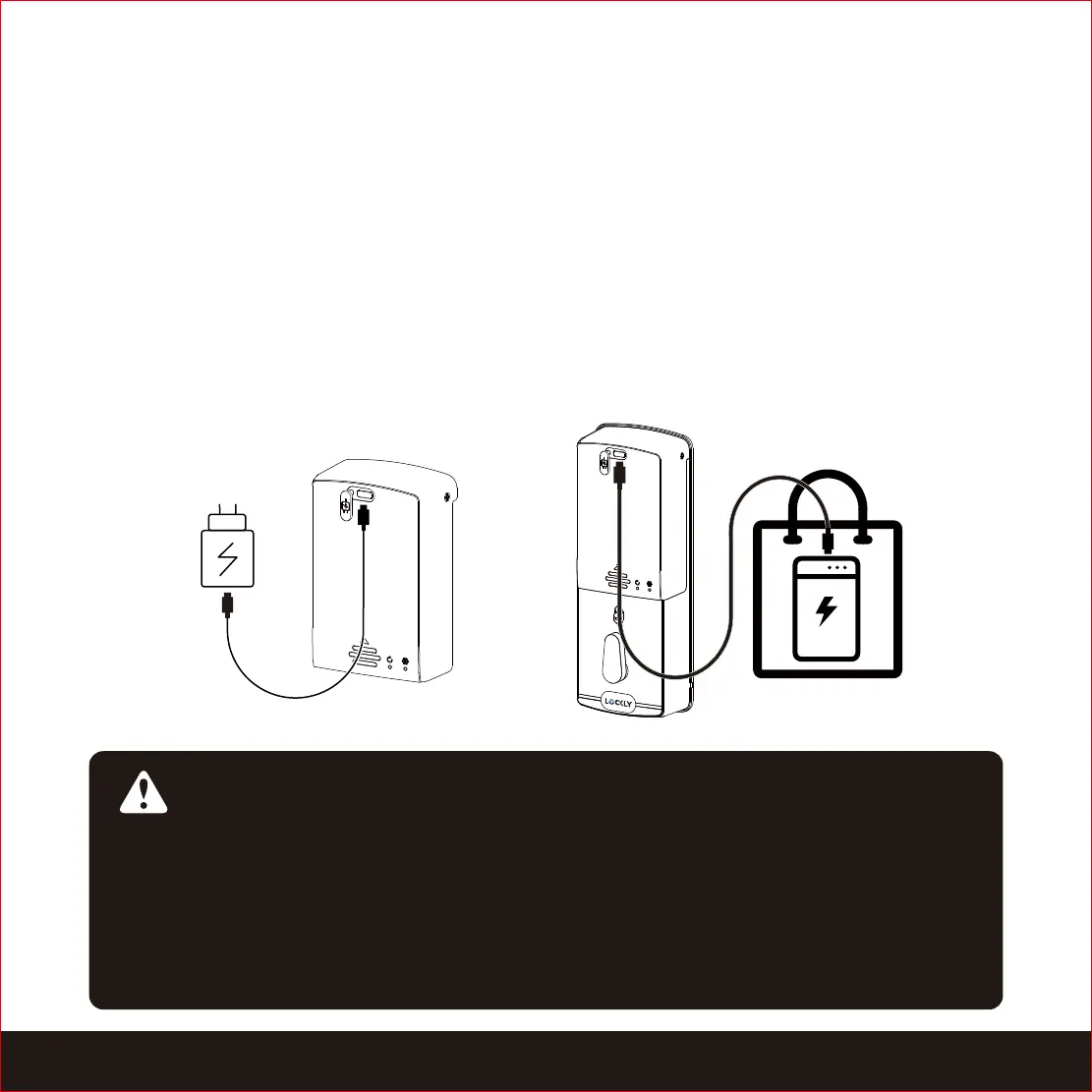
• Use the power adapter or power bank to connect the battery through the USB cable to
charge.
IMPORTANT:
When the battery is lower than 20%, the Motion Detection recording function will
be disabled. The video doorbell and WiFi remote unlocking function will be
disabled when the battery is lower than 10%. You can only use Access Codes,
Fingerprint, Physical Key or APP Bluetooth unlock. When the power is restored to
20%, the above restrictions will be lifted. You can check the real-time battery
level of the door lock through the Lockly App.


 To Next Page