Playback of Video DVD and Audio CD
Playback in General
Press several times until DVD / CD appears in the display.
AudioVision tries to read the disc. The Display shows Reading.
Depending on the medium, playback starts automatically or a
disc menu is displayed. Follow the instructions on the screen or
follow the documentation with the disc.
Select title
OK Start playback.
Play Start / continue playback.
Pause Stop playback.
Fast Forward By repeatedly pressing, increase the fast forwards
speed.
Rewind By repeatedly pressing, increase the rewind speed.
Stop 1x stop playback, can be continued with . 2x end
playback.
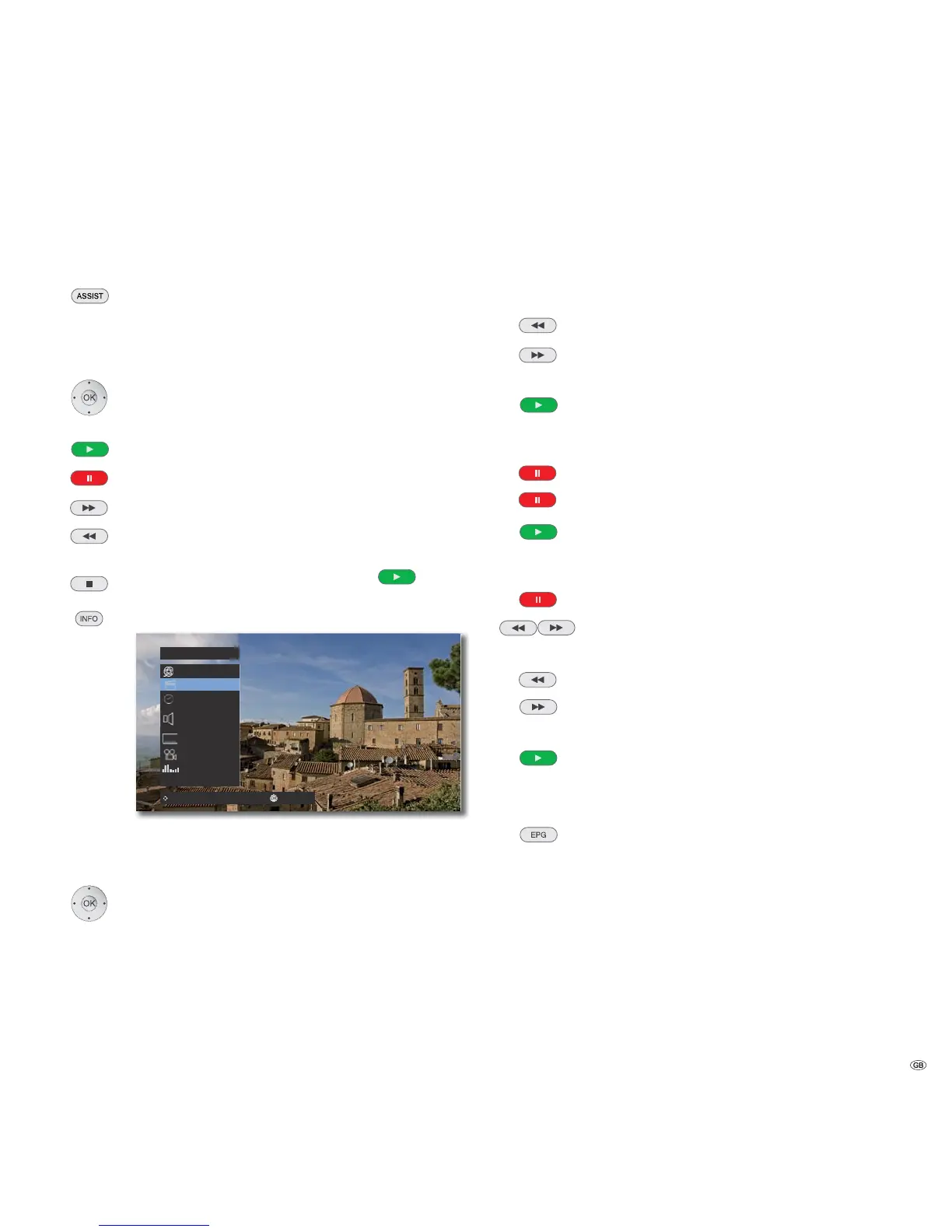
Show DVD title menu.
Chapter
1/8
W1/12 X
00:01:24
1
MP3
2/0CH
OFF
1/4
POP
Move Enter0-9 Input
In the title menu you can - providing the DVD currently being
played back supports this - set a selection of options, such as
Title / Chapter selection or Subtitles.
Select option.
Set option.
Confirm with OK.
➠ If the parental control rating for the disc is higher the movie rating, then the
four-digit password has to be entered (refer to Rating on page 19).
Search
DVD-V DivX CD
Select the search direction and speed:
Press several times for quick search rewind.
Press several times for quick search forwards.
Speed and direction are indicated as arrows.
Close search mode and continue playback.
Freeze Frame and Frame by Frame Playback
DVD-V DivX
Pause Stop playback .
Press Pause again: Scroll forwards frame by frame.
Continue playback
Slow motion
DVD-V
Pause: Stop playback.
Switch on slow-motion mode during Pause.
Select the slow-motion direction and speed:
1/16, 1/8, 1/4, 1/2 (rewind).
1/16, 1/8, 1/4, 1/2 (forwards).
Slow-motion speed and direction are shown.
Close Slow-motion mode and continue playback.
Repeat
DVD-V CD MP3 DivX
Select type of repeat.
Random Random sequence of playback
Chapter Repeats the current Chapter
Title Repeats the current Title
Track Repeats the current Track
All Repeats all titles/tracks on the disc
-- No Repeat
21 -



 To Next Page