Playback from iPod
You can connect your iPod to the AudioVision and enjoy your music in high quality.
To do so, used the iPod cable supplied.
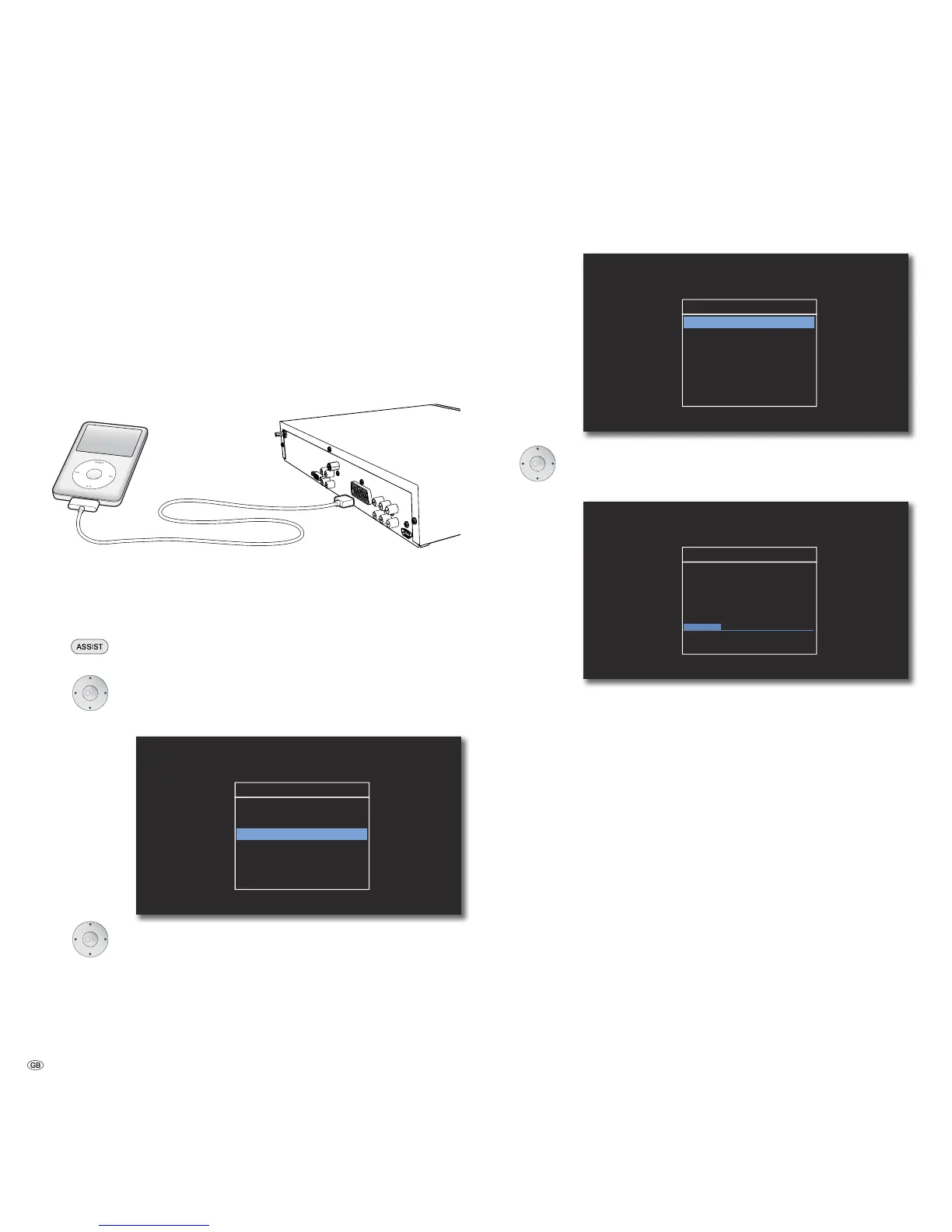
Connecting iPod
Make the connection between your iPod and the AudioVision (page 13) by plug-
ging the contact pin of the iPod cable into the iPod (24pin) socket on the back of
your AudioVision (page 6). The arrow on the plug points upwards. Plug the other
end of the iPod cable into the dock connection on the iPod.
iPod Operation
Switch your iPod on.
Press several times until IPOD appears in the display of the
AudioVision.
Select required option, e.g. Albums.
Confirm with OK.
S
II IPOD
Playlists
Artists
Albums
Genres
Songs
Composers
Select required Album.
Confirm with OK.
S
II Albums
Album 1
Album 2
Album 3
Album 4
Album 5
Album 6
Select required Title.
Confirm with OK.
04:12
X Now Playing
01/15
Title
Artist
Album
00:30
Previous menu.
➠ For how to control functions in iPod operation, see Chapter ”Playback in Gen-
eral” (page 21).
Information for iPod operation
• Depending on the software version, it is possible that your iPod can not be
operated using the system. We recommend that you update the software of
your iPod to the newest version.
• The compatibility of your iPod can vary depending on the model.
• Depending on the iPod, disruptions may occur.
• Please make sure that when using and handling the iPod in the dock, do not
use too much force to prevent damage to the sensitive plug connections.
• The MENU has no function in iPod operation.
- 26



 To Next Page