- 38
english
Explanations of the symbols for sound identification/display:
Transmitted audio signal:
Mono Mono audio transmission analogue
2-sound Two-sound transmission (Sound1/Sound2) analogue
Stereo Stereo sound transmission analogue
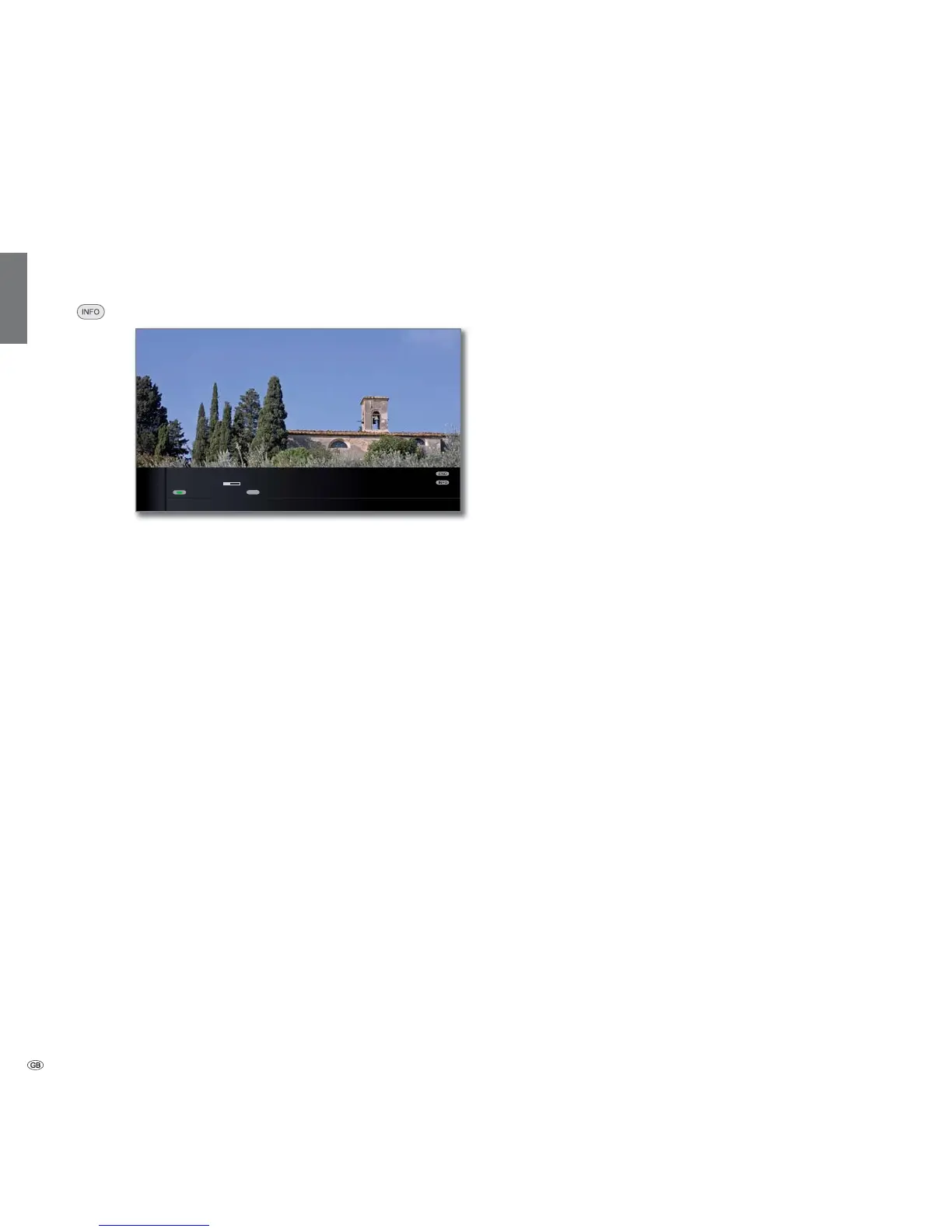
Status display
➠ In normal TV mode, without other displays.
INFO: Show status display.
In the upper two lines, you will see the number and name
of the station, the title and transmission time of the
programme currently showing (if available) and the sound
identification signal.
The bar (if available) indicates the progress of the current
programme.
If information about the current programme is available,
this can be called by pressing the INFO button again; in
this case the button on the right is displayed.
A menu (see page 39), the time and, if activated, the alarm
time and switch-off time appear at the bottom of the
screen depending on the DVB station.
The status bar is also shown automatically every time you
change channels.
The status bar is hidden automatically at the end of the
display time (see page 54 for setting).
If you want to hide the status bar manually before the dis-
play time ends, you can only do this with the END button.
TEXT
Daily operation











 To Next Page