- 72
english
MediaPhoto
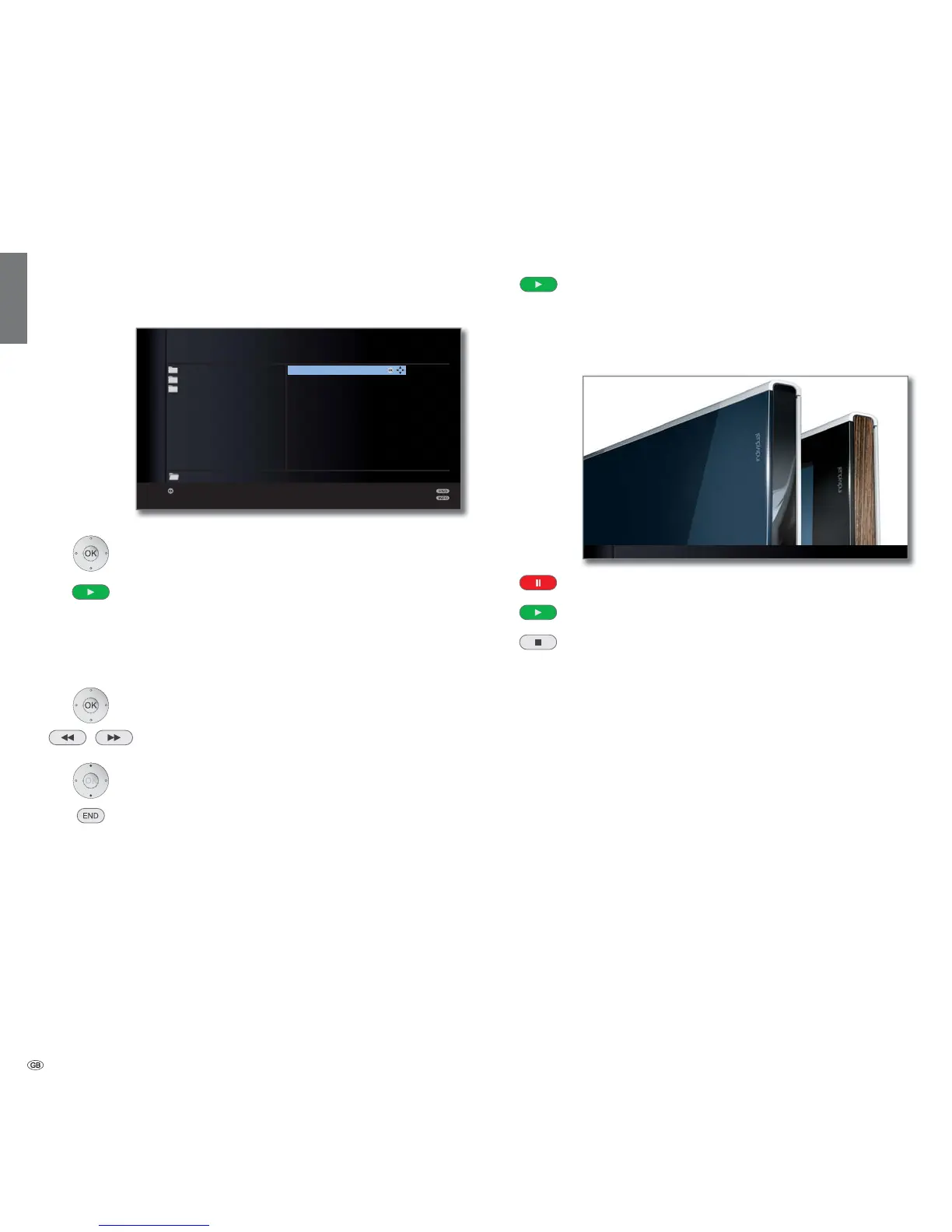
➠ A picture is selected in the media overview.
OK View marked picture in full screen mode (see below).
PLAY button: Start slideshow (see right column).
Full-screen mode
➠ A picture has been selected.
OK Go to / close full screen mode.
Show previous / next picture.
Rotate picture by 90 degrees to the left/right.
END: Quit full-screen mode and return to overview.
Slide show
PLAY button: Start slide show.
➠ from photo overview: Start slide show with marked
picture.
➠
in full screen mode: Start slide show with displayed
picture.
PAUSE button: Pause slide show.
PLAY button: Continue slide show.
STOP button: End slide show and return to overview.
Media
+
2 / 106 <Loewe_2_highres> Slide show
OK
P+
P–
OK
LOEWE_USB (USB)
Loewe_1_highres
Loewe_2_highres
Loewe_3_highres
Loewe_4_highres
Loewe_5_highres
Loewe_6_highres
Loewe_7_highres
Loewe_8_highres
Loewe_9_highres
Loewe_10_highres
Loewe_11_highres
Photo
Music
Video
View
Page
Elements 106










 To Next Page