69 -
english
MediaNet settings
Here, you can find more setting options for MediaNet.
➠ MediaNet is open (page 65).
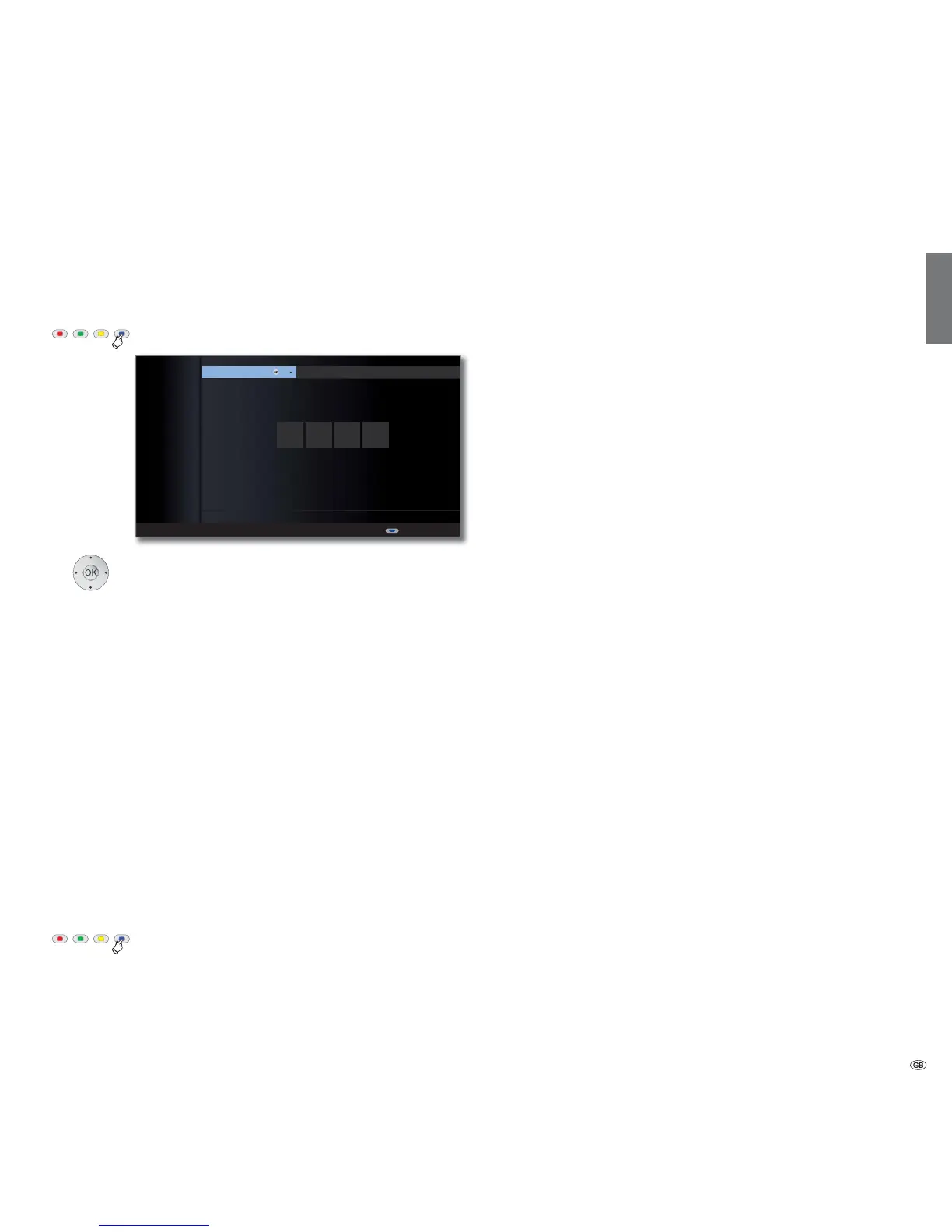
Blue button: Call Settings.
Select the desired setting,
OK call.
Here, you can define/change your MediaNet access code
for the personal area. When changing, first enter the
previous and then the new access code.
Here, you can delete the entire personal section in a single
step (favourites, history and access code). Press the red
button to confirm the procedure.
Select the countries whose online services you want to
receive.
You can delete here the Favourites in the MediaNet basis
dialogue (see page 68). Press the red button to confirm
the procedure.
Reset MediaNet to status as at delivery (Favourites in
MediaNet basis dialogue, personal area, Internet history).
Press the red button to confirm the procedure.
Blue button: Quit settings and go back to the basic
MediaNet dialogue.
Media
+
Access code
Personal area
Country
selection
Favourites
Factory
settings
****
Back
You can change your access code to your personal area here.
Mentions légales
MEDIA NET - SETTINGS
OK
Access code Personal area Country selection










 To Next Page