EasyManua.ls Logo

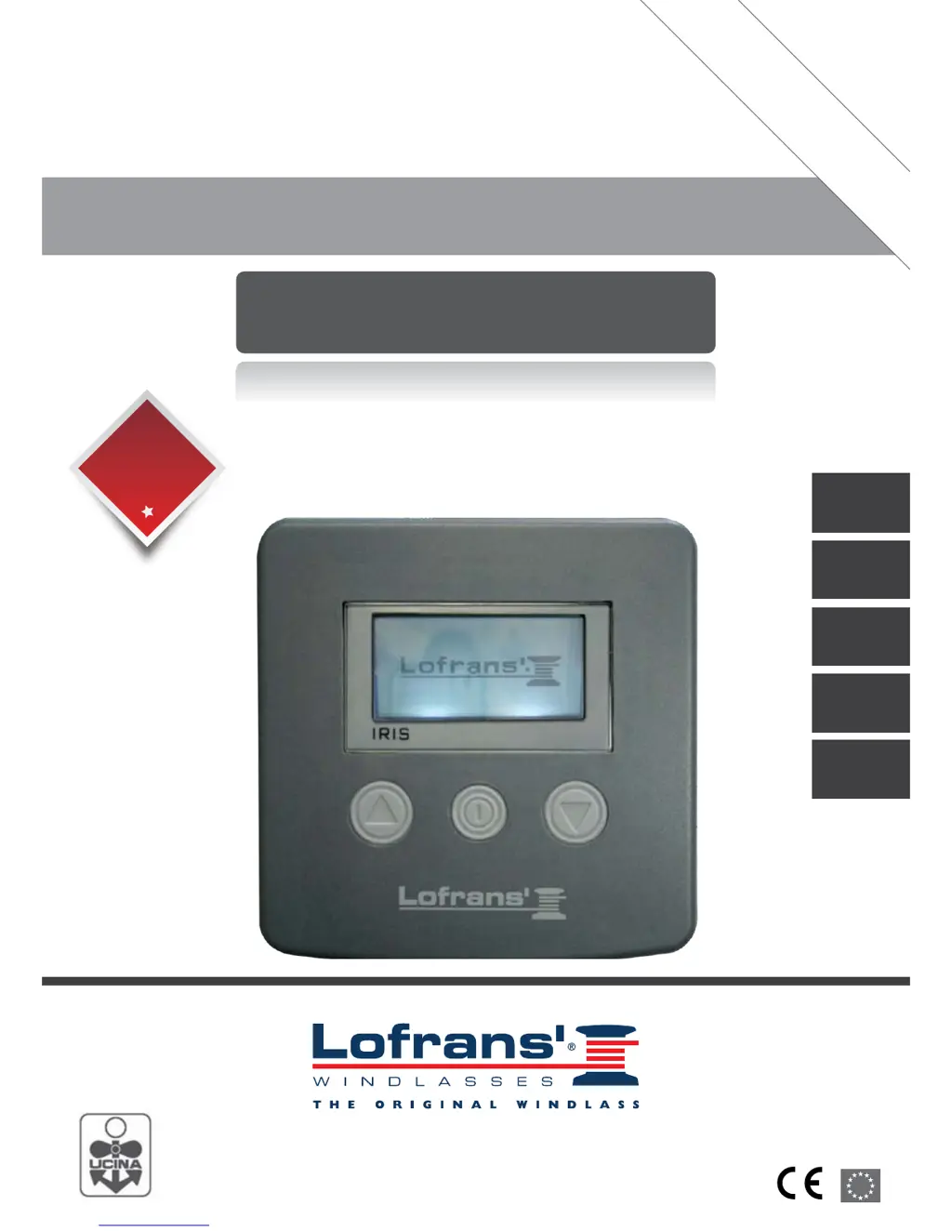
Lofrans Iris - User Manual

Lofrans Iris
22 pages
Print Icon
To Next Page IconTo Next Page
Loading...
Accessori Elettrici
Electric Accessories
Via Philips, 5 - 20052 Monza (MB) (Italy)
www.lofrans.com - e-mail: contact@lofrans.com
j^ab=fk=fq^i v
MANUALE DI INSTALLAZIONE E D’USO - INSTALLATION AND USER’S MANUAL
MANUEL D’INSTALLATION ED D’UTILISATION - MANUAL DE INSTALACIÓN Y USO
INSTALLATION UND BEDIENUNG
CONSERVARE QUESTO MANUALE A BORDO
STORE THIS MANUAL ON BOARD
CONSERVER CE MANUEL À BORD
DIESES HANDBUCH AN BORD AUFBEWAHREN
GUARDAR ESTE MANUAL A BORDO
3
Years Limited
Warranty
2
Years Limited
Warranty
Iris
UK
IT
FR
DE
ES

Table of Contents

Questions and Answers

Summary

Introduction to Lofrans Iris

Purpose of the Manual

Provides safety and correct use information for the product, emphasizing adherence to warnings to prevent accidents.

Assistance and Support

Details Lofrans' worldwide network of authorized distributors and assistance centers for product support.

Receipt and Storage Guidelines

Instructs users to verify packaging integrity upon receipt and store the product in a dry, protected place if needed.

Installation Guide

Package Contents and Accessories

Lists all items included in the package and recommends using original Lofrans spare parts for warranty and performance.

Installing the Magnet

Details the process of drilling and securing the magnet onto the anchor windlass gipsy, ensuring clearance.

Installing the Magnetic Sensor

Provides instructions for fitting the magnetic sensor for both vertical and horizontal shaft anchor windlasses.

Installing the Chain Counter

Guides the user through mounting the chain counter on the dashboard and making necessary connections.

System Specifications

Electrical System Connections

Explains electrical connections, safety fuse requirements, and recommended placement to avoid interference.

Technical Data Overview

Presents key technical specifications including power supply, current, protection rating, temperature, and dimensions.

Menu Navigation and Operation

Starting Up and Basic Controls

Describes how to power on the unit, use the keys (ON, UP, DOWN) for anchor control, and display features.

Chain Counter Settings

Details how to access and configure the chain counter settings menu, including measurement reset and units.

Measurement and Unit Configuration

Explains how to reset chain measurements and select units (feet/metres) within the measurement menu.

Alarm and Function Settings

Covers setting the 'Up Alarm' height and reverting to 'Load Default' factory settings for alarms and functions.

Device Settings Customization

Allows adjustment of display contrast, backlight time, and keyboard beep settings for user preference.

Language Selection

Enables the user to choose the display language from a list of available options.

Sensor Calibration Procedure

Guides users through calibrating the sensor, selecting the sensor type, and entering barbotin circumference.

Reference Data Tables

Provides tables for standard sensor gipsy circumference and project series sensor reduction factors.

Software and System Checks

Details how to check software version, operation time, sensor status, and perform an LCD test.

Operation and Troubleshooting

Device Operation Guide

Explains how to use the UP/DOWN keys for anchor control and how the display indicates status and chain movement.

Resetting Chain Measurement

Describes the procedure for resetting the chain measurement count using key presses or the measurement menu.

Troubleshooting Common Faults

Lists common faults like 'No Sensor' or 'Low Voltage' and provides corrective actions for each.

Wiring Diagram and Connections

Illustrates the electrical schematic for connecting the sensor, chain counter, and power supply.

Warranty and Compliance

Warranty Conditions and Limitations

Outlines the 3-year warranty period, conditions, and limitations, including exclusions for misuse or improper installation.

Warranty Exceptions

Specifies shorter warranty periods for electrical/electronic components, motors, and products used on charter boats.

Liability and Claim Procedure

Defines Lofrans' liability and the procedure for submitting warranty claims, including required documentation.

Legal Jurisdiction and Conformity

States that the warranty is governed by Italian law, with Milan courts having jurisdiction over disputes.

Summary

Introduction to Lofrans Iris

Purpose of the Manual

Provides safety and correct use information for the product, emphasizing adherence to warnings to prevent accidents.

Assistance and Support

Details Lofrans' worldwide network of authorized distributors and assistance centers for product support.

Receipt and Storage Guidelines

Instructs users to verify packaging integrity upon receipt and store the product in a dry, protected place if needed.

Installation Guide

Package Contents and Accessories

Lists all items included in the package and recommends using original Lofrans spare parts for warranty and performance.

Installing the Magnet

Details the process of drilling and securing the magnet onto the anchor windlass gipsy, ensuring clearance.

Installing the Magnetic Sensor

Provides instructions for fitting the magnetic sensor for both vertical and horizontal shaft anchor windlasses.

Installing the Chain Counter

Guides the user through mounting the chain counter on the dashboard and making necessary connections.

System Specifications

Electrical System Connections

Explains electrical connections, safety fuse requirements, and recommended placement to avoid interference.

Technical Data Overview

Presents key technical specifications including power supply, current, protection rating, temperature, and dimensions.

Menu Navigation and Operation

Starting Up and Basic Controls

Describes how to power on the unit, use the keys (ON, UP, DOWN) for anchor control, and display features.

Chain Counter Settings

Details how to access and configure the chain counter settings menu, including measurement reset and units.

Measurement and Unit Configuration

Explains how to reset chain measurements and select units (feet/metres) within the measurement menu.

Alarm and Function Settings

Covers setting the 'Up Alarm' height and reverting to 'Load Default' factory settings for alarms and functions.

Device Settings Customization

Allows adjustment of display contrast, backlight time, and keyboard beep settings for user preference.

Language Selection

Enables the user to choose the display language from a list of available options.

Sensor Calibration Procedure

Guides users through calibrating the sensor, selecting the sensor type, and entering barbotin circumference.

Reference Data Tables

Provides tables for standard sensor gipsy circumference and project series sensor reduction factors.

Software and System Checks

Details how to check software version, operation time, sensor status, and perform an LCD test.

Operation and Troubleshooting

Device Operation Guide

Explains how to use the UP/DOWN keys for anchor control and how the display indicates status and chain movement.

Resetting Chain Measurement

Describes the procedure for resetting the chain measurement count using key presses or the measurement menu.

Troubleshooting Common Faults

Lists common faults like 'No Sensor' or 'Low Voltage' and provides corrective actions for each.

Wiring Diagram and Connections

Illustrates the electrical schematic for connecting the sensor, chain counter, and power supply.

Warranty and Compliance

Warranty Conditions and Limitations

Outlines the 3-year warranty period, conditions, and limitations, including exclusions for misuse or improper installation.

Warranty Exceptions

Specifies shorter warranty periods for electrical/electronic components, motors, and products used on charter boats.

Liability and Claim Procedure

Defines Lofrans' liability and the procedure for submitting warranty claims, including required documentation.

Legal Jurisdiction and Conformity

States that the warranty is governed by Italian law, with Milan courts having jurisdiction over disputes.

Lofrans Iris Specifications

General IconGeneral
BrandLofrans
ModelIris
CategoryCash Counter
LanguageEnglish

Related product manuals