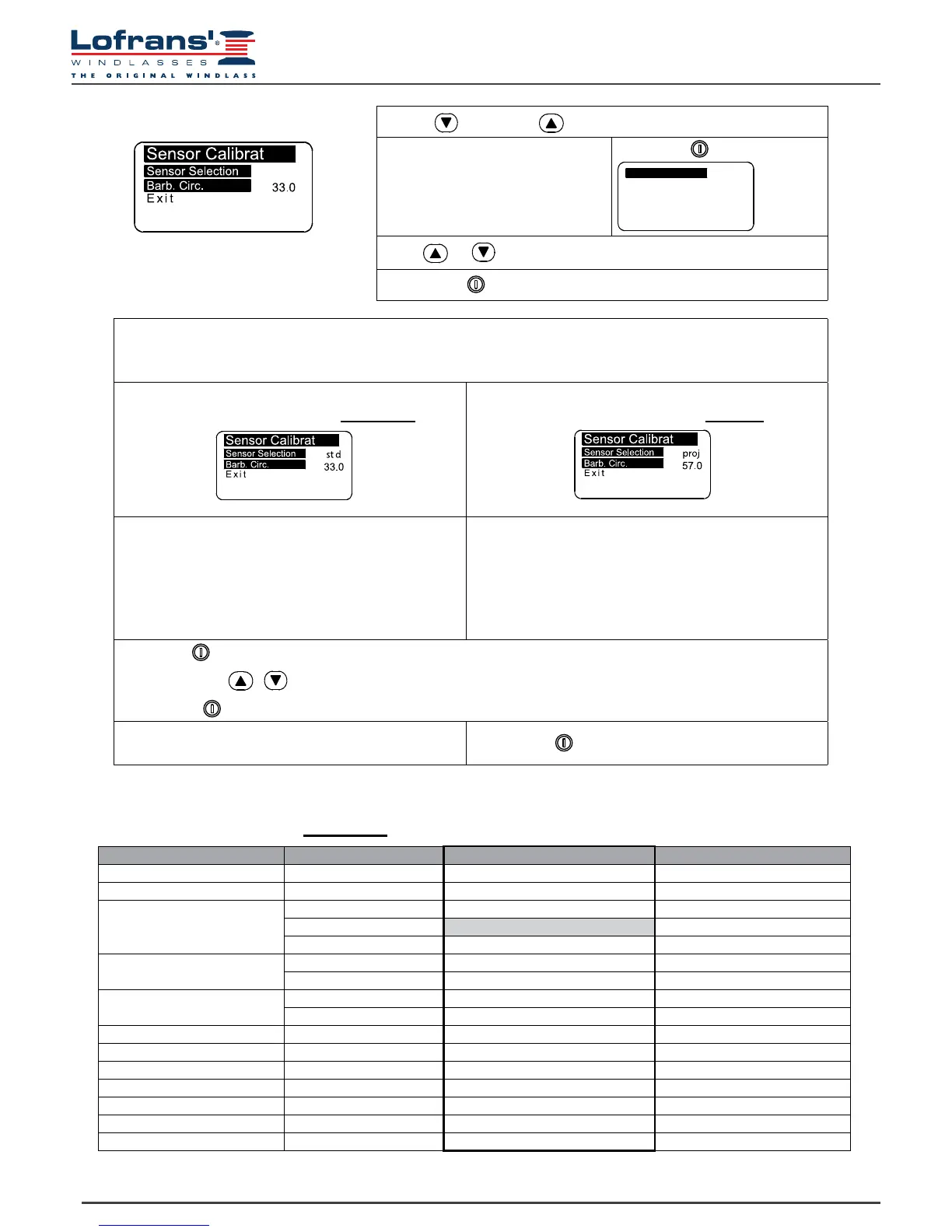
5.7 Sensor calibration menu
Once the “Sensor Detection” function has recognised a “Standard” type sensor instead of a “Project” sensor, when
the “Sensor Calibrat.” menu is entered again, the menu options will “congure” themselves according to the sensor
detected.
Standard and X.. Project series sensor menu
(magnet and sensor placed on barbotin)
1000 – 1500 –2000 W Project series sensor menu
(magnet and sensor placed on motor)
Barbotin Circumference
In this row the user must enter the circumference of the
gipsy (in centimetres or inches).
Use the Table 1 provided to calculate the circumference.
Settable values: centimetres or inches.
Default value, 33 cm.
Reduction Factor
In this row the user must enter the reduction factor.
See next Table 2 for the correct value to be entered
Default value, 57.
Select with
Select value with
Conrm with
Exit
To return to the settings menu.
Conrm with
Use the (DOWN) or (UP) key to move around the parameters
Sensor Selection
Select with
Press or
Conrm with
STD
PROJ
Sensor Selection
5.8 Table 1 - Standard and Project X.. series sensor
(magnet and sensor placed on barbotin)
Chain type Number of recesses Gipsy Circumference (cm) Gipsy Circumference inches)
6 mm 9 34 13
7 mm 6 25 9
8 mm
6 28 11
7 33* 13
8 38 15
10 mm
5 31 12
6 36 14
12 mm
5 36 14
6 43 17
13 mm 6 46 18
14 mm 5 42 16
3/8” BBB 7 38 15
3/8” HT 6 37 14
5/16” HT 7 36 14
1/2” BBB 6 40 16
1/2” HT 5 40 16
* factory setting of instrument


 To Next Page