UK
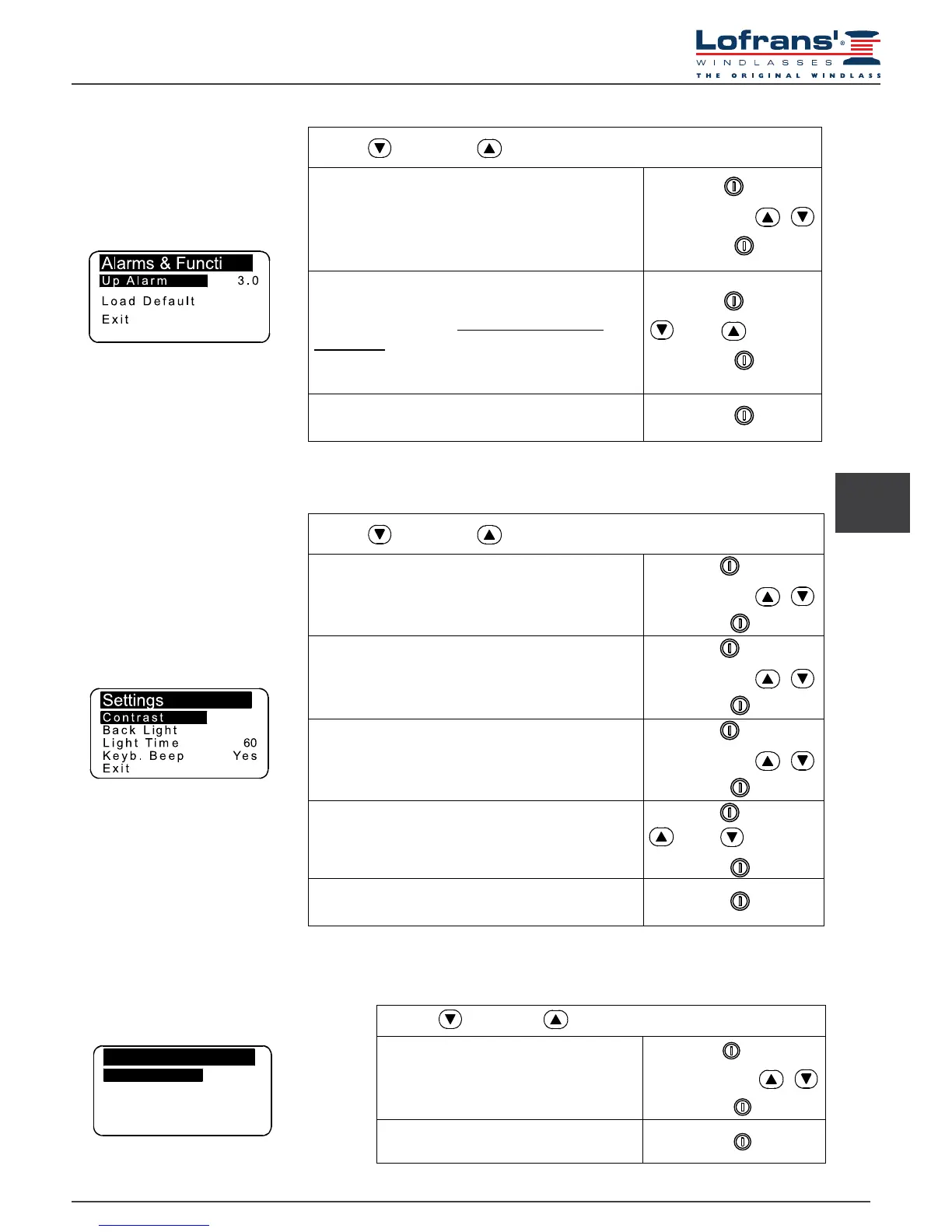
5.5 Settings menu
Use the (DOWN) or (UP) key to move around the parameters
Contrast
By enabling this function it is possible to start
the display contrast programming procedure.
Select with
Select value with
Conrm with
Back Light
This function allows the user to set the backlight on
time during which the display remains lit after the last
command given (default value 30 seconds).
Select with
Select value with
Conrm with
Light Time
By enabling this function it is possible to start the
display luminous intensity programming procedure.
Select with
Select value with
Conrm with
Keyboard Beep
This function allows the user to enable or disable the
buzzer (emitted each time a key is pressed).
Select with
= Yes = No
Conrm with
Exit
To return to the settings menu.
Conrm with
5.4 Alarm and functions menu
Use the (DOWN) or (UP) key to move around the parameters
Up Alarm
It is possible to enable the function and establish the
height at which the anchor-winch stops; after which it
is only possible to give pulsed commands.
Settable values: 1.0 - 1.5 - 2.0…5.0 (metres or feet).
Select with
Select value with
Conrm with
Load Default
This function allows the User to revert to the original
factory default settings, thus erasing all settings
memorised.
This command must only be used in the event of
programming errors.
Select with
= Yes = No
Conrm with
Exit
To return to the settings menu.
Conrm with
5.6 Language menu
Use the (DOWN) or (UP) key to move around the parameters
Language
The user may select the display language:
Italian, English, French, German,
Spanish, Greek
Select with
Select value with
Conrm with
Exit
To return to the settings menu.
Conrm with
Language
Langu age English
Exit


 To Next Page