Operating the Logger UTRED-16 User Guide 29
Resetting the Trip Minimum/Maximum Temperatures
The currently stored Min/Max temperature values can be reset at any time while the unit is
recording, but not once the unit has been stopped.
To reset the values, follow this procedure:
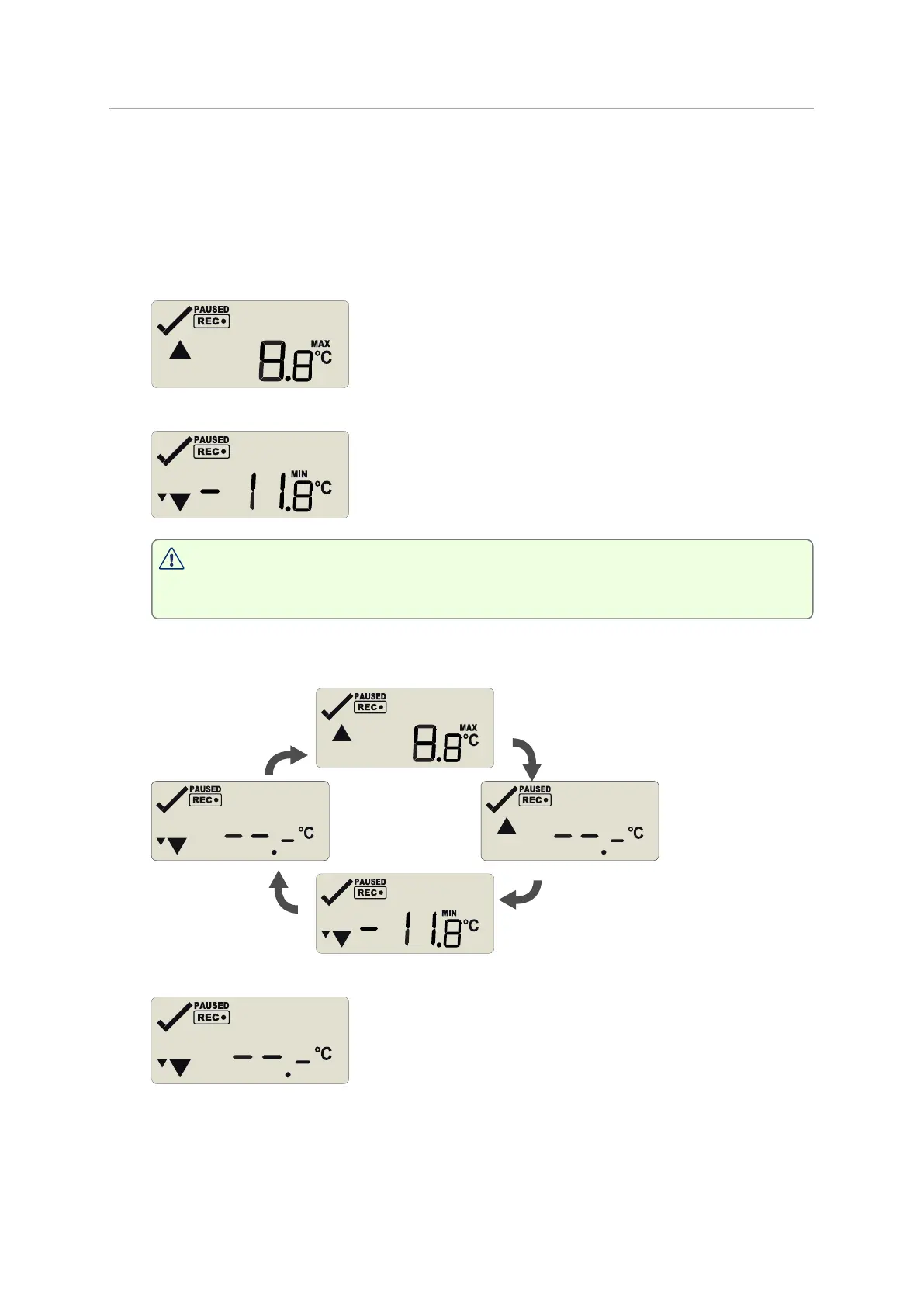
l Press STOP/Review to display the trip maximum temperature value.
l Press STOP/Review again to display the trip minimum temperature value.
You can only complete the next steps if you are viewing the Minimum
temperature screen!
l Press and hold STOP/Review. After 1 second the following screen sequence will show,
and then repeat once:
l After approx. seconds, following screen will show:
Release the STOP/Review button when the screens no longer alternate. The values will
be reset, and the normal recording screen will be shown.
l If you keep holding the STOP/Review button, the currently stored min/max values will
be retained.


 To Next Page