Operating the Logger UTRED-16 User Guide 30
l Releasing the button within the 6-second period after the initial press switches to
the first review screen.
A min/max reset mark will be recorded in the logged data. The logger will now track new
min/max values, with the first update shown as soon as the next reading is taken.
You will be able to see in the chart in LogTag
®
Analyzer and in the PDF report when the
min/max values were cleared, but you will not be able to review previous min/max values
on screen once they have been cleared.
Clearing an Alarm
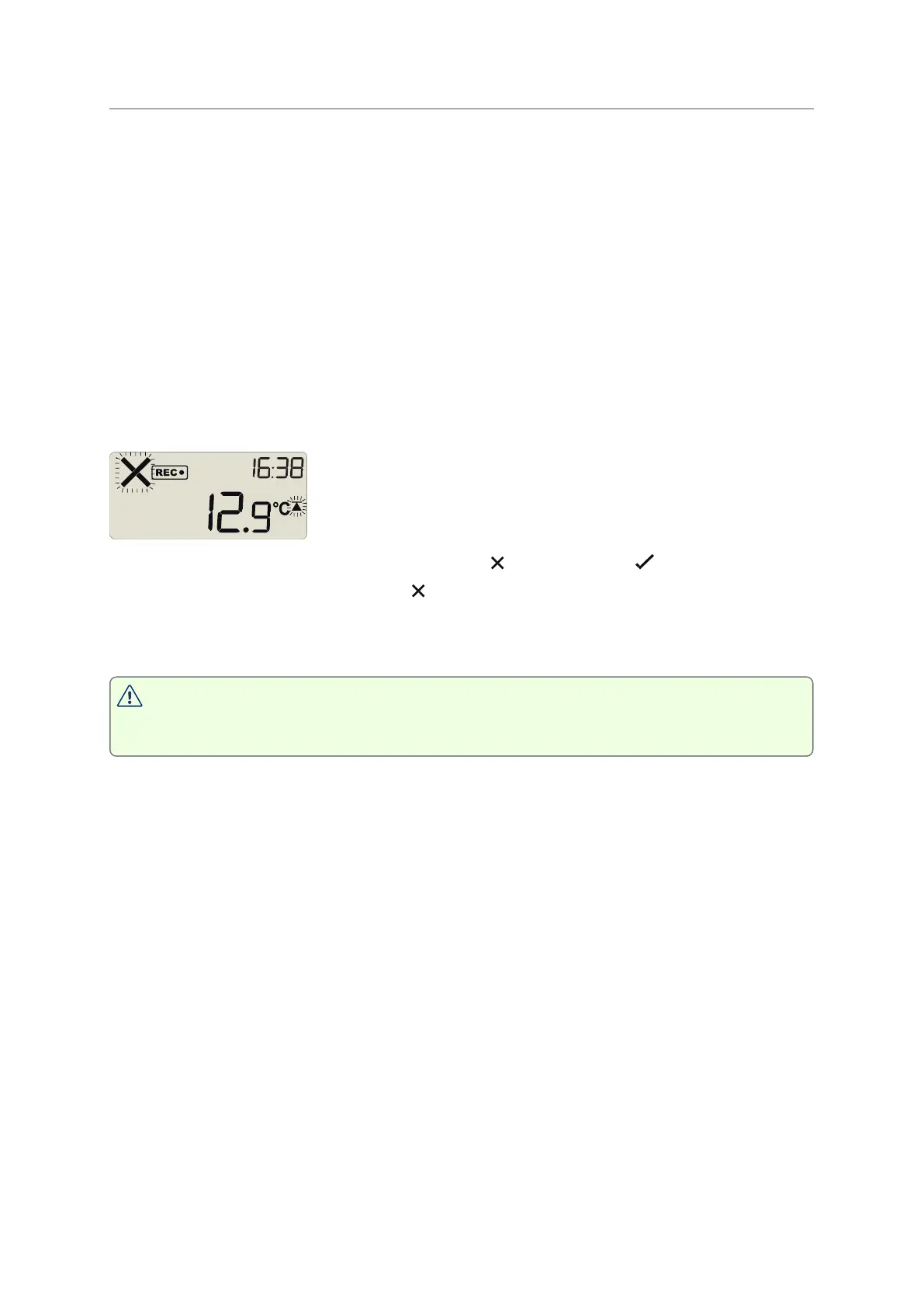
A UTRED-16 can be configured so you can clear an alarm from the display. To do this,
press and hold the STOP/Review button.
After 2 seconds the alarm will be cleared and the will change to a . If you keep holding
the button for a further 2 seconds, the will show again and the alarm will not be cleared.
An inspection mark will be recorded against the next temperature reading taken, whether
you clear the alarm or not.
An alarm cannot be cleared once the UTRED-16 has stopped recording. Alarms
resulting from an accumulation of readings can also not be cleared.


 To Next Page