23
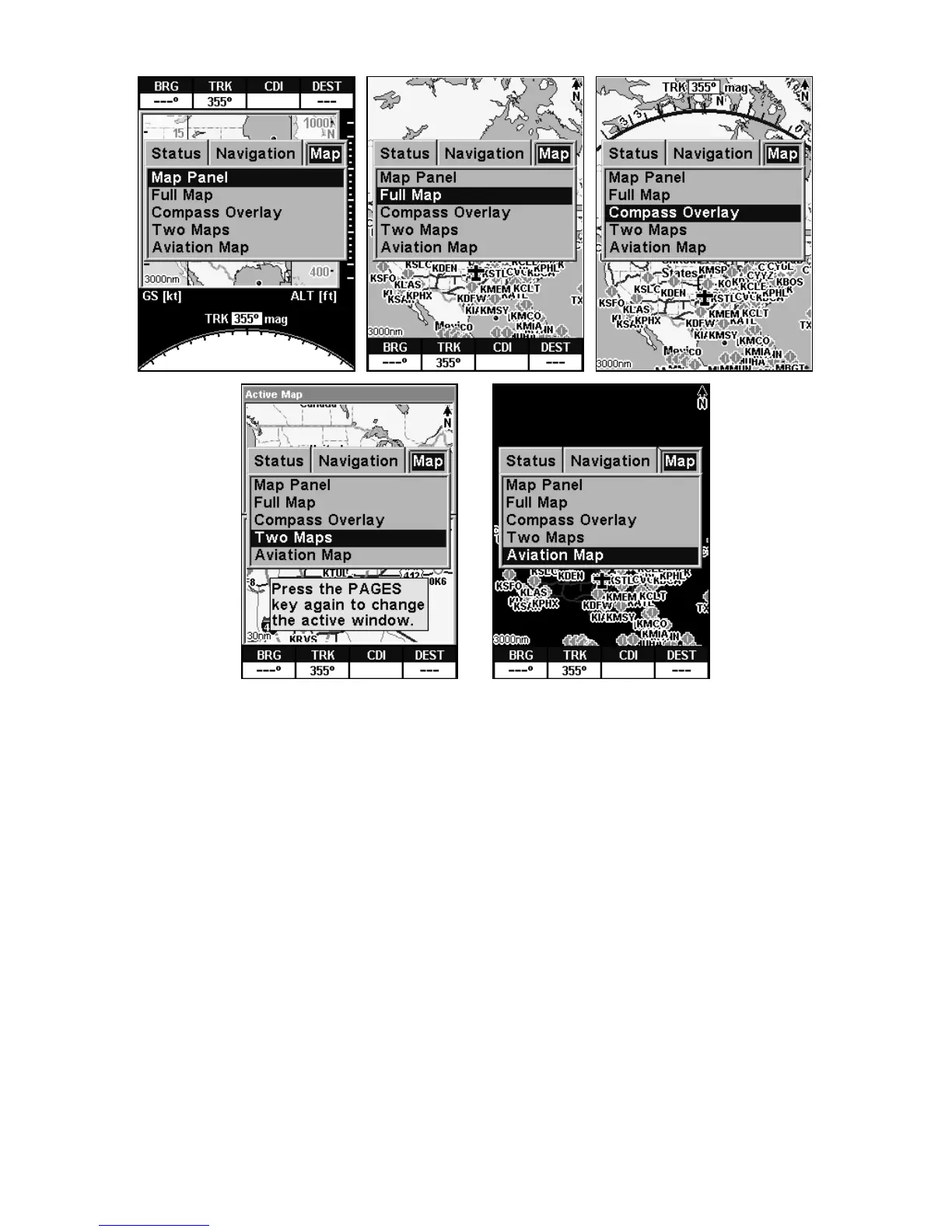
This series of figures shows the Pages Menu for all three main screens
and their various display options.
Each of the three main Pages also has a submenu screen associated
with it. You access a Page Submenu by pressing the
MENU key one time
while the page is displayed. (Pressing the
MENU key twice takes you to
the Main Menu.)
Several pages share similar display features. For example, the Naviga-
tion Page and the Map Page's Map Panel option both have a VSI or
Vertical Speed Indicator. To reduce redundancy in our text, we will de-
scribe some of these duplicate features when discussing the page on
which they are most prominent.
Satellite Status Page
This Page, shown in the following images, provides detailed informa-
tion on the status of AirMap's satellite lock-on and position acquisition.
To get to the Satellite Status Page: press
PAGES then either → or ←
until the page appears, then press
EXIT.














 To Next Page