86
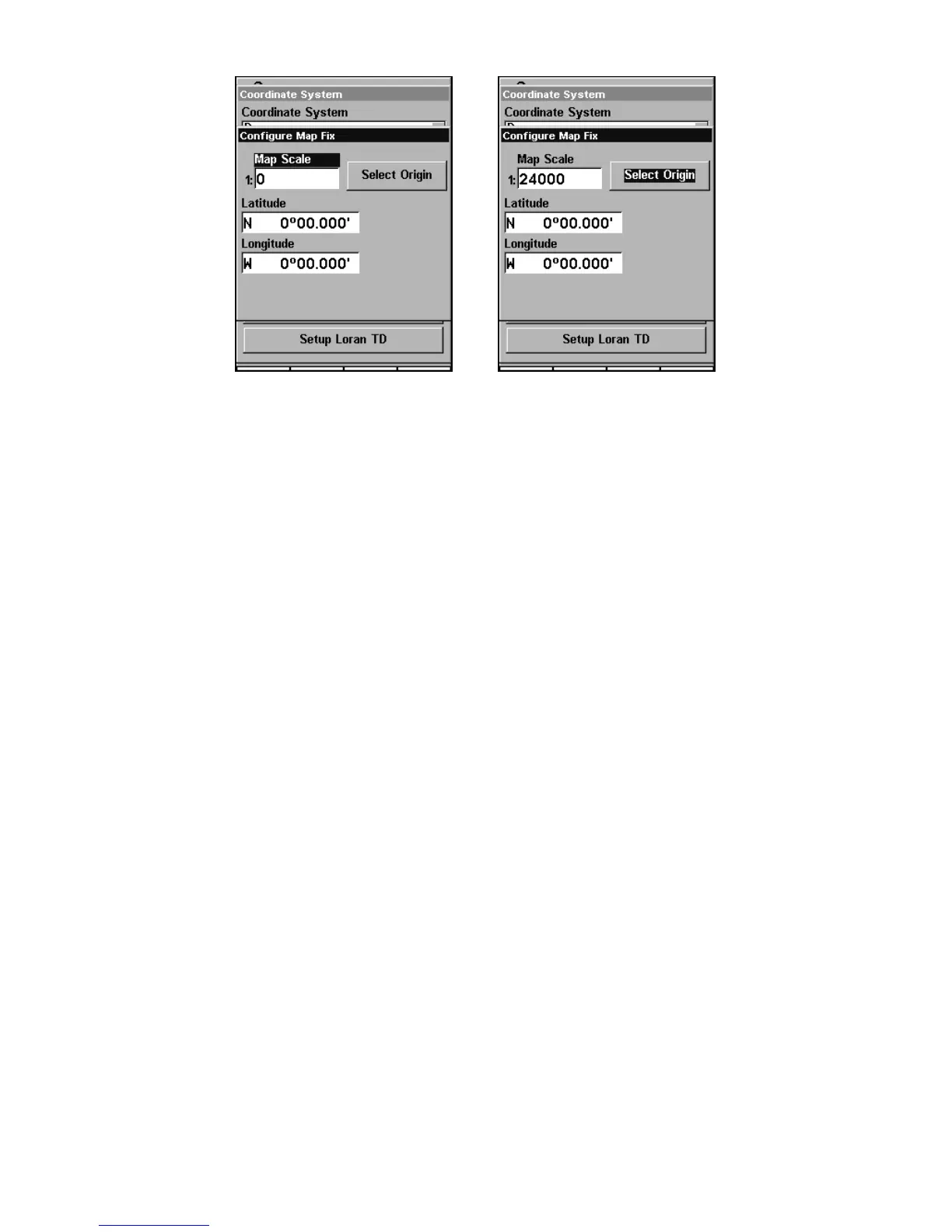
Configure a map fix so AirMap can find your position on a printed
chart, sectional or topographical map.
Press → to SELECT ORIGIN|ENT|ENT (MY WAYPOINTS) if you saved the refer-
ence point as a waypoint. Select the waypoint that you saved the refer-
ence point under and press
ENT. The unit displays a waypoint informa-
tion screen with the command
SET AS ORIGIN selected; press ENT and the
unit returns to the Configure Map Fix menu. Finally, press
EXIT to
erase this menu. Now press ↑ to
COORDINATE SYSTEM|ENT, select MAP FIX
from the list and press ENT. All position information now shows as a
distance from the reference point you chose.
Customize Page Displays
Every Page display option except Compass Overlay (on the Map Page)
has customizable data boxes to provide constant on-screen information.
The information provided in these data boxes is fully customizable.
The various data available from your unit are divided into categories in
the Customize menu. These categories include GPS Data, Navigation,
Trip Calculator, Time, and Miscellaneous Data. You can select items
from any of these categories for display on any page — the category di-
visions are only there to help you sort through the information.
To change the information displayed on your screen:
While on the Page display you wish to change, press
MENU|↓ to
CUSTOMIZE|ENT. You'll see a list of the information categories with "+" or
"-" symbols next to each category name. A category with a "+" next to it
is expandable, meaning its contents are currently hidden.









 To Next Page