64
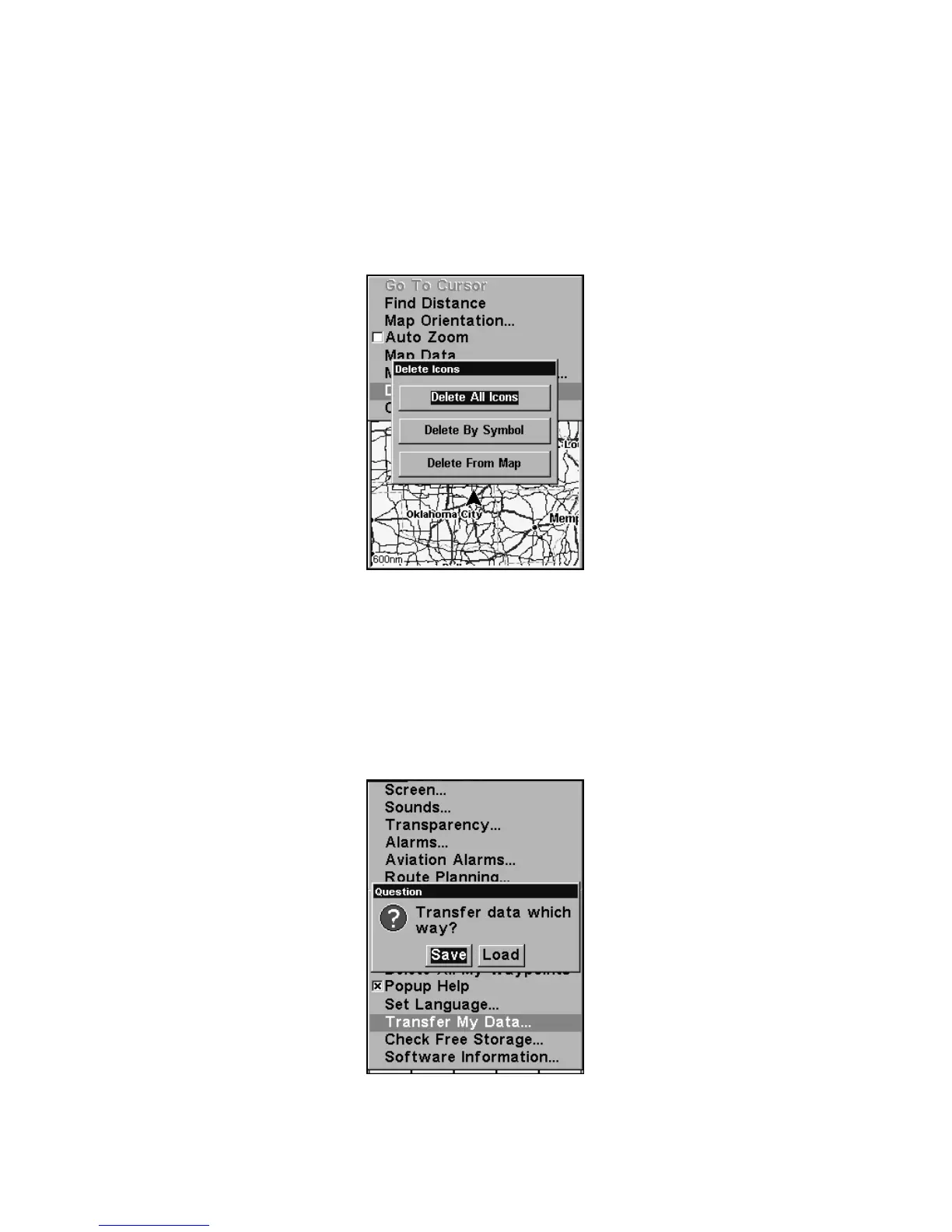
Delete an Icon
You can delete all the icons at one time, you can delete all icons repre-
sented by a particular symbol, or you can use the cursor to delete a se-
lected icon from the map.
1. Press
MENU|↓ to DELETE MY ICONS|ENT.
2. Press ↓ to
DELETE ALL ICONS, DELETE BY SYMBOL, or DELETE FROM MAP and
press
ENT.
Delete icons menu.
Load GPS Data Files from an MMC
GPS Data files, containing waypoints, routes, trails and event marker
icons, must be copied from an MMC to AirMap's internal memory be-
fore AirMap can read them. Here's how:
1. Press
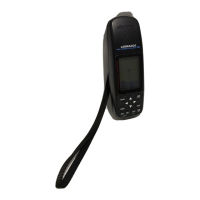
MENU|MENU|↓ to SYSTEM SETUP|ENT|↓ to TRANSFER MY DATA|ENT
and the following screen appears.
The Transfer My Data submenu asks if you want to save data to the
MMC or load data from the MMC into AirMap's memory.









 To Next Page