91
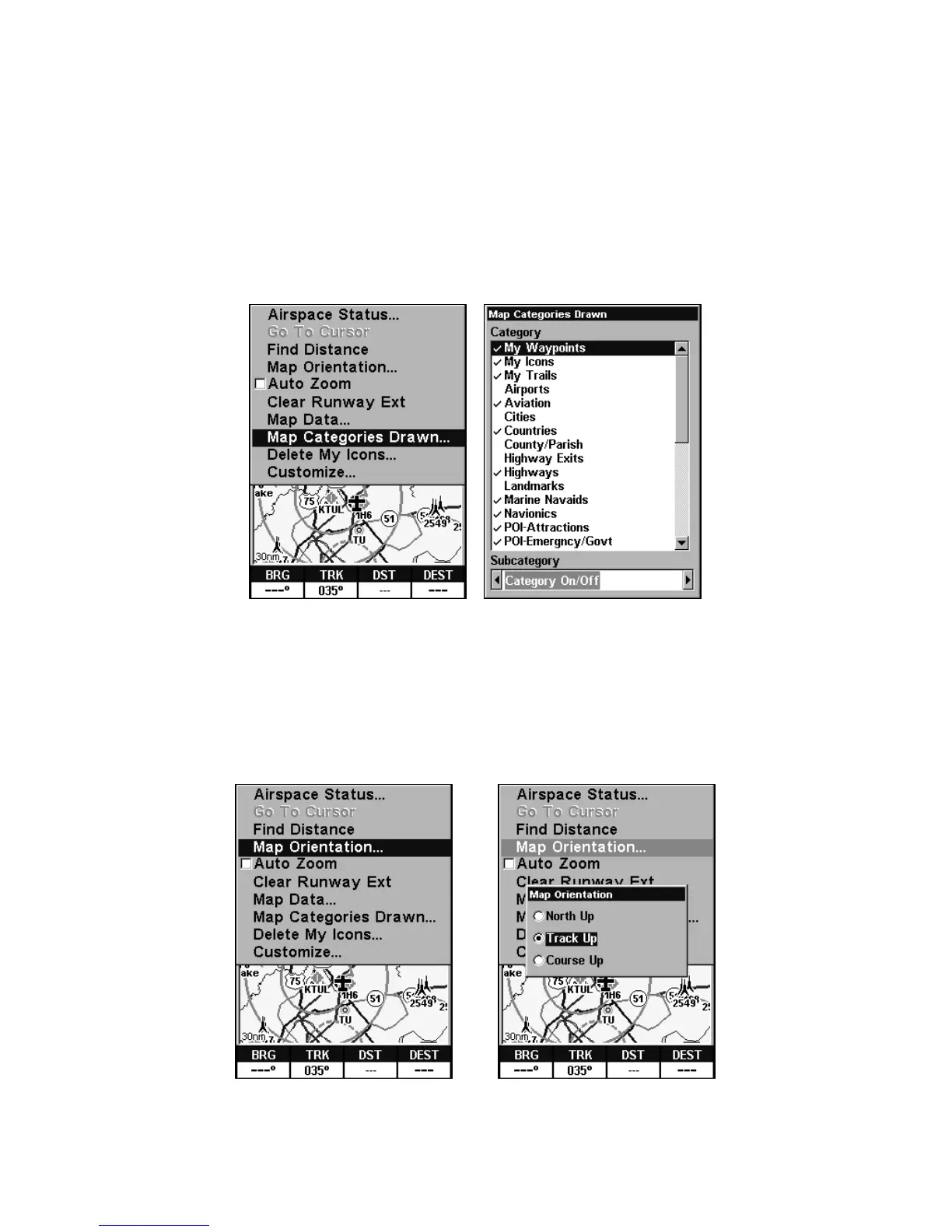
To get to Map Categories:
1. Press
MENU|↓ to MAP CATEGORIES DRAWN|ENT.
2. Press ↑ or ↓ to select a category or subcategory. Press
ENT to turn it
off (no check) or on (checked). You can also press → or ← to select sub-
categories, so you could turn off all Rural and Minor Roads to reduce
clutter, but leave on Major City Roads for landmarks.
3. To return to the last page displayed, press
EXIT|EXIT.
Map Menu, left, Map Categories Menu, right.
Map Orientation
From the Map Page, press MENU|↓ to MAP ORIENTATION|ENT. Press ↓ or ↑
to select an orientation option. With the option highlighted, press
ENT
to select it, which will immediately turn it on. After the option is set,
press
EXIT|EXIT to return to the page display.
Map Menu, left, Map Orientation window with
the Track Up map orientation option selected.









 To Next Page