83
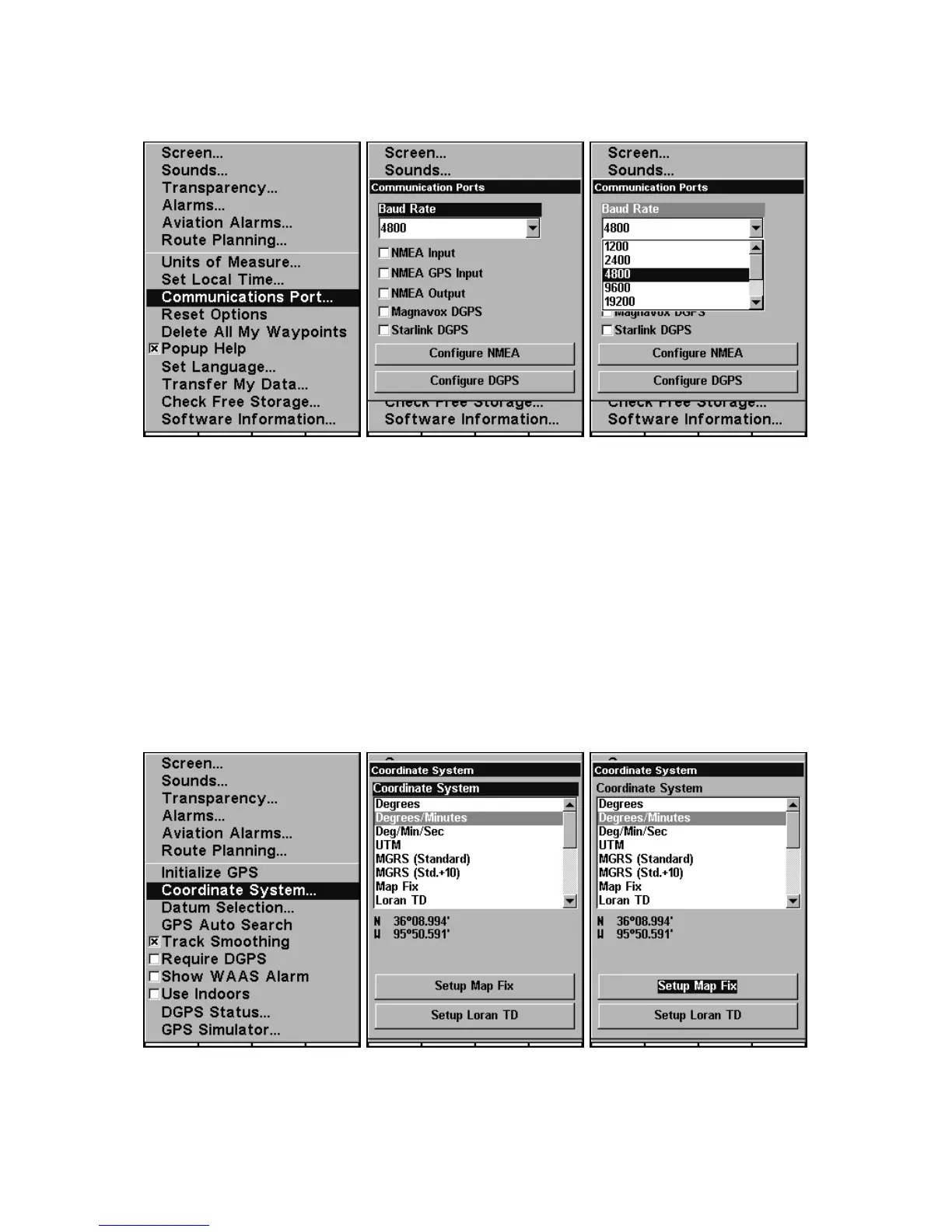
System Setup Menu, allows you to configure the communications port to
send data to another electronic device, such as an autopilot.
Menus for changing Com Port settings.
For connectors and wiring information for another device, consult the
factory; phone numbers are in the back of this manual. To set Com Port
Configuration:
1. Press
MENU|MENU|↓ to SYSTEM SETUP|ENT.
2. Press ↓ to
COMMUNICATIONS PORT|ENT.
Coordinate System Selection
The Coordinate System Menu lets you select the coordinate system to
use when displaying and entering position coordinates.
Menus for changing coordinate system used to display positions.
To get to Coordinate System Selection:









 To Next Page