34
35
Chart Operation | Elite series
Chart Operation | Elite series
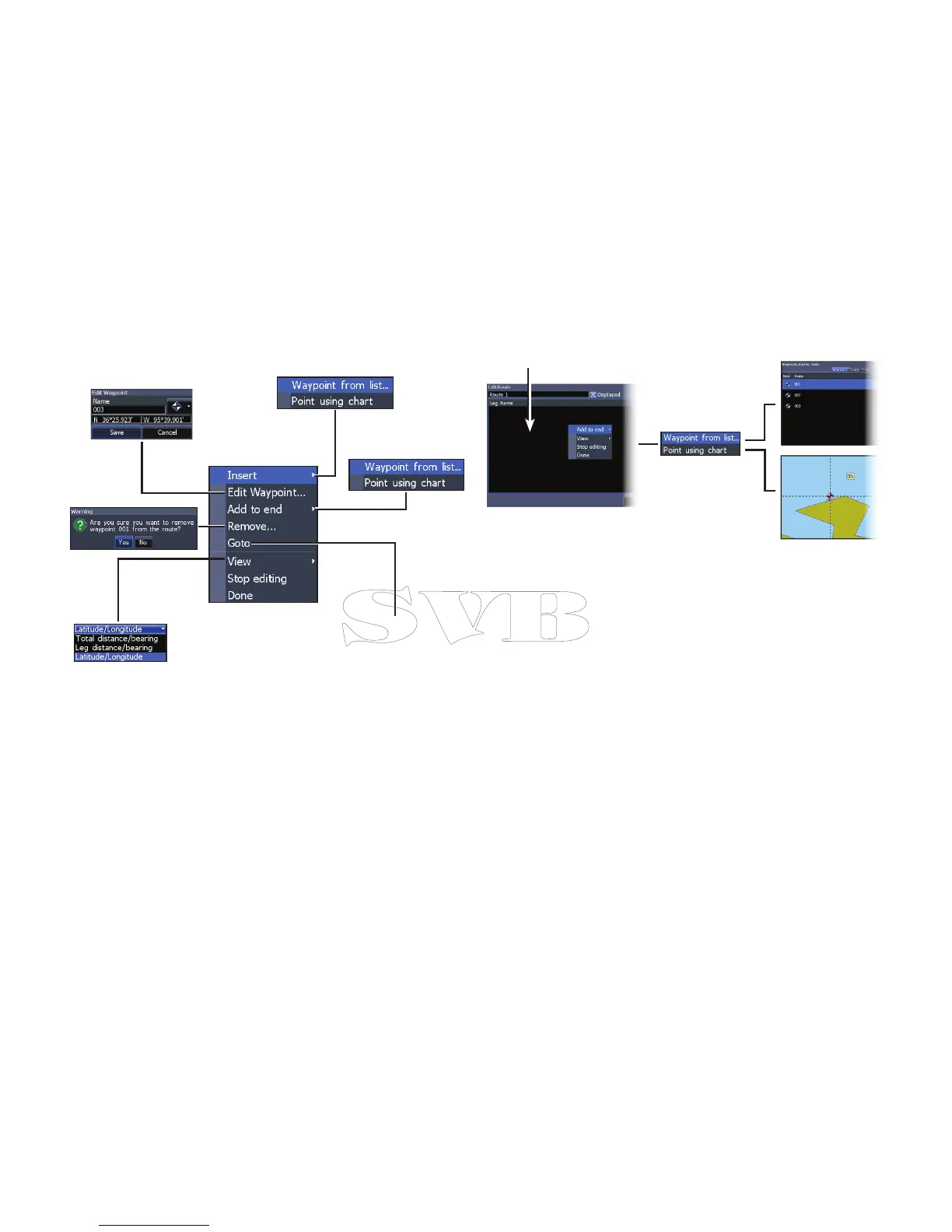
To create a route from waypoint list:
1. Press MENU from the Routes screen.
2. Select New... and press ENTER.
3. Press the keypad down to select the
Leg Name eld and press ENTER.
4. Press MENU, select Add to End and
press ENTER.
5. Highlight Waypoint from list and press
ENTER.
6. Select the desired waypoint and press
ENTER.
7. Press MENU and select Add to end to
add another waypoint to the route.
8. When the route is complete, press
MENU, select Stop Editing and press
ENTER.
9. Select Save and press ENTER.
Leg Name eld
Route waypoint
menu
Inserts waypoint between
existing route waypoints
Adds waypoint to
end of the route
Starts navigation
to the selected
route waypoint



 To Next Page