34
35
Chart Operation | Elite series
Chart Operation | Elite series
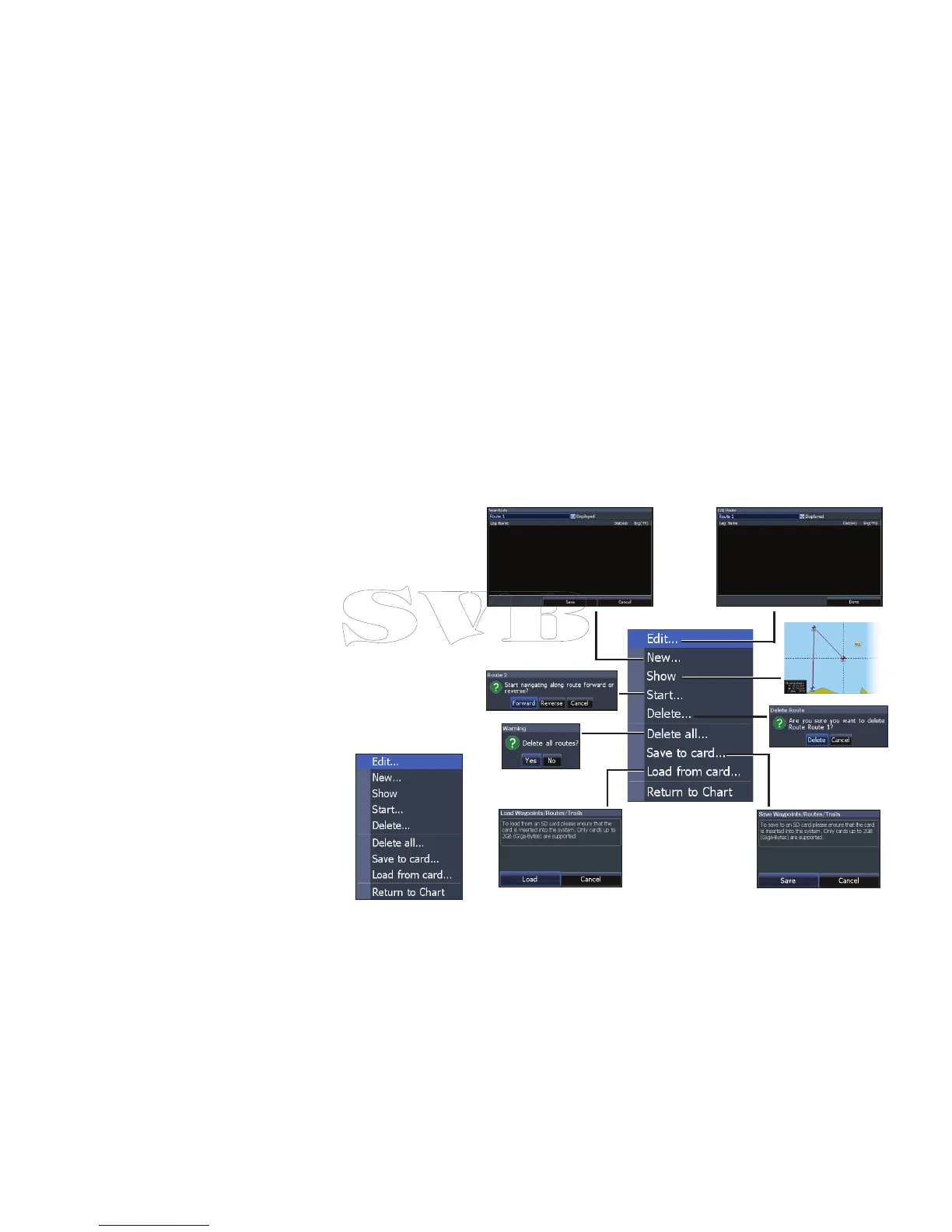
2. Select Start and press ENTER.
3. Select Forward or Reverse and press
ENTER.
4. Press MENU and select Return to Chart.
Press ENTER.
Creating a route using points from chart:
1. Repeat Steps 1-4 from the instructions
for Creating a route from waypoint list.
2. Select Points from chart and press
ENTER. The chart page will appear.
3. Move the cursor to the desired location.
Press ENTER to set a waypoint.
4. Repeat Step 3 to add more route
waypoints.
5. Press MENU and select Stop adding.
Press ENTER.
6. Highlight the Save button and press
ENTER.
Navigating a route
Routes can be navigated in forward
or reverse.
1. Select the desired route
on the Route screen and
press MENU.
Routes menu


 To Next Page