23
Press 5. MENU and select Return
to overlay.
Press 6. MENU, select Done
Conguring and press ENTER.
Show
Shows/hides the Overlay data display on the
sonar screen.
Customizing Overlay Data
Overlay Data size can
be resized, moved
or removed from
the display from the
Overlay data menu.
Press MENU from the
Overlay Data screen
to make adjustments to overlay data.
Overlay Data
Used to display selected data on the Sonar
screen.
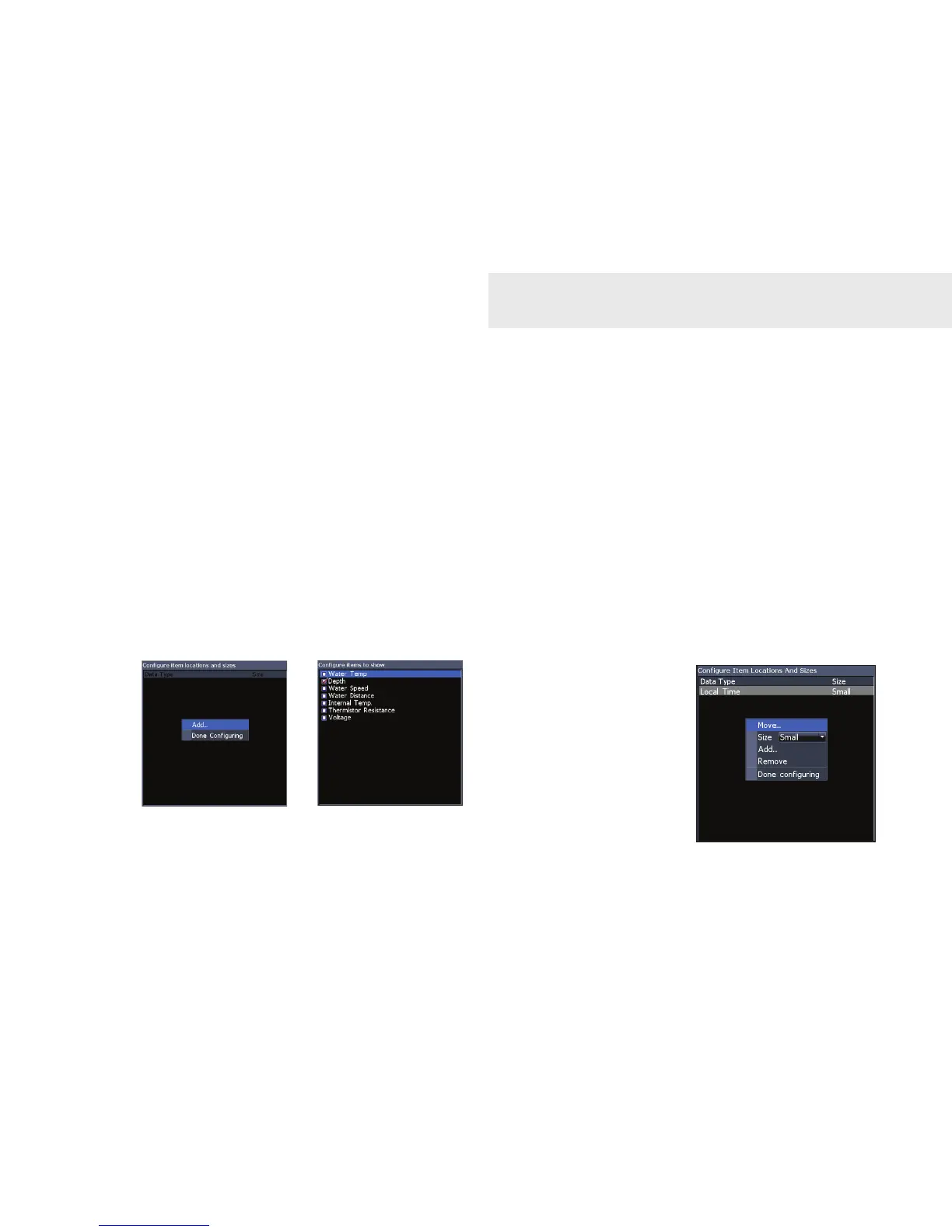
To select overlay data:
Press 1. MENU, select Overlay data
and press ENTER.
Select 2. Congure and press
ENTER.
Press 3. Menu and select Add. Press
ENTER.
Select a the desired overlay data 4.
type and press ENTER.
Sonar Operation






 To Next Page