EasyManua.ls Logo

LOYTEC L-STAT - Page 29

LOYTEC L-STAT
61 pages
Print Icon
To Next Page IconTo Next Page
To Previous Page IconTo Previous Page
Loading...
L-STAT User Manual 29 LOYTEC
Version 1.0 LOYTEC electronics GmbH
Register Name
Register
Address
Bit Position
15
14
13
12
11
10
9
8
7
6
5
4
3
2
1
0
modbus_time_
cleared
128
0x0080
modbus_time_cleared_0
[0x0000]
129
0x0081
modbus_time_cleared_1
[0x0000]
modbus_rx_packets
130
0x0082
modbus_rx_packets_0
[0x0000]
131
0x0083
modbus_rx_packets_1
[0x0000]
modbus_rx_bytes
132
0x0084
modbus_rx_bytes_0
[0x0000]
133
0x0085
modbus_rx_bytes_1
[0x0000]
modbus_tx_packets
134
0x0086
modbus_tx_packets_0
[0x0000]
135
0x0087
modbus_tx_packets_1
[0x0000]
modbus_tx_bytes
136
0x0088
modbus_tx_bytes_0
[0x0000]
137
0x0089
modbus_tx_bytes_1
[0x0000]
modbus_timeout_
errors
138
0x008A
modbus_timeout_errors_0
[0x0000]
139
0x008B
modbus_timeout_errors_1
[0x0000]
modbus_checksum_
errors
140
0x008C
modbus_checksum_errors_0
[0x0000]
141
0x008D
modbus_checksum_errors_1
[0x0000]
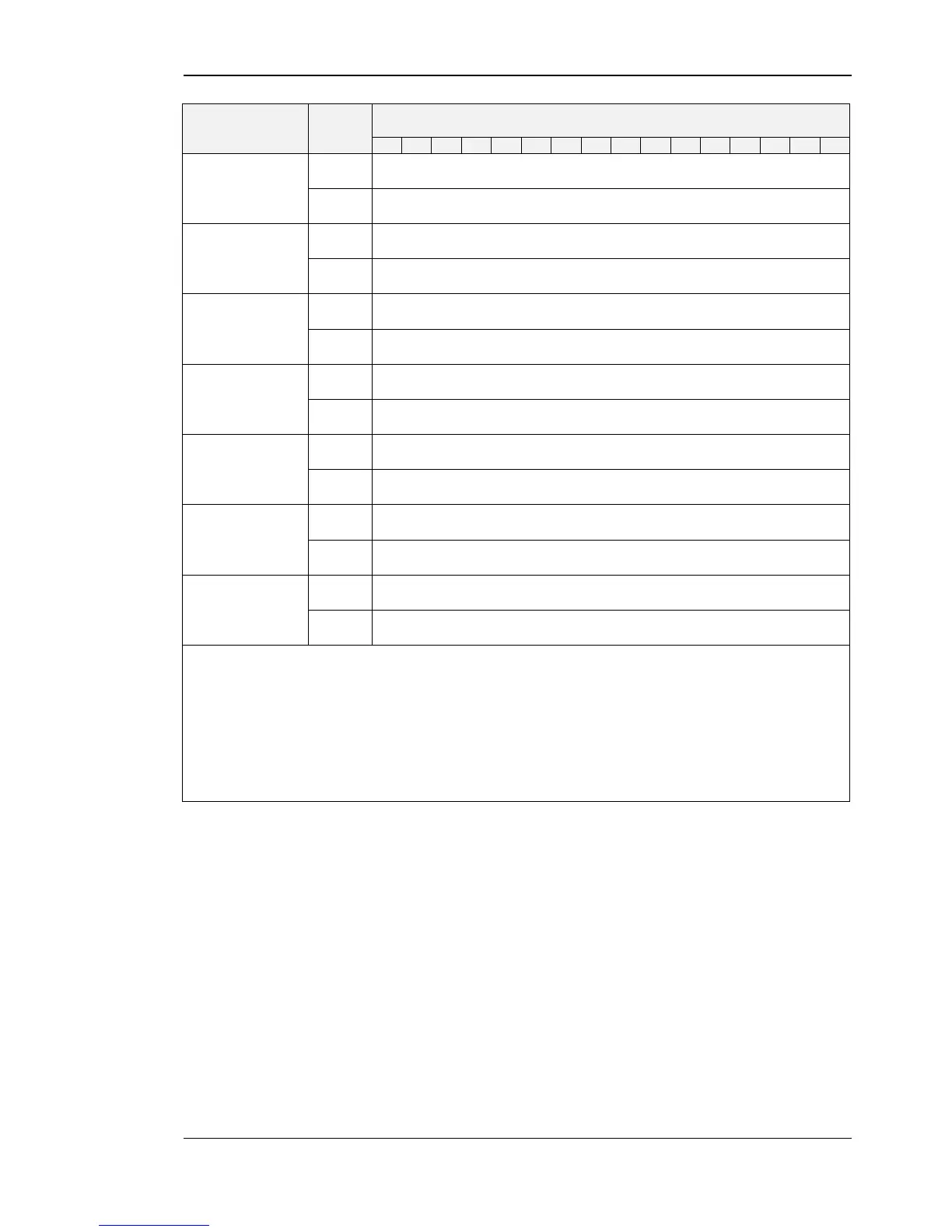
modbus_time_cleared_0 and modbus_time_cleared_1 represent a 32 bit timestamp in
seconds since JAN-01-1970 that is set by the L-STAT device after the statistics have been
cleared by the master device.
All other values are 32 bit counters incremented by the L-STAT device. These values are
not permanently stored at the L-STAT and will be lost after a reboot.
The statistics can be cleared by setting the MSC bit at the config_flags register at
address 192 (see Table 22 on Page 33).

Table 17: Modbus Statistics