L-STAT User Manual 56 LOYTEC
Version 1.0 LOYTEC electronics GmbH
6 Firmware Update
6.1 Firmware Update via the Web Interface
The current firmware can be downloaded from the Software Download section on the
LOYTEC website: https://www.loytec.com/support/download
For the firmware update go to the web interface of the L-INX, L-ROC, L-IOB device.
To Update the Firmware via the Web Interface
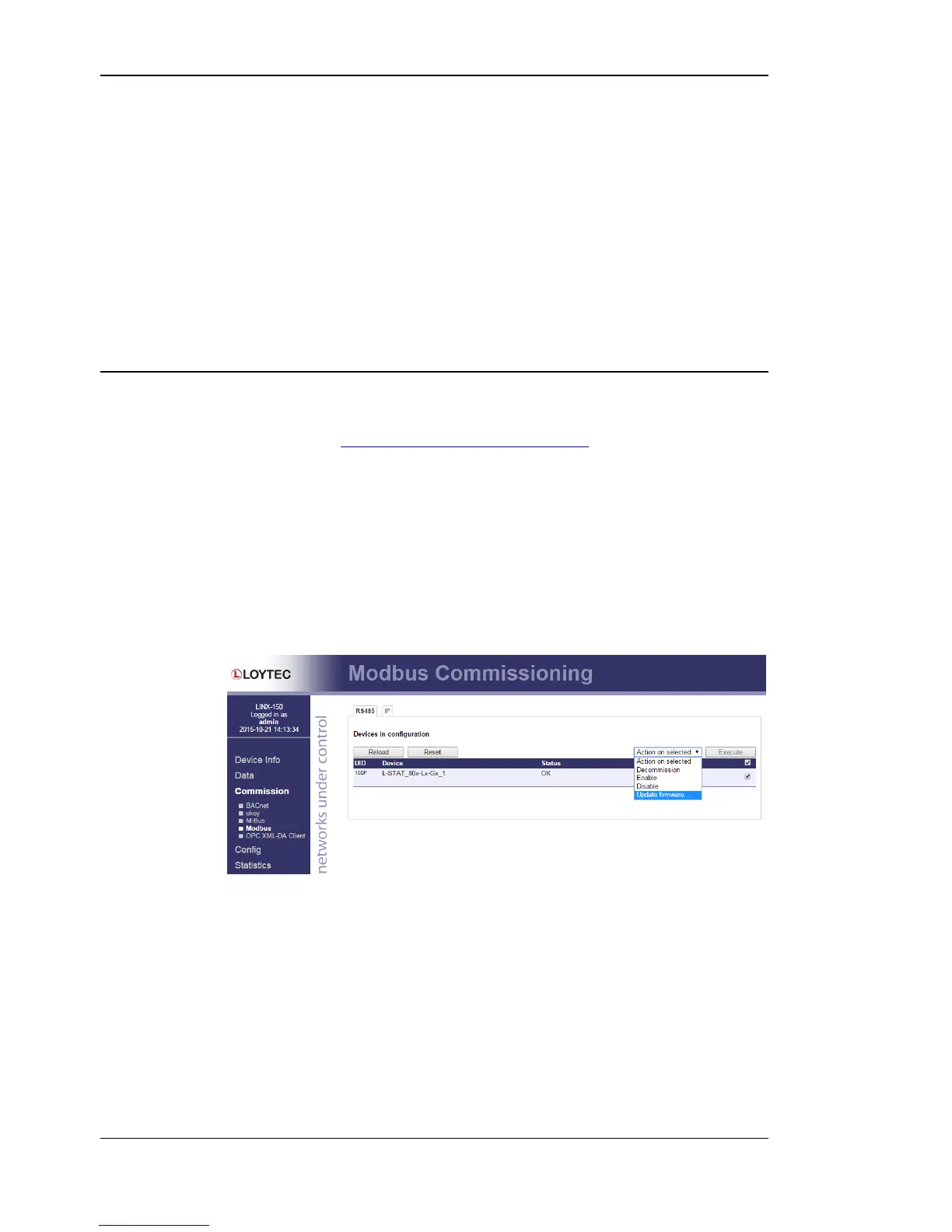
1. Select Modbus under the Commission menu.
2. A listing of available devices will be displayed. Select the devices for the firmware
update by clicking the check box on the right.
3. Select Update firmware… from the drop-down menu as shown in Figure 13.
Figure 13: Web Interface – Modbus Commission
4. Select the firmware file and click Open.
5. The selected devices will then receive the firmware updated.


 To Next Page