Digital Video Recorder User Manual
79
Color adjustment:
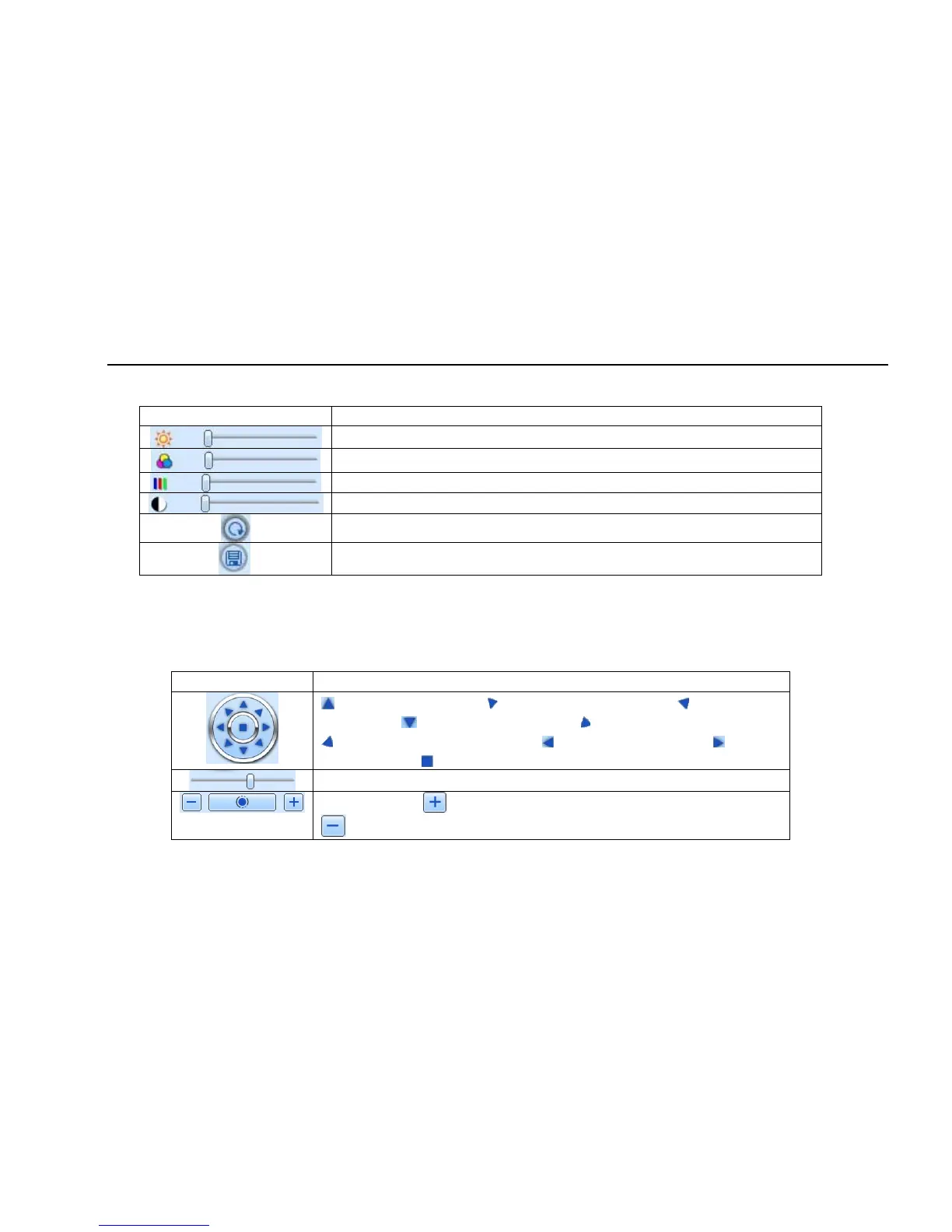
Drag the slide bar to adjust Brightness, Contrast, Hue, and Saturation. Click Default to reset them to original value.
Buttons
Description
Drag the scroll bar to adjust the brightness of channel
Drag the scroll bar to adjust the contrast of channel
Drag the scroll bar to adjust the saturation of channel
Drag the scroll bar to adjust the hue of channel
Click this button to recover the default value of brightness, contrast, saturation and hue.
Save the adjustment
PTZ control
Please connect speed dome to the device via RS485 firstly, make sure the protocol of the speed dome is supported by the device and set the
relative parameters manually. User can control the dome up, down, right, left or stop rotating on Control Center, adjust rotation speed, Iris and zoom,
focus on the dome, and set the presets, etc.
Buttons definition:
Buttons Description
means the dome rotate up. means the dome rotate up left. means the dome
rotate up right means the dome rotate down. means the dome rotate left down.
means the dome rotate right down. means the dome rotate left. means the
dome rotate right. means the dome stop rotating.
Drag the scroll bar to adjust rotating speed of the dome.
'Iris' button. Click button near 'Iris' button to increase light of the dome. Click
button near 'Iris' button to decrease light of the dome.



 To Next Page