Piccolo 26 from 82
www.lt-light.com
To store the next cue with the current scene and
load it into a Submaster
To load a groups range into consecutive Submasters
[GRP][#] [THRU][#][LOAD][S#]
To load a cues range into consecutives Submasters
[CUE][#][THRU][#][LOAD][LOAD][S#]
To load a group in any of these modes:
1:Absolute or 2: Inhibit
[GRP][#][LOAD][LOAD][S#] or
[GRP][#][LOAD]]LOAD][LOAD][S#]
To load a cue in any of these modes:
4:Absolute or 5: Inhibit
[CUE][#][LOAD]]LOAD][S#] or
[CUE][#][LOAD]]LOAD][LOAD][S#]
*The loading option of the LOAD window, also can be selected entered the index number (#) or using the encoder.
A cue/group loaded in Normal mode:
Each Submaster puts its content in scene in an independent way.
A cue/group loaded in Absolute mode:
The Submaster puts its content in scene at the same time it forces the output of the rest of the
masters to zero. The result is similar to the flash solo function, but with a change faded. Very
useful for curtains, etc…
A cue/group loaded in Inhibit mode:
The Submaster does not put the content on stage, if active, but it will take it out if content is active
from any Submasters or from the Crossfader. This function is useful in the event of unexpected
happenings on stage. For example, a moving light disturbing the scene can be inhibited (taken out)
quickly.
The scene output (levels) of all the Submasters are controlled by the grandmaster, GM, also it’s
controlled for the SM (this can be changed in the configuration menu 31), and its blackout key.
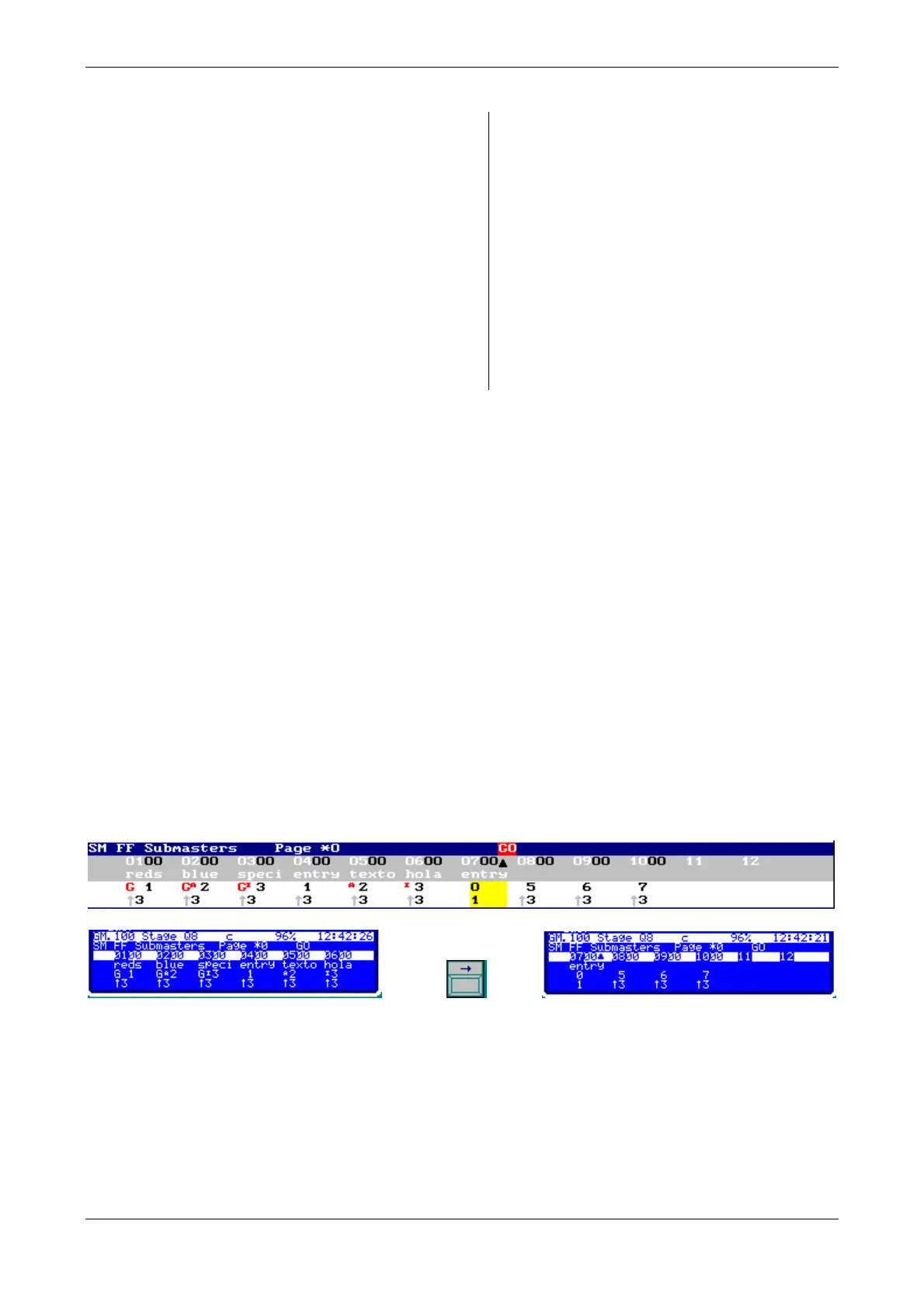
In monitor & display:
Submasters from 01 to 03 are loaded with groups and submasters from 04 to 10 are loaded with
cues, in different modes (normal, absolute –A- & inhibit –I-)



 To Next Page