Touchclave Ecotech
45
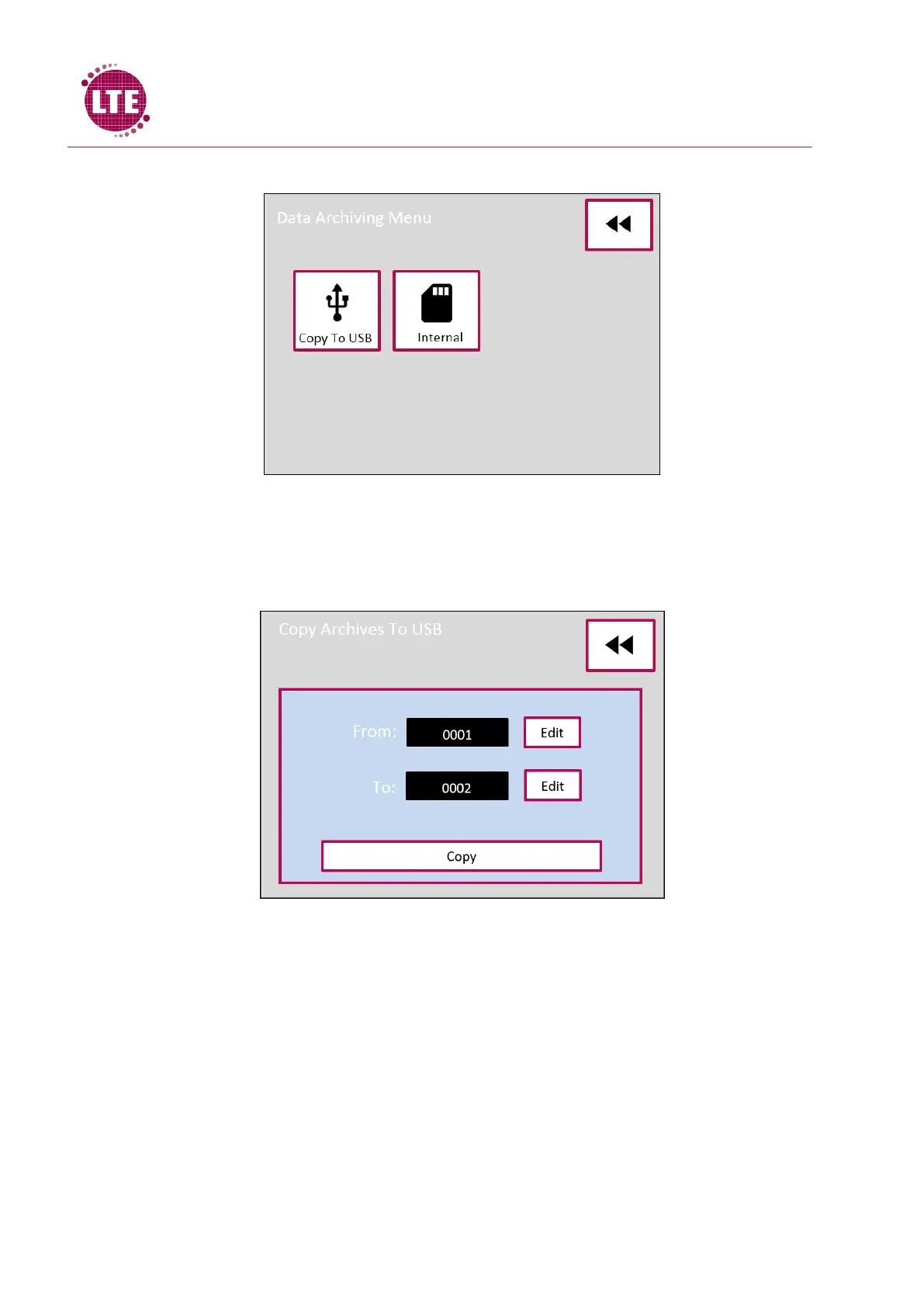
The Data Archiving Menu will now be displayed:
Copy to USB
select the Copy to USB icon and the Copy Archived To USB screen will be displayed:
“From” is the first cycle in the range that can be selected to archive, pressing the “Edit” button on
this line allows the user to select the first cycle number in the range to be archived. “To” is the last
cycle in the range selected to be archived, pressing the “Edit” button on this line allows the user to
select the final cycle number in the range to be archived.
Once the range of cycle s to be archived has been selected, pressing the “Copy” button will transfer
the cycles onto the USB memory stick.
“Please Wait…” will be displayed on the screen while the data is transferred from the control system
to the memory stick. Once this is completed “Please Wait…” will no longer be displayed on the
screen and the USB memory stick can safely be removed from the autoclave.



 To Next Page