Touchclave Ecotech
48
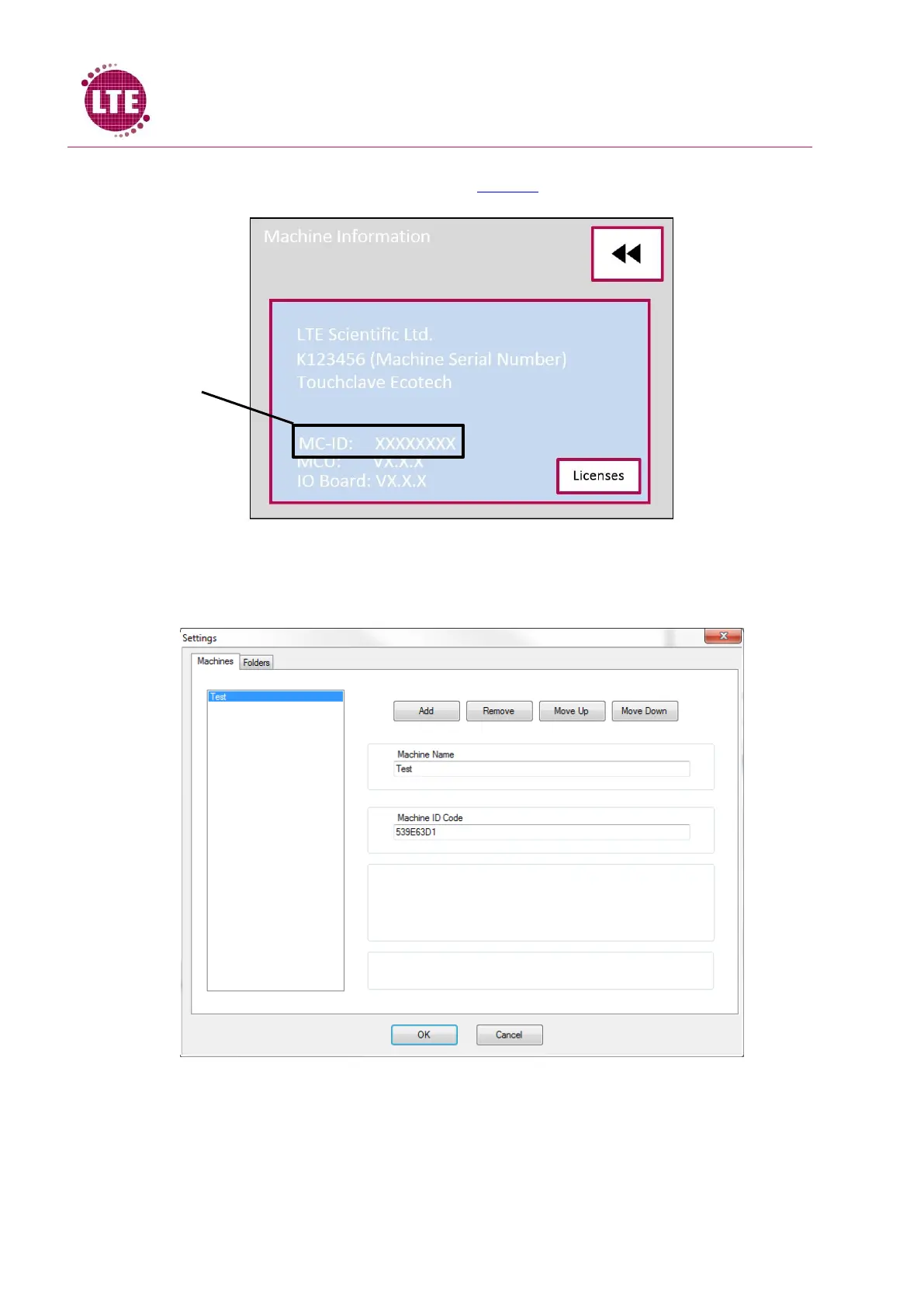
5. Each Touchclave Ecotech machine has a unique machine ID code machine code is given in
the M/C info screen in the Status Menu, see M/C Info
6. Get the Machine ID code from the Touchclave Ecotech and enter this code under “Machine
ID Code” on the Ecotech Archives settings as it appears on the Machine information screen,
example shown below:
7. Press “OK”
8. Machine will now appear on the Ecotech Archives window



 To Next Page