44
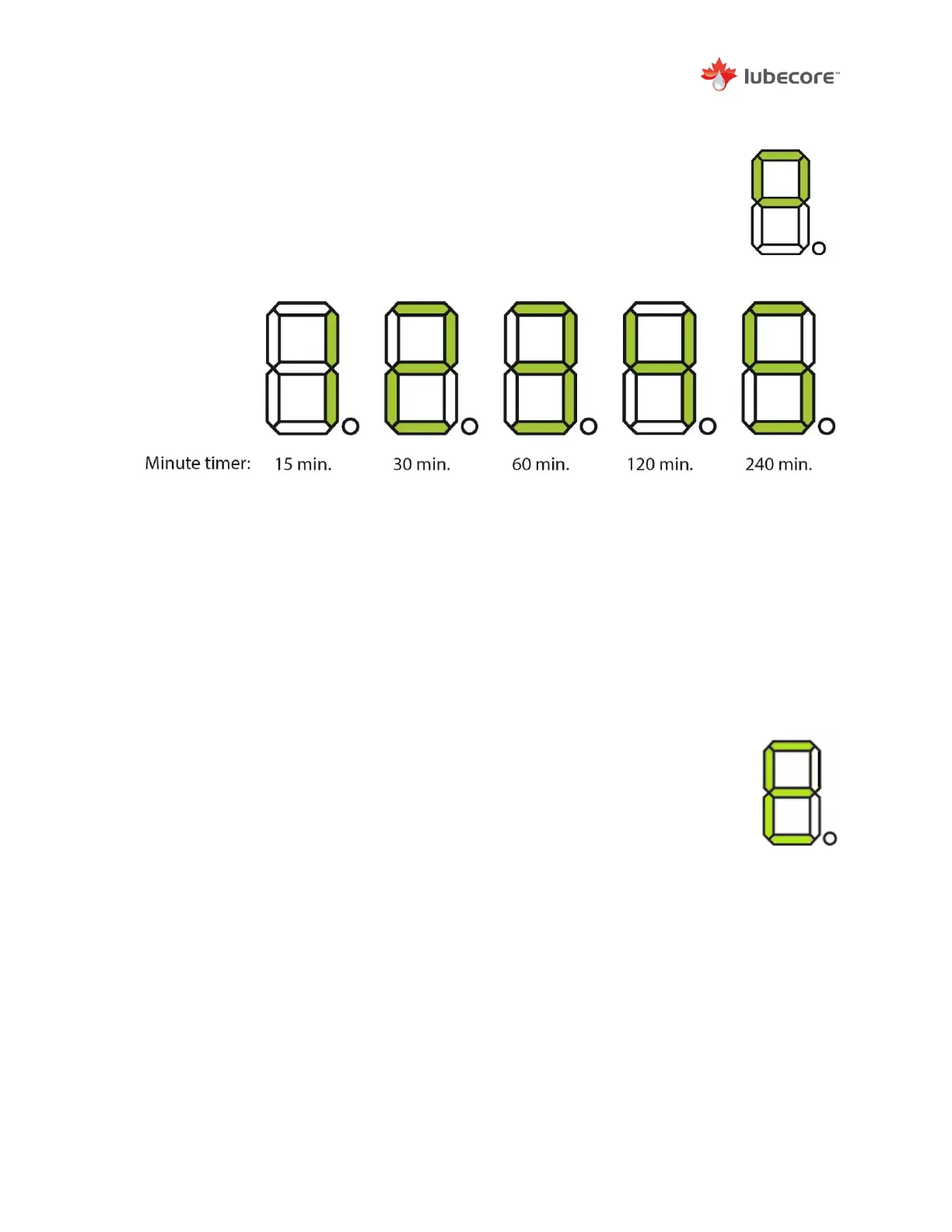
4) To change the pump interval / pause time (T1), place the magnet on the
Lubecore logo until 4 bars light up. When the display shows 4 bars,
remove the magnet to go into time selection mode. A one second touch or
slow swipe with the magnet, at the Lubecore logo, will change the
selection
- When the sensor is not operated and no changes are made after 20 seconds it will
return to the start.
- If a change is made the display will show an “A” for accept after 20 seconds have
passed. Or place the magnet on the logo for 5 seconds to accept changes.
After changing settings or testing, switch off the ignition and verify that the timer accepted the
new values. The timer can at any point be returned to ‘normal’ by switching off the ignition.
When the display indicates an “E” for error, the following could be the problem:
- Low Grease Level Detected.
When installed and active by the follower plate, the low-level switch
signal stops the pump from pumping; fill the pump
- Over-Load / Short Circuit


 To Next Page