English - 39
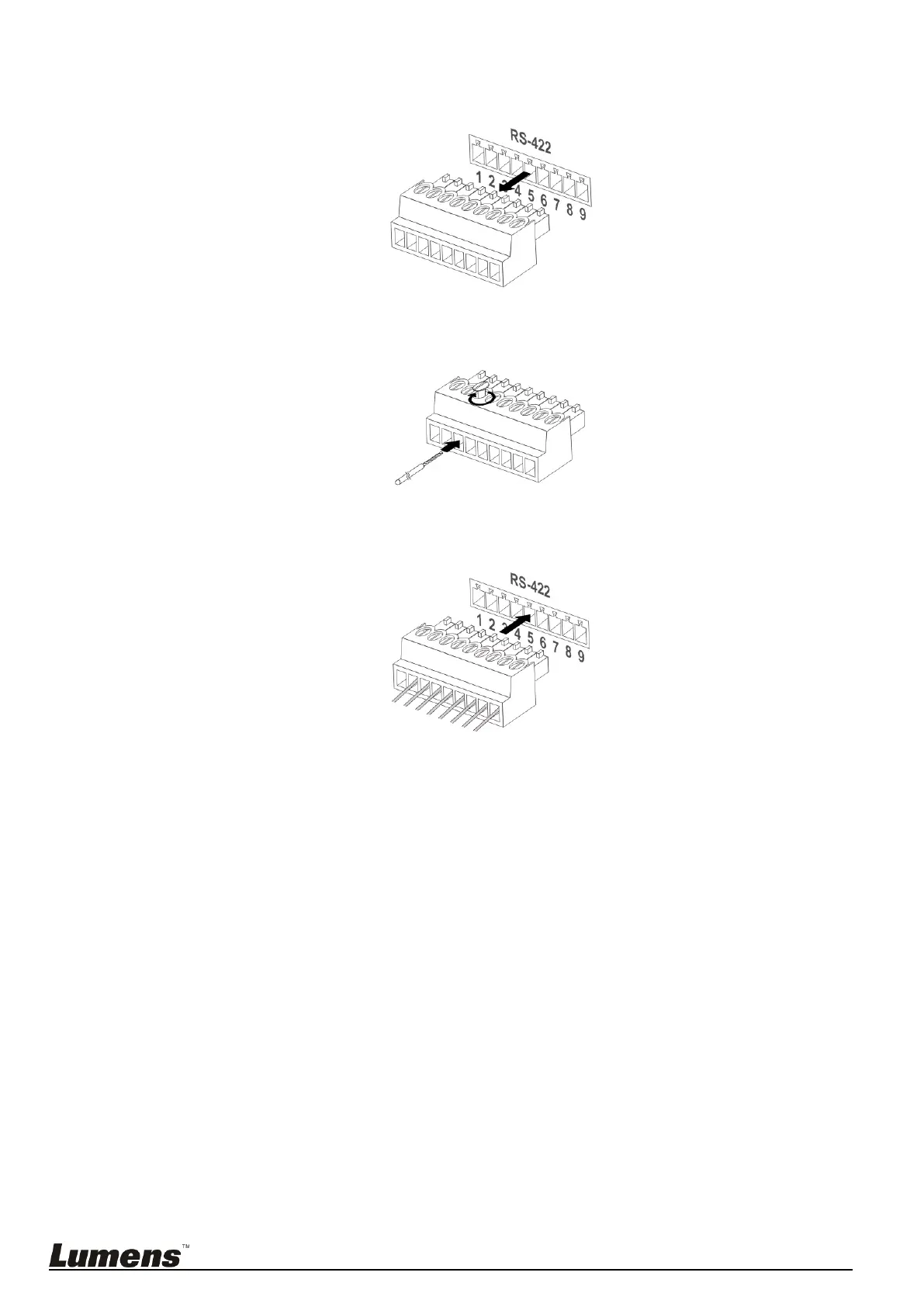
8.2.2 Use RS-422 Connection
1. Hold the two sides of RS-422 connector and pull out in the direction shown by the arrow in the figure below
2. Peel off a section of copper wire (AWG Nos.28 to 18) and insert it into the connector hole; then use flat screw
driver to fix it
3. Insert the wired RS-422 connector back to the camera. Now the connection is completed
<Note> When RS-422 connection is being used, do not use RS-232C connection.



 To Next Page
 Loading...