English - 25
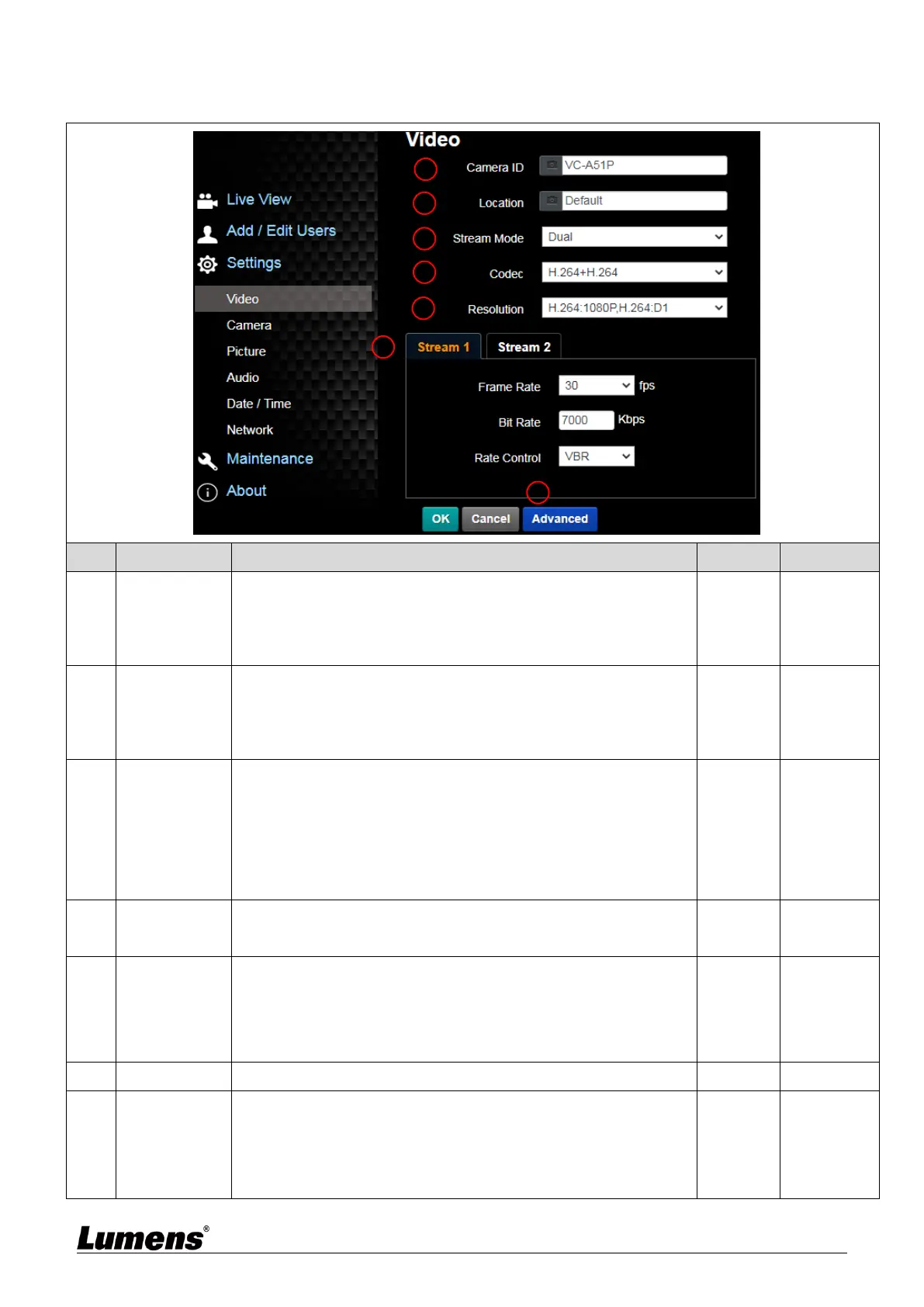
5.2.4 Setting - Video
Change camera name here
Camera names are limited to 1 - 11 characters
Please use a camera name by mixing uppercase and lowercase
letters or numbers. Do not use “/” and “space” or special symbols
Modify the location of the camera, such as Room 1
Camera location is limited to 1 - 11 characters
Please use a camera name by mixing uppercase and lowercase
letters or numbers. Do not use “/” and “space” or special symbols
VC-A51PN can turn NDI|HX on/off
On: Support NDI (ONVIF cannot find devices, and
RTSP/RTMP/RTMPS/MPEG-TS/SRT streams cannot be used)
Off: Support RTSP/RTMP/RTMPS/MPEG-TS/SRT, and ONVIF
can find devices but cannot be used with NDI Tool
Choose from Single/Dual stream
Set the encode type
H.264 + H.264 (Dual stream)
H.264 + MJPEG (Dual stream)
MJPEG (Dual stream)
MJPEG (single stream)
VC-A51P supports 2-way streaming output
Frame Rate: Setting according to the supported resolution
Bit Rate (kbps)
Streaming 1: 64 ~ 20,000, default 7,000
Streaming 2: 64 ~ 8,000, default 1,000
Rate Control: CBR / VBR



 To Next Page
 Loading...