17
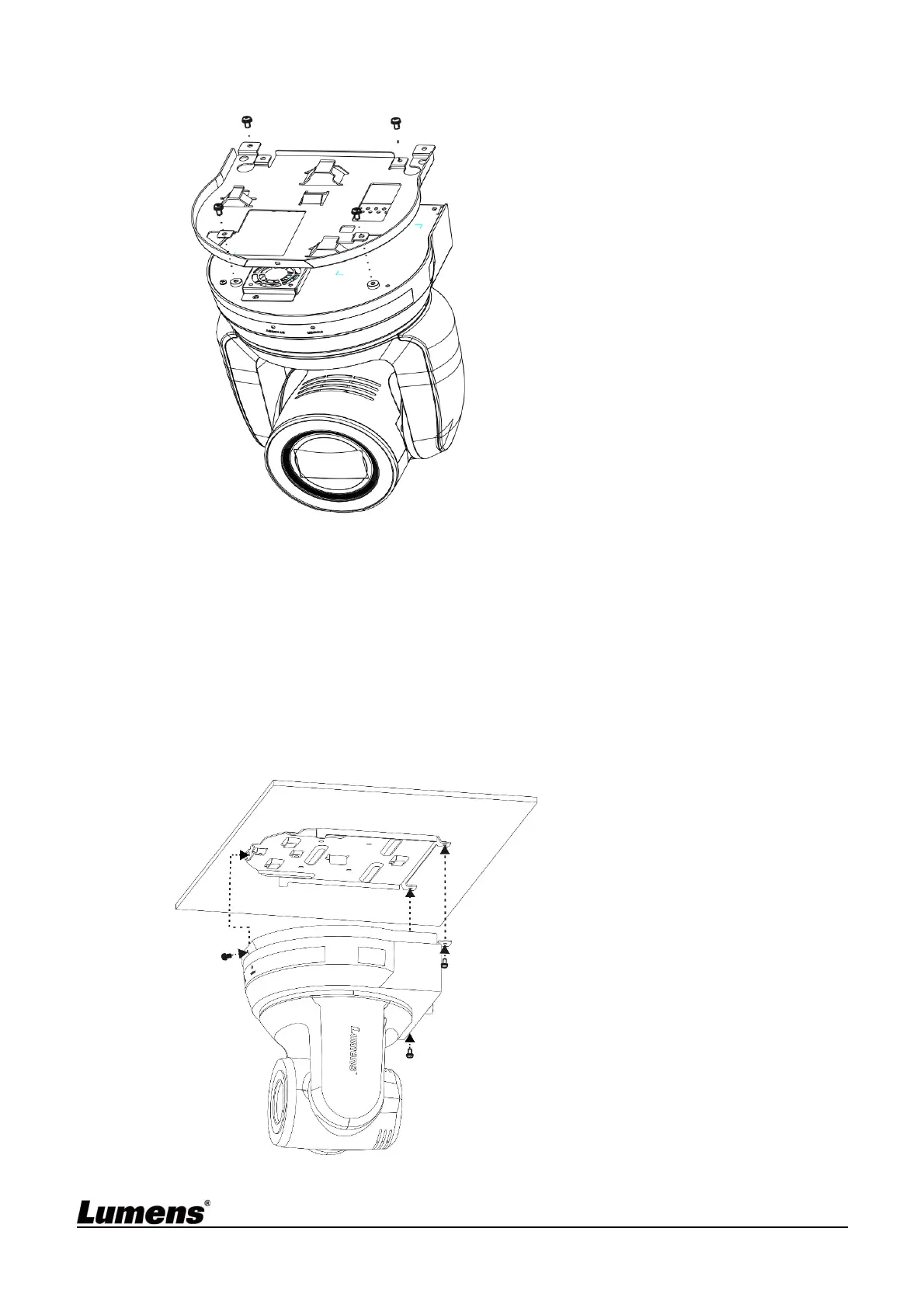
2. Fix the metal plate A on the machine base with 4 M3 silver screws
3. Lock the metal plate B on ceiling mounted hanger
※
Caution:
(1) Please use the hanger that has obtained UL security approval
(2) Please reserve the hole for the connecting wires of the camera
4. Combine the metal plate A and the metal plate B
(1) Push the metal plate A up to the ceiling and then to the right to latch the metal
plate B
(2) And then secure with 2 M3 silver screws and 1 M3 black screw
black
screw


 To Next Page
 Loading...