SETUP
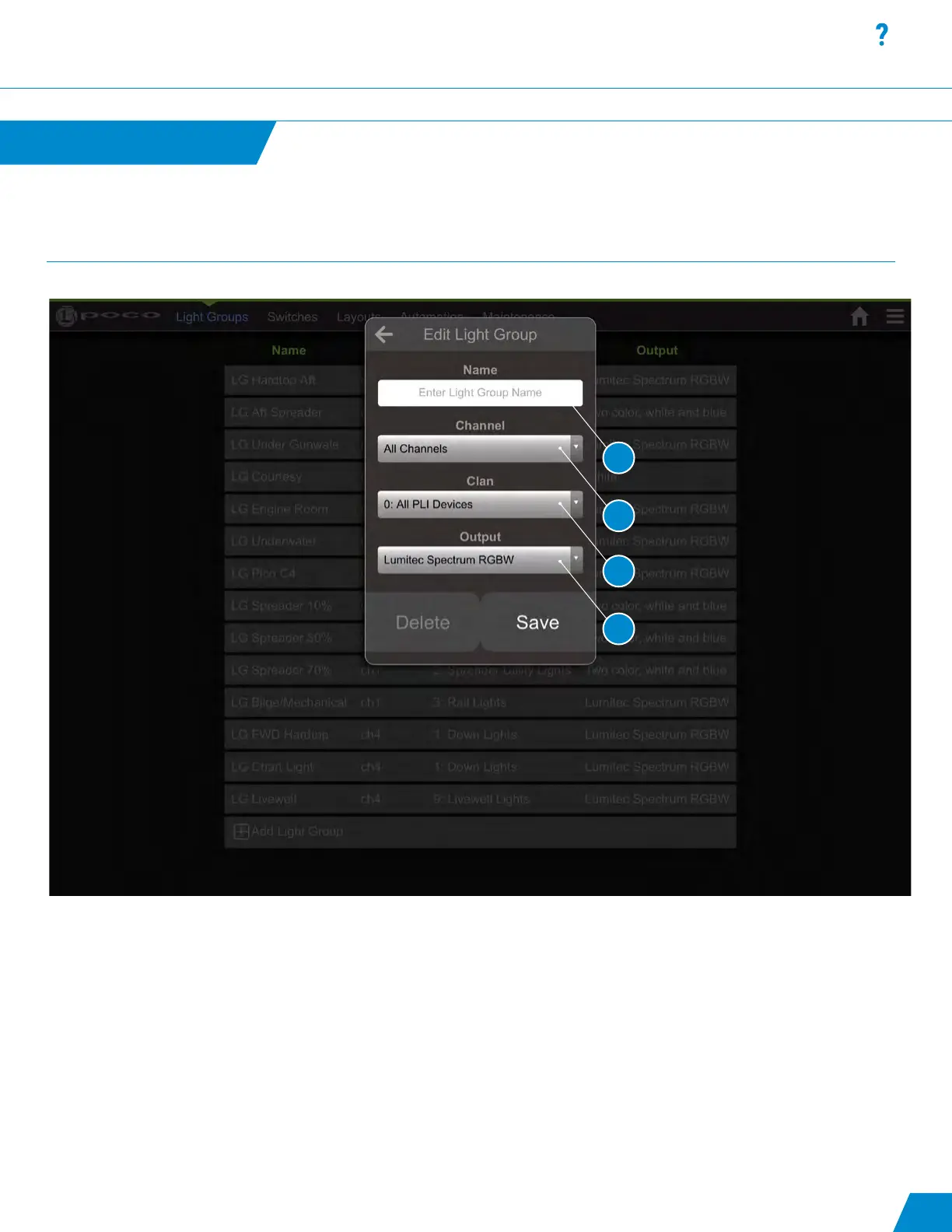
Add/Edit a Light Group:
1. User Congurable “Light Group” Name, Using a prex like “LG” may help with future setup.
2. Hardware output channel on Poco. Gives the ability to send a command to all channels or each individual channel (1-4).
3. A PLI-level identier for one or more devices. Clans are roughly organized around product families. Allows commands to
be sent to all Clans or individual Clans in the list below.
4. Color capability of lights built into light group. This is the property that provides the correct color options for a light
when a switch is pressed and held to bring up the omnillume widget.
User Interface SETUP
Setup continued...
continued...
16
1
2
3
4



 To Next Page