INTERFACE
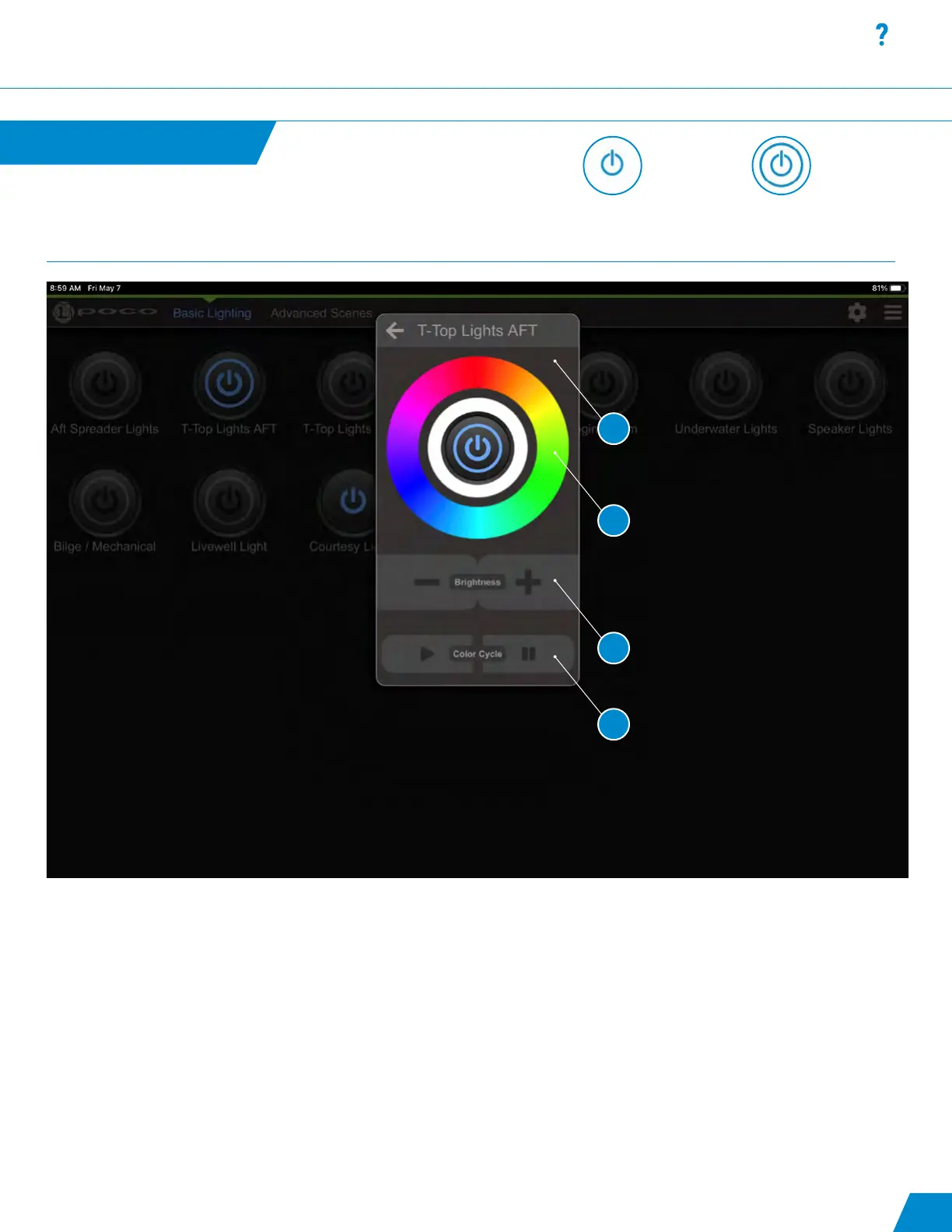
Omnillume Widget:
1.Switch modication popup that appears when an Omnillume switch is pressed and held for greater than 1 second.
2. Light color modication rings, press for desired color.
3. Light intensity modication.
4. Play and Pause pattern (available for Spectrum and Dual-Color lights).
Omnillume Widget
continued...
Latching or momentary
ON/OFF switch with no
ability to modify.
Omnillume switch with the
ability to be modied from
default intensity and color.
12
Interface continued...
1
2
3
4



 To Next Page