INTERFACE
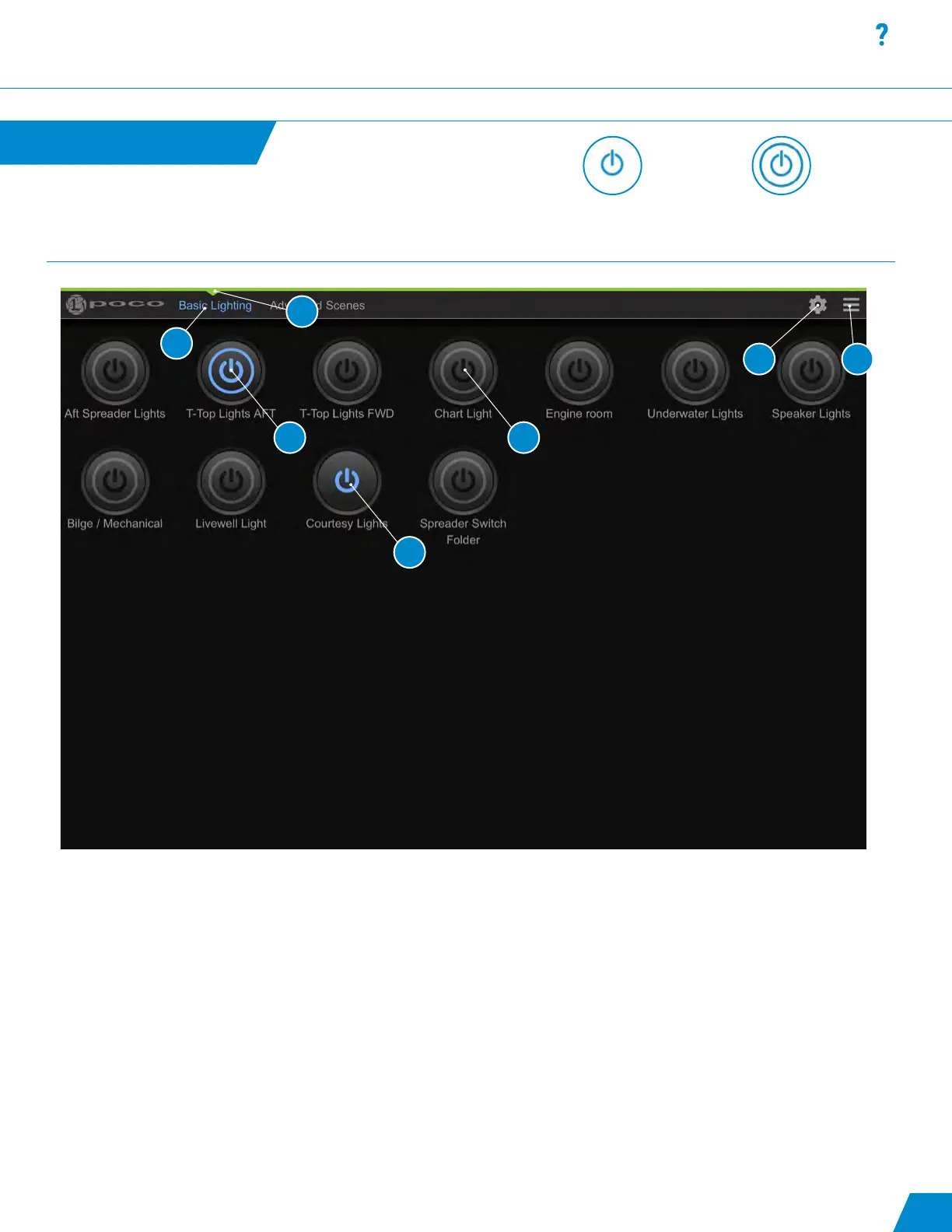
Switch Panel:
1. Active switch page.
2. Customizable name of switch pages.
3. Gear Icon - Conguration and setup.
4. Hamburger menu icon - Drop down menu of options.
5. Switch that has been turned on (blue highlighted icon).
6. Switch that has the ability to be modied from default intensity and color with a press and hold of the button
(Notice ring around power logo). Switch has been congured as an Omnillume in switch setup.
7. Switch is either latching or momentary ON/OFF with no ability to modify (Notice NO ring around power logo).
User Interface Components
Interface continued...
Latching or momentary
ON/OFF switch with no
ability to modify.
Omnillume switch with the
ability to be modied from
default intensity and color.
11
1
2
4
6
7
5
3



 To Next Page