SETUP
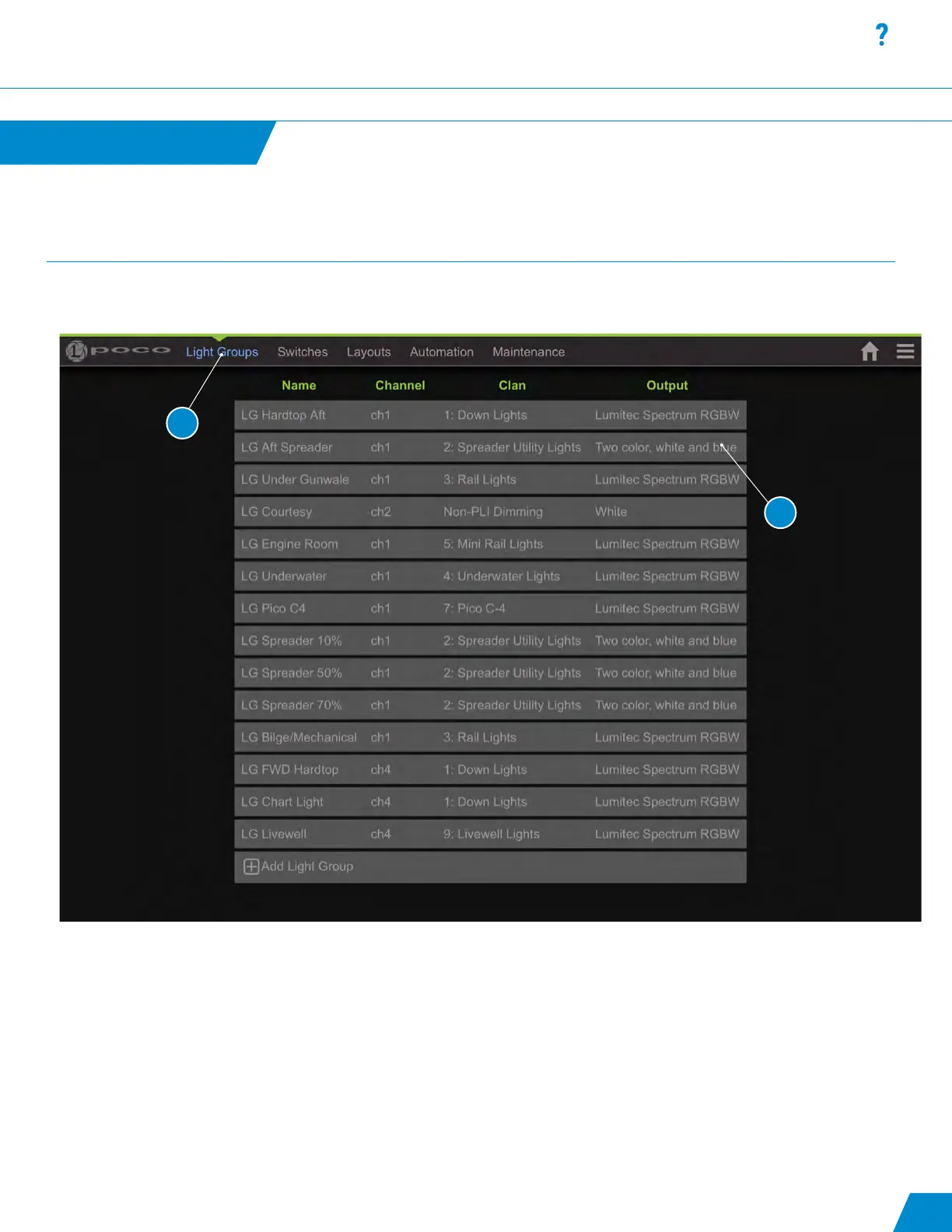
List of congured Light Groups:
1. First step in system conguration is to dene the “Light Groups”.
2. Select a row to edit or select “+ Add New Item” to create a new “Light Group”.
Note: Light Groups must be congured rst before setting up switches.
The Poco setup menu is accessible through the gear wheel icon in the upper right of the user interface window.
User Interface SETUP
Setup continued...
15
1
2
Default Maintenance pin is set to “0000”. This can be changed but must be
done by manually editing the conguration le. See exporting and importing
conguration below.



 To Next Page