INTERFACE
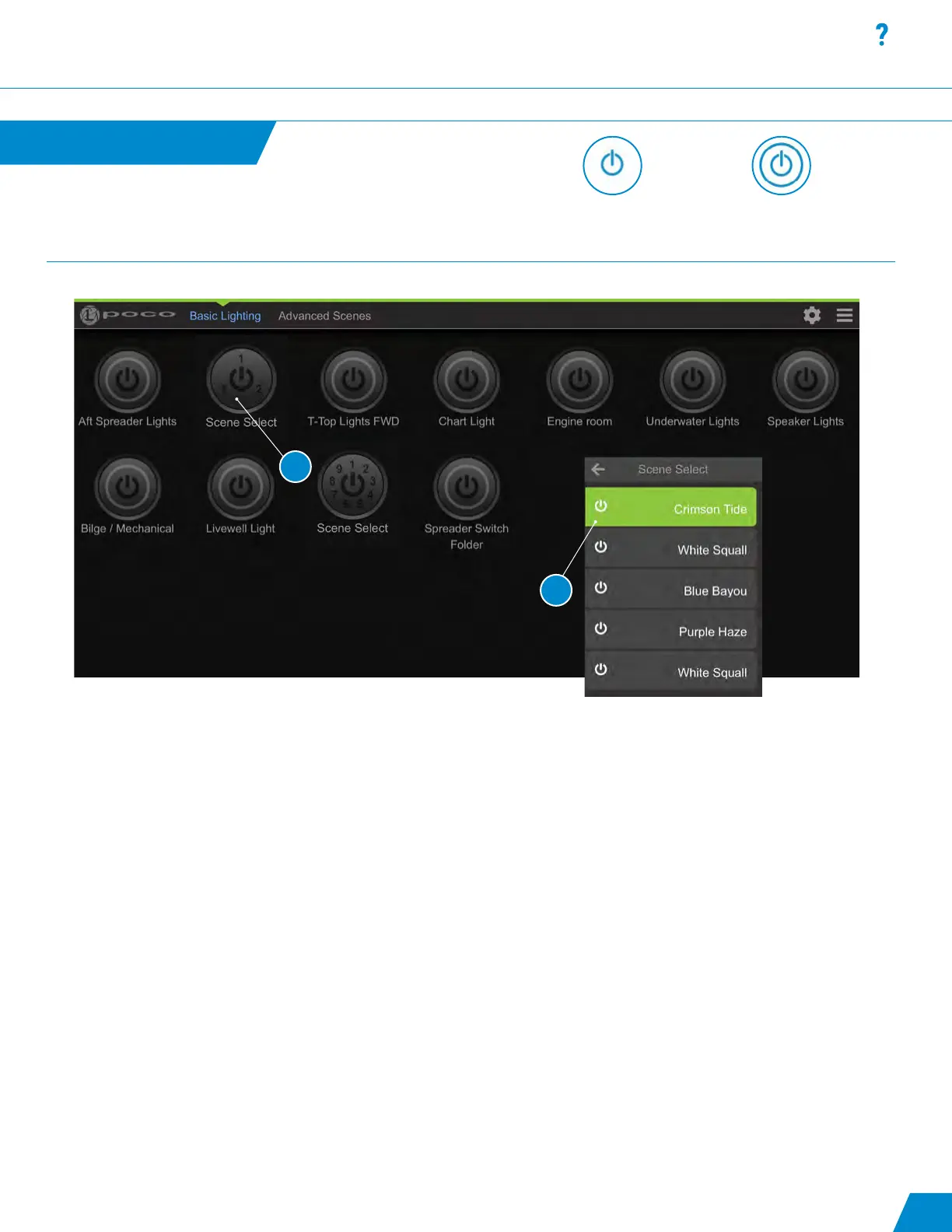
Scene Select:
1. The Scene Select feature allows you to group multiple scenes within one switch.
- Scene Select button contains multiple scenes.
- A quick press of a Scene Select button will activate the rst scene in the list
- Change scenes by pressing the button within 4 seconds to cycle to next scene.
- Pressing the button after 4 seconds will shut the switch off.
2. Press and hold the switch to bring up the list of scenes available under the switch.
Note: Only one scene grouped within Scene Select can be active (ON) at any given time.
Scene Select
continued...
Latching or momentary
ON/OFF switch with no
ability to modify.
Omnillume switch with the
ability to be modied from
default intensity and color.
14
1
2



 To Next Page