SETUP
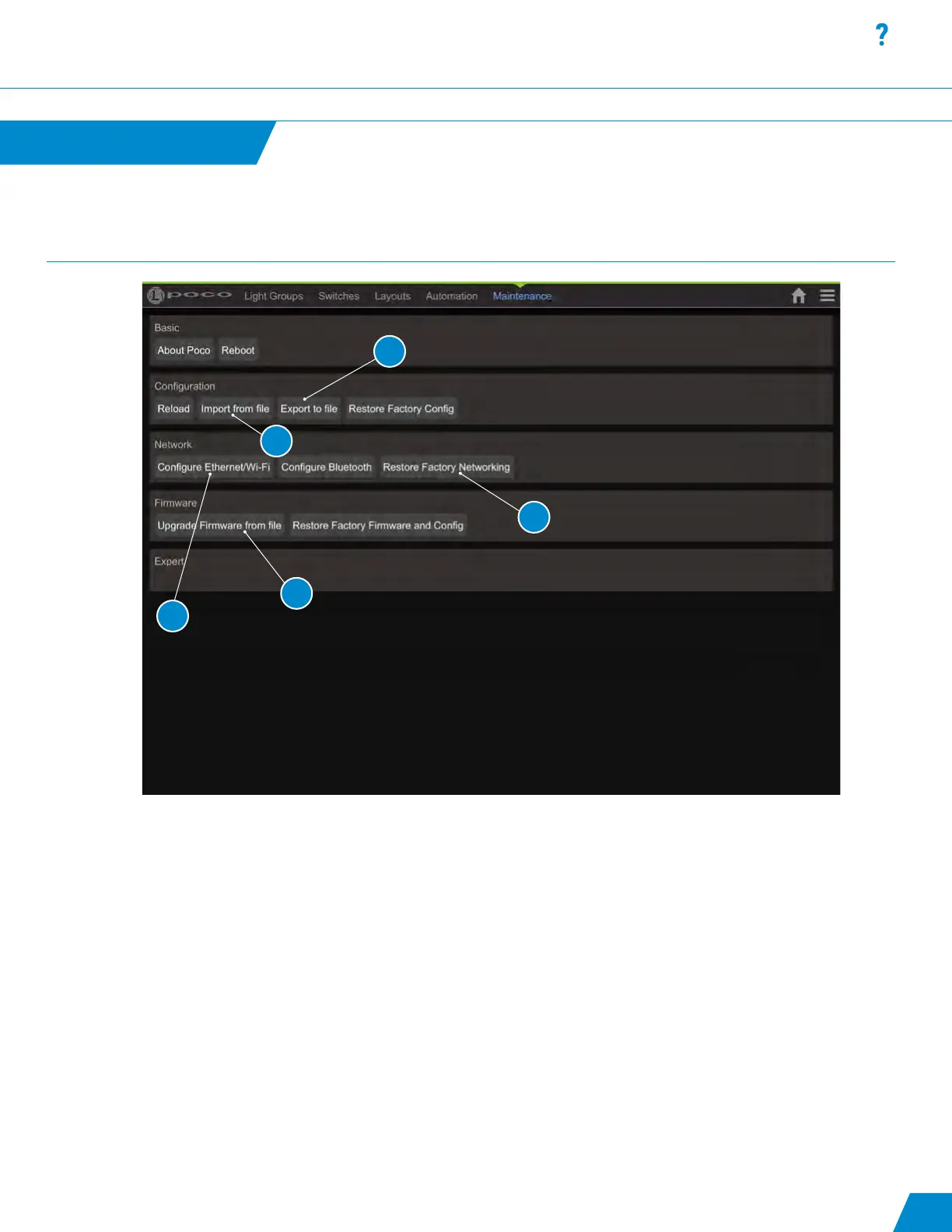
Maintenance Options:
1. By default Poco broadcasts as a WiFi access point (AP). The SSID is “poco-xxxx” where xxxx is a unique ID that is hard
ware dependent. The WiFi password is located on the back of your Poco device. Or, you can simply scan the QR code
on the Poco unit which will populate the Poco ID and WiFi password into your mobile device. NOTE: You may need
to turn off cellular data service prior to connectiong to Poco via WiFi. IP address for connecting to poco (AP) is
192.168.4.1 (some devices may support accessing poco via http://poco.local). WiFi can be disabled here. Connection
can also be congured for connecting Poco to existing WiFi network (STA mode).
2. Restores networking settings to factory default.
3. Import Cong le. File type must be .json
4. Export current cong le. This is a good way to backup and/or copy this conguration to another unit. You will recieve a
pop up menu to conrm download, select “OK” to start download.
5. Upgrade Poco Firmware using a xxx_ota.bin le supplied by Lumitec.
Maintenance
continued...
Default Maintenance pin is set to “0000”. This can be changed but must be
done by manually editing the conguration le. See exporting and importing
conguration below.
27
1
2
3
4
5



 To Next Page