SETUP
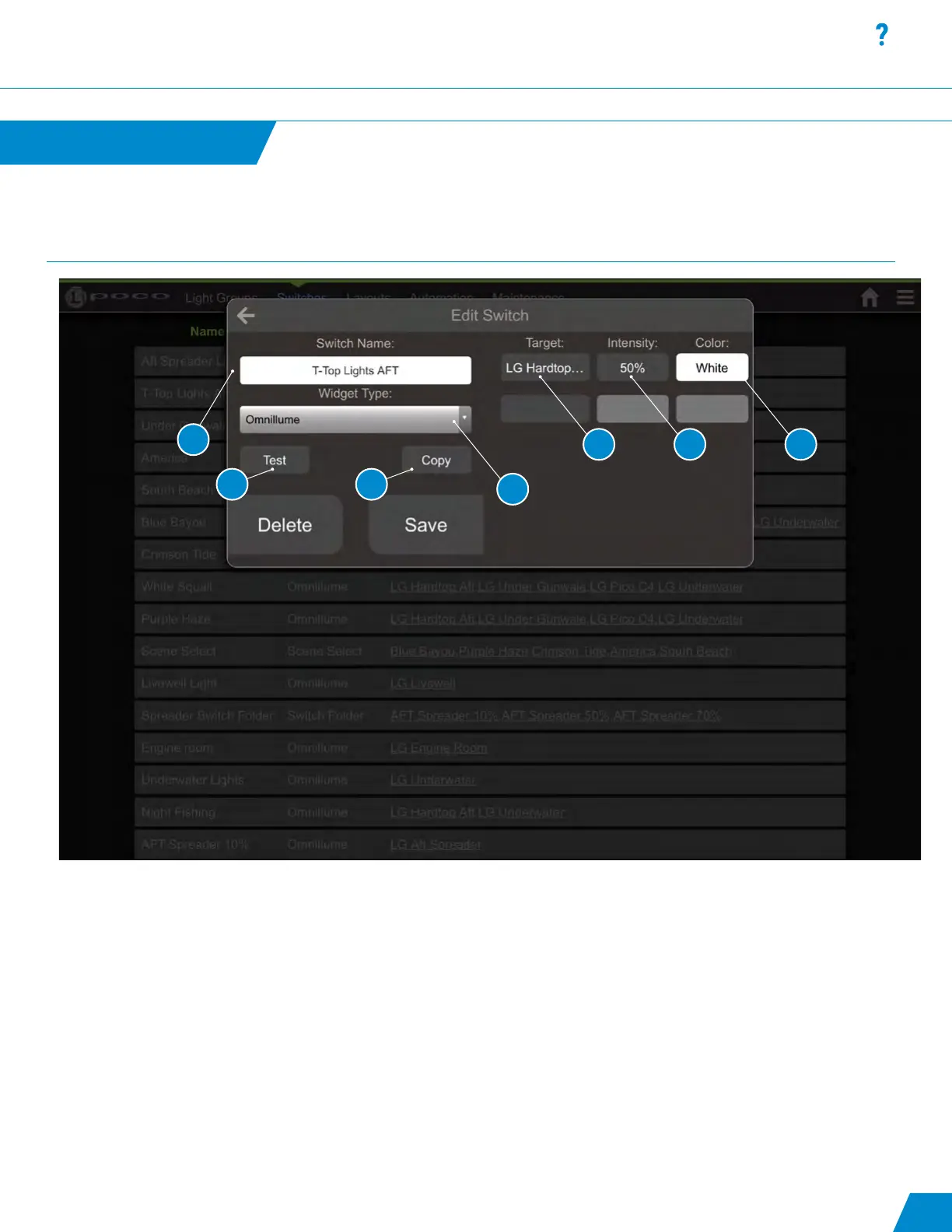
Add/Edit a Switch:
1. User Congurable “Switch” Name.
2. Type of Switch to dene button action. See switch types in the list below.
3. Push to test commands in list, push again to issue off command to targets in list.
4. Push to create a copy of current switch and begin editing.
5. Light Group or Switch Selection. Light Groups are allowed to have intensity and color properties, switches cannot have
any modication properties and are only activated in the order they appear in the list.
6. Light Intensity Selection 0% - 100%.
7. Color and Pattern Selection.
Switches
Switches continued...
continued...
19
1
3 4
2
5 6 7



 To Next Page