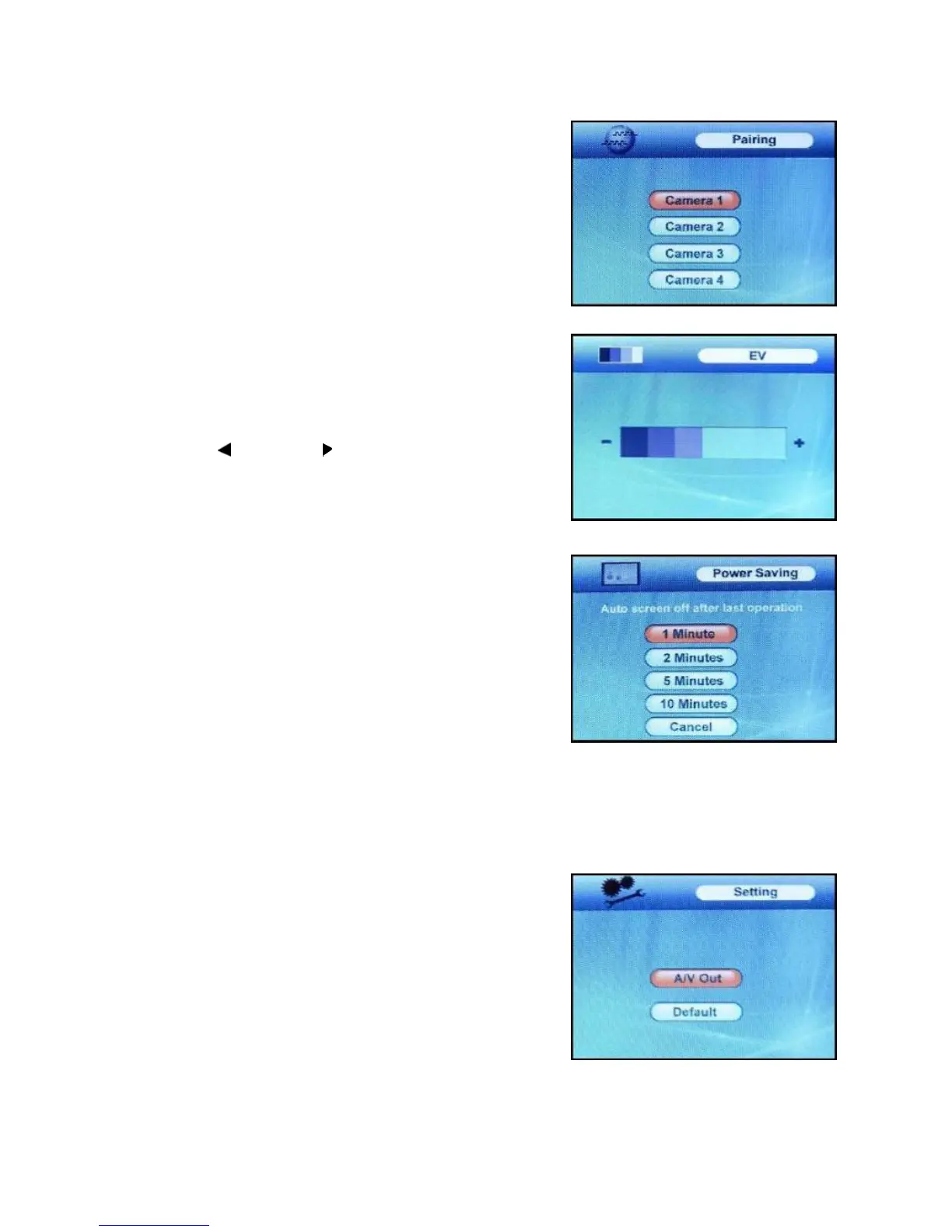
Pairing Menu
The system comes with camera(s) that have already been
paired. The pairing function assigns each camera to a different
channel on the wireless receiver (up to 4 Cameras), and is
necessary for configuring additional cameras.
Use the UP▼ and DOWN▲ arrows to navigate. Select the
desired pairing channel, and press the OK button to begin the
pairing process with a camera.
NOTE: It is highly recommended to pair the cameras to the
receiver before permanently mounting the cameras. See the
pairing section of this manual for details.
EV Menu
The EV Menu is used to adjust the exposure of the camera.
Use the LEFT
and RIGHT arrows to change the bar from
DARKEST (left) to LIGHTEST (right). Press the OK button to
accept the change.
Power Saving Menu
The Power Saving Menu is used to turn off the screen at a
predetermined time, to save battery. This function can be set to
1 minute, 2 minutes, 5 minutes, 10 minutes, or disabled by
selecting cancel.
The monitor will go to black screen to save battery after the time
you have set (1minute, 2 minutes, 5 minutes or 10 minutes).
It will be activated by pushing any button on the front panel of
monitor or by higher sound detected by cameras.
If it is activated by pushing any button (except OK button) on front panel of monitor, the monitor will go
back to black screen after the time you set if there is no sound trigger during that time.
If it is activated by higher sound (sound trigger), it will go back to black screen about 8 seconds after the
last trigger.
Setting Menu
The Setting Menu contains 2 submenus:
1. A/V Out – Changes the quality of the image sent to the A/V
receiving device (i.e. TV or Monitor).
2. Default – Resets all menu settings to factory default.
NOTE: Resetting the receiver will not reset all camera pairing.
8















 To Next Page